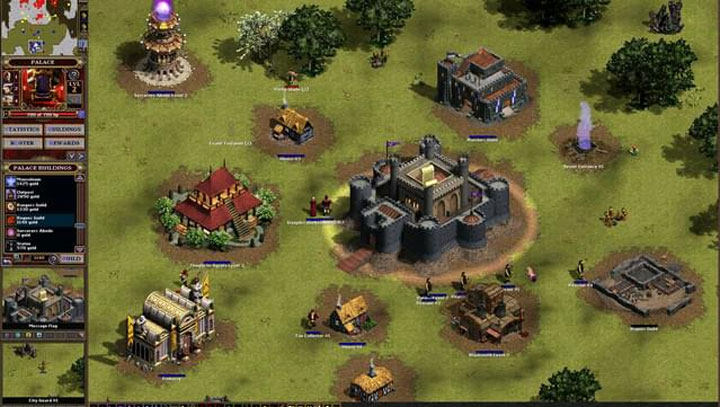
DxWrapper (Windows 10 Fix) is a mod for Majesty Gold HD Edition, created by Elisha Riedlinger If you will find this project useful please consider supporting it’s creator through PayPal.
Description:
DxWrapper is a .dll file designed to wrap DirectX files to fix compatibility issues in older games like Majesty Gold HD Edition. This project is primarily targeted at fixing issues with running games on Windows 10, by simply dropping .dll and .ini files into the game folder. Its secondary purpose is to offer a single tool combining several projects into one.
Features
DxWrapper has many features including:
- Integration of DDrawCompat
- Configuring DDrawCompat options to improve compatibility
- Proxy for DxWnd
- Conversion of DirectDraw 1-6 to DirectDraw 7
- Conversion of Direct3D 1-6 to Direct3D 7
- Conversion of DirectDraw 1-7 (ddraw.dll) to Direct3D 9 (d3d9.dll) using Dd7to9
- Conversion of Direct3D 8 (d3d8.dll) to Direct3D 9 (d3d9.dll) using d3d8to9
- Conversion of DirectInput 1-7 (dinput.dll) to DirectInput 8 (dinput8.dll) using dinputto8
- Includes LegacyD3DResolutionHack to remove the artificial resolution limit from Direct3D 1-7, which allows DirectDraw games to play at 4K resolution
- Tweaking of Microsoft DirectSound function calls using DSoundCtrl
- Can cause Direct3D 8 and Direct3D 9 games to run in windowed mode
- Can disable Microsoft Game Explorer (GameUX) to prevent rundll32.exe high CPU
- Can disable High DPI scaling in Windows
- ASI loader to load custom libraries with the file extension .asi into game processes using Ultimate ASI Loader
- Supports being loaded as an ASI plug-in
- Adding AntiAliasing support into DirectX 8 or 9 games even if the game does not support it
- Hot patch memory support (update game memory at run time, can be used to remove CD/DVD checks or resolve graphics or other glitches)
- Set single CPU affinity (some games have issues with multi-core CPUs)
- Disable display scaling on high DPI mode
- Ability to set all 12 Application Compatibility Toolkit options for DXPrimaryEmulation using SetAppCompatData API
- Set game window to fullscreen (some games have fullscreen issues)
- Handling in-game exceptions or crashes
- Load custom .dll files into games
- Run custom processes at game start-up
Installation
Download the latest binary release from the repository's Release page and unzip it to a folder.
Determine which .dll file is needed for the game. This depends on many factors which will be explained on page created later. Most commonly it is ddraw.dll, dsound.dll or winmm.dll.
Copy this .dll file from the 'Stub' folder plus the dxwrapper.dll and dxwrapper.ini files into the game's installation directory, next to the main executable file. For some games the main executable is in a subdirectory (like 'Bin', 'Exe' or 'App') so the files will need to be copied it into that directory. Overwriting of any existing game files is not recommended.
Open up the dxwrapper.ini file in a text editor and enable the settings needed for the game.
Do not attempt to overwrite any .dll in a Windows system directory as it is currently not supported and will not work.
Uninstallation
Delete the DxWrapper .dll and .ini files from the game's directory. You can also delete the log file, if there is one.
Configuration
To configure DxWrapper, edit the .ini file and enable the settings wanted. See the Configuration wiki for more details.
Sample configuration file: dxwrapper.ini.
List of all configuration options: allsettings.ini
Logging
The log file will be created in the same folder where the game executable is located. It will be named 'dxwrapper' with the name of the game executable appended to it. So if you are running the file game.exe then the log file will be called dxwrapper-game.log.
Supported DLLs
DxWrapper can wrap the following dlls:
bcrypt.dll
cryptsp.dll
d2d1.dll
d3d8.dll
d3d9.dll
dciman32.dll
ddraw.dll
dinput.dll
dinput8.dll
dplayx.dll
dsound.dll
dwmapi.dll
msacm32.dll
msvfw32.dll
version.dll
wininet.dll
winmm.dll
winmmbase.dll
wsock32.dll
- Last update: Sunday, November 14, 2021
- Genre: Strategy
- File size: 5.1 MB