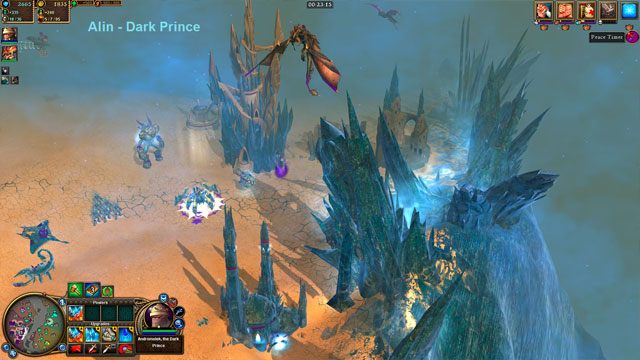
Motter's New Nations is a mod for Rise of Nations: Rise of Legends created by Motter28218. It enables a total of 13 new playable nations.
There are 4 mainline nations:
- Venuccians
- Desert Monsters
- Dark Alin
- Fallen
There is also a bonus folder containing nine additional sub-nations, just a note on the sub-nations: These nations are fully playable for you as the player, however, the creator not write up scripts for them, so if you play against these nations the AI will not be fully efficient, it will still work, but likely won't do much research or upgrades.
How to install:
1. Open up the folder that says "Mod Files"
2. Copy the 3 folders located in there, and pasted them into your "Rise of Legends" game folder which can usually be found in C:\Program Files\Rise of Legends. If you installed it somewhere else then paste the folders in there.
3. You will be asked to overwrite, click "Yes".
4. If it says the files can't be overwritten you must right click on your "Rise of Legends" folder, click "Properties", then uncheck the box that says "Read Only". You will be asked to apply this to all files and folders, click "Yes".
5. Very important, if you want the script files to work with this mod, you must go into your "BIGS" folder located in the "Rise of Legends" folder and delete the file "scripts.big" (Don't worry I include full backups for all files)
The 5 maps that have been enabled are: Ashfall, Dark Chasm, Death Basin, Pillars of Thuran, and Maldini Heights. Just select one of them from the Quick Battle menu choose any of the nations you wish to play.
How to uninstall:
Go into the "Originals" folder, copy all the folders, and paste them into your "Rise of Legends" game folder.
How to enable faction:
As stated the creator enabled the 7 mainline nations onto 5 different maps. If you want to enable them on any other maps, or if you decide to use any of the sub-nations here is how to attach the nation to the map:
1. On the main menu screen go to "Option and Extras" then "Utilities and Information".
2. Click "Scenario Editor"
3. Select the map you want to attach the nation to
4. Go to the tab that says "Map Properties Tool" - it's a green square with checkmark in it.
5. Then click "Game Settings" - it looks like a map legend with the "N" for north
6. Click "Manage Nations" and select whatever nations you want to enable
7. Now click "Playable" and then select the nations you just enabled
8. Finally, Save the map, and then RELOAD it, you must reload it, after it's done reloading exit out of the scenario editor, start a game and select the map you just edited, the new nations will now be available for play.
****Sub Nations
Enabling the sub nations on maps is the same as the mainline, however, you have to first copy them out of the "Bonus" folder into your Rise of Legends -> Data -> tribes -> ctw folder, it will ask to overwrite the one's in their now, click "Yes" (again, full backups are provided if you change your mind)
Now just follow the instructions above to enable any of the new nations to the map you wish.
- Last update: Friday, November 3, 2017
- Genre: Strategy
- File size: 58.5 MB