version: v.1.1
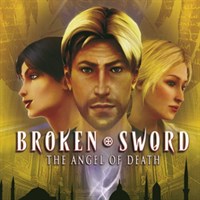
BROKEN SWORD – THE ANGEL OF DEATH (R)
1.1 PATCH README
Last Updated: 10/10/2006
INTRODUCTION & IMPORTANT NOTES
This document details the updates in patch v1.1 for the first release of Broken Sword – The Angel of Death.
Installation & Setup issues
=======================================================
You must have a full retail version of Broken Sword – The Angel of Death installed on your system before you can install the update.
Sound compatibility mode shortcut
=======================================================
You will find a shortcut labeled ‘Sound Compatibility Mode’ below the Broken Sword game shortcut in the Start menu. Run this to solve any audio problems you are experiencing.
The Sound compatibility mode shortcut should only be used if you are experiencing sound stuttering or audio related issues in the game. Please note that playing the game in this mode may cause a decrease in performance on certain hardware configurations.
Fixes
========================================================
FIXED: VPU reset error on ATI cards.
FIXED: Support added for older AMD Athlon machines
FIXED: Limited support has been added to allow users with onboard graphics chips that fully support Vertex shader 1.1 and DirectX10 to play the game.
Please note that onboard graphics chips that do not support vertex shaders do not meet the minimum requirements for playing Broken Sword – The Angel of Death, and we cannot provide assistance with any problems encountered using them.
Common problems and solutions
=========================================================
If you have problems playing the game, even after the patch is installed, you may be able to solve the problem by changing the game’s compatibility settings. These can be found in the file “compat.ini”, which is inside the “system” folder in the location where you installed Broken Sword – The Angel of Death.
To edit this file, ensure the game is not running, then open the compat.ini file in Notepad by double clicking on it. When you have made the change, save the file, and re-run the game.
Unfortunately, due to the immense range of PC hardware available, we cannot guarantee that these will solve all problems in every case.
Mouse delay/Mouse lag
Change the line that reads:
m_bDisableFrameBuffering = 0
to read as follows:
m_bDisableFrameBuffering = 1
Sound stuttering
Change the lines that read:
m_bDSoundLocDeferOn = 1
m_bDSoundLocForceSoftwareOn = 0
to read:
m_bDSoundLocDeferOn = 0
m_bDSoundLocForceSoftwareOn = 1
If you still have problems, please try the sound compatibility mode shortcut in the start menu. This is more likely to work correctly, but performance may be degraded.
Game is too dark, even with monitor settings turned up
The gamma value has been increased by 20% in this patch. If the game still looks too dark, increase the gamma level farther by changing the value in the line m_fGammaCorrection = to a number in the range 0.3 to 2.
Stop graphics tearing occurring
Change m_bforceVsynch to =1 to enable Vsynch, which should stop any screen tearing issue you are experiencing.
- Last update: Tuesday, November 7, 2006
- Genre: Adventure
- File size: 7.8 MB