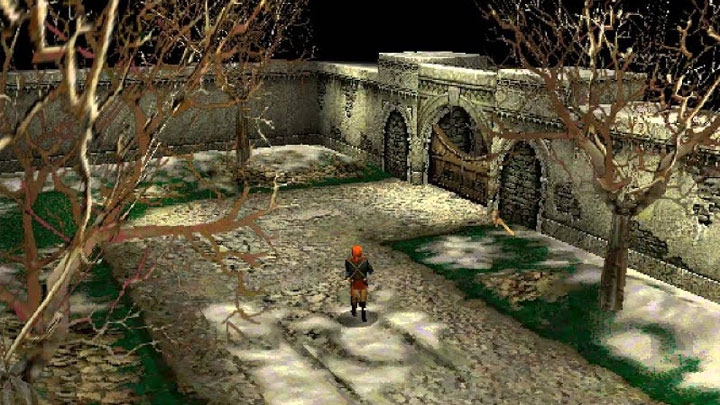
Soulbringer Better DirectX Compatibility Patch is a mod for Soulbringer, created by UCyborg.
Description (in author’s own words):
This patch is intended to solve certain issues that occur on modern systems, related to game's usage of ancient DirectX APIs. It also enables the game to run via dgVoodoo DirectX wrapper. The main goal of this patch was to get the game running properly on all machines I have at home, which have graphics cards of all popular vendors (NVIDIA, AMD and Intel) and running Windows 10. The following changes have been implemented:
Pass DDCREATE_EMULATIONONLY for DirectDraw objects used for intro cinematics, prevents the Fatal error message on startup or black screen during cinematics, depending on graphics drivers.
Call SetAppCompatData(12, 0) in ddraw.dll to disable maximized windowed mode on Windows 8 and above, allows the game to run in real fullscreen mode on those systems and restores ability to change gamma with F2 and F3 keys.
Delay execution of DllMain logic of rendering libraries to the point when the LoadLibrary call returns (startup hang prevention and dgVoodoo compatibility).
Included registry fix which disables Windows' interfering with the game, launcher. This interference can make the game crash or not start when ran through launcher under certain circumstances.
Installation
Files in this archive were tested with retail version of the game, they may work with other versions, just make sure neither sft8lib.dll, D3D6Lib.dll or D3D7Lib.dll are present in the root game folder, the patch bundles updated ones in data\Stealth\Render and having the old ones in the root folder overriding the new ones is a recipe for disaster. It's also recommended to setup the game to use dgVoodoo 2 wrapper for the best experience, though it's not mandatory.
Extract the contents of Soulbringer folder into your own, overwriting original files.
Apply Disable_Soulbringer_Compat_Fixes.reg registry fix which takes care of launcher issues. This may not take effect until you right-click on Soulbringer.exe, go to compatibility tab and click OK to cause Windows to register new settings.
If you're not going to use dgVoodoo with the game, you should set Reduced color mode (8-bit) on all game executables' Compatibility tab (Soulbringer.exe, SoulbringeVC.exe, SoulbringeVCnoeax.exe), it won't actually downgrade the colors, but it allows for rendering modes enumeration to work properly. This is only needed on Windows 8 and above.
If you want software mode to not have garbled colors without dgVoodoo, apply Soulbringer_Palette_Fix_x86.reg (32-bit Windows) or Soulbringer_Palette_Fix_x64.reg (64-bit Windows). Note that the software mode doesn't work on Windows 8 and above without dgVoodoo.
Launch Soulbringer, click Video, make sure any DX6 option is selected then choose the desired game resolution. The ones with 4:3 aspect ratio are the best given that game can't deal with wider aspect ratios. Other modes can work, but run too fast without forcing VSYNC (60 Hz) or capping frame-rate to 60 FPS.
Click Advanced and make sure the EAX option is disabled unless you're sure you have a working setup that supports running DirectSound3D games with EAX effects and EAX Unified is installed.
Additional notes
There is a strange issue with game on Windows 8 and above, it doesn't pick up on all rendering modes unless Reduced color mode (8-bit) is selected from its Compatibility tab under Properties. When run for the very first time, it works though. It always works properly when run through dgVoodoo.
Contrary to what the game ReadMe says, DX6 mode actually seems to run faster than DX7 and doesn't have the problem activating VSYNC to keep the FPS at 60. Running too fast makes the game glitchy. The downside, text is blurry, needs some sort of fix related to texel alignment, ATI specific fix is called Altertnate Pixel Centers, PixelCenter (31 00 00 00) setting in registry, no idea how to set it on application basis on today's drivers, irrevelant solution for NVIDIA and Intel, doesn't work with dgVoodoo neither. Future version of dgVoodoo may have a fix for that.
With recent NVIDIA drivers, without using dgVoodoo, game may hang when tabbing out, press CTRL + ALT + DEL, then ESC to get to the desktop.
- Last update: Sunday, January 6, 2019
- Genre: RPG
- File size: 2.2 MB