HUD Toggle is a mod for Tales of Arise, created by tenshiken1.
Description:
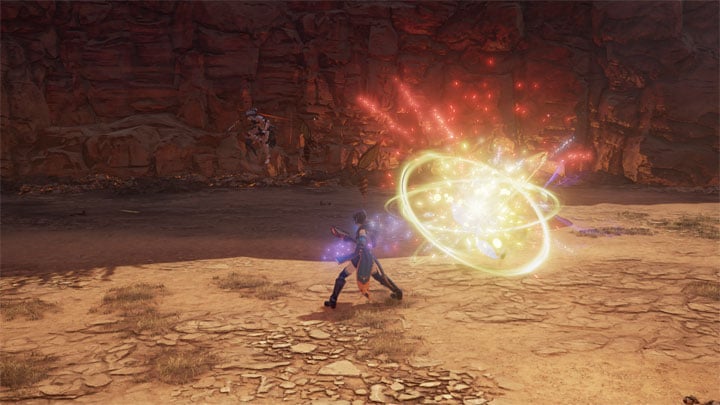
Toggles the HUD and menus on and off. Allowing for bigger immersion and prettier visuals. It’s especially useful for taking screenshots.
To Install:
After downloading the mod, open the folder and extract the contents to Tales of Arise\Arise\Binaries\Win64 (where the .exe is).
Once in game, press the Insert key to toggle the HUD on or off.
If you want to change the key bindings, simply open d3dx.ini and find this:
[Key1]
Key = VK_INSERT
and change it to whichever key you want. Just make sure it's in the Microsoft virtual key code format
Customization:
By default, this mod will exclude nearly all HUD elements. If you want to specify which HUD elements are affected by the toggle switch, you would do this by adding or removing shader fix files from the ShaderFixes folder.
Each shader fix is a _replace.txt file and has an associated .jpg with the same name (minus the ps/vs_replace). The .jpg will show what part of the UI that particular shader fix .txt is affecting by highlighting that particular element in pink.
For example, if you wanted to only toggle the health bar you would:
Go to the ShaderFixes folder
Look through the .jpg pictures to find any that don’t have part of the health bar highlighted and remove their associated _replace.txt files (you don’t need to remove the .jpgs themselves).
You should now be left with _replace.txt files that only affect the health bar and will be affected by the toggle switch.
If you wanted to prevent certain ui elements from being affected by the toggle (having them act as normal), it would basically be the opposite.
If you wanted the health bar to not be affected by the toggle you would:
Go to the ShaderFixes folder
Look through the .jpg pictures to find specifically the ones that have part of the health bar highlighted and remove their associated _replace.txt files (you don’t need to remove the .jpgs themselves).
You should now be left with _replace.txt files that do not affect the health bar but other ui elements will be affected by the toggle switch.
Notes:
Toggling the HUD will also toggle menus off, so you have to toggle the HUD back on when using menus.
This was created and tested with Nvidia hardware.
To Uninstall:
Either remove the mod files manually or use the uninstall.bat file.
- Last update: Wednesday, September 22, 2021
- Genre: RPG
- File size: 232.6 MB