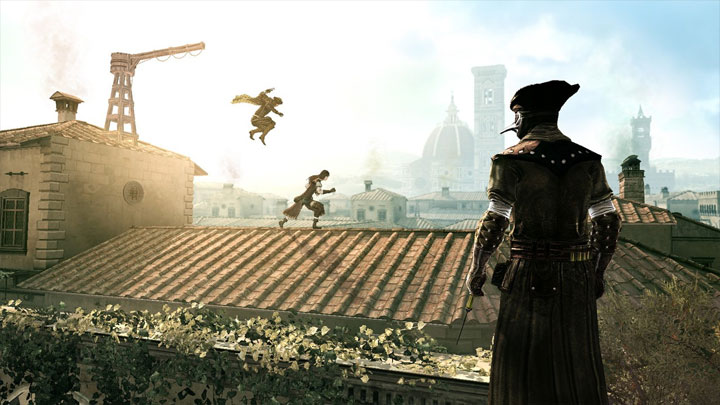
Definitive ACB Parkour Mod is a mod for Assassin's Creed: Brotherhood, created by HenryPDT
Description:
This mod enhances Ezio's parkour mechanics, granting players extensive control and more comprehensive movement options.
The mod aims for fluidity and natural-looking parkour movement. However, certain features can be unrealistic and volatile when used incorrectly and are advised against. Hence they are limited/disabled by default but can be enabled to unlock its full potential if you know what you are doing.
Features:
- ??Manual Vault: Implements AC1 manual vaulting
- Vault from Hang: Vault from a hanging state
- Vault to Fall: Vault to freeform fall from any height
- Parkour Down Close: Priorities descending to nearby lower NSO/Ledge
- Parkour Down Far: Priorities descending to further lower NSO/Ledge
- Super Hop / Jump on Handhold & Pole: Enables jumping on handholds, which you can then jump off or wall run up. It also lets you extend your range to super hop onto higher and further jumps in some cases.
- ?Manual Horse Flip: Enables flipping onto the same beam or next beam on any swings
- Swing Off Beam / Pull up Pole: Enables swinging off beams and pulling up poles while on idle hanging state.
- Pull Up Beam / Pole on Entry: By default, beams and poles are now swingable like poles, allowing you to pull up on beams and poles when jumping to them as if they are beams.
- Disable Stumble on NSOs/Ledges: Remove prescriptive stumble when jumping to a ledge at an angle. It does not remove freeform stumble
- ??Quick Catch Ledge Eject / Pull Up: Let you eject or pull up quicker from manual and prescriptive catch ledge, and drop to hang
- Jump to Hang: Force Jump to Hang on ledges and beams instead of on top
- Dive Beam: Allows you to dive to swing down to lower beams/swingable ledges (Only Hang Free handholds)
- Swing off Instantly w/ Swing Momentum: Provides instant swing-offs during swinging motion, commonly used with drop to hang or vault to hang on beams to then swing off
- Swing Up / Vault Landing Far: Enables swinging upward to reach higher NSOs/ledges. It also extends the horizontal Vault to Drop range to the next NSO. It can be used with Jump to Hang to swing / lache from beam to beam at the same or higher height.
- Vault Landing Low: Extends the lower height range for Vault to Drop to NSOs (does not increase vault to drop range to standing surfaces)
- Forced Freeform: Freeform Jump / Eject / Swing ignoring all nearby NSOs/Ledges. Used mid vault to Vault to Fall
- Disable Leap of Faith: Disable Leap of Faith as per the name
- Disable Corner Swing Landing: Disable prescriptive landing of corner swings (Corner swings to freeform)
- Disable Ledge Stop: Remove the ledge stop stumble when trying to run off the ledge of Standing Surfaces
- Natural Beam Drop: Allows to just step off of NSOs at any height
- Near Miss: Allows narrowly missing the next parkour target destination for manual ledge grab to chain with other parkour actions
- Further ?Freeform: Extends horizontal freeform movement
- Shorter ?Freeform: Reduces horizontal freeform movement
- ???Wall Dismount: This is basically ?weaker Shorter Freeform, useful for when you want to have even less horizontal freeform movement
- Always Roll: Forced Roll on landing on standing surfaces
- Always Land Hard / Soft: Forced hard/soft landing on standing surfaces
- Parkour Mode: Disable certain ingame actions that can interfere with parkour binds
- Disable NPC Targeting & Interaction: Disable NPC targeting, interactions, tackles and attack.
- Disable Arrow Storm: Disable arrow storm so that it does not interfere with parkour binds
- ?Disable Punch on Beam: Disable NPC targeting, interactions, tackles and attack.
- ??Disable Hidden Blade Flick: Disable NPC targeting, interactions, tackles and attack.
- Disable Weapon Wheel: Disable weapon wheel to free up button for parkour (controller only)
- Reset/Enable Mods: Resets Mod behaviour and values to default if something goes wrong.?
Installation:
?The controller key binds is for Xinput (Xbox Controller), so if you have a PS4/PS5 controller, you would need a program convert it into Xbox controller (recommend DS4Windows?)
Download and install the latest Cheat Engine???. May have to turn off the firewall or add an exclusion
Download the mod and extract the CT files to a folder
If you are still using the older version of the game for certain reasons, download the optional Old Version instead
Launch the game and load into your save game
Run the Cheat Engine Definitive Parkour mod file
When asked "Execute this Lua Script?", choose Yes
Wait for the top banner to go from "Cheat Engine 7.5" to "Attached to ACBSP.exe" to know that the table has been attached.
Make sure you are loaded into the save, and not just started the game and on the main menu, before activating the mods with the Reset / Enable Mods key binds.
?Use the Reset / Enable Mods key binds to enable the mods (or manually activate/check red-coded feature entries that has "ENABLE THIS --- KEEP THIS ACTIVE"
Use the mod features with the preset key binds, not by ticking the box.
?Enable Parkour Mode when you do parkour and toggle it back off when you want to fight/interact with NPCs
For KBM: change the Map key bind ingame from Tab to something else like M
Green-coded features including: Swing up, Vault Further, Super Hop and Manual Horse Flip are limited/disabled by default for being unrealistic/volatile if used incorrectly/abused.
If you know what you are doing, you can enable them back to use it to its full potential by doing the following:
Right click on the feature entry and click on Set/Change Hotkeys
Tick all the hotkey boxes and press OK
Repeat for the other Green-coded feature entries
Use the feature with the provided key binds
DO NOT TICK THE ACTIVE BOX ON THE OUTSIDE FOR GREEN FEATURES. THAT WOULD FORCE ENABLE THE FEATURE.
Key binds:
Controller (Xinput):
Manual Vault / Vault from Hang: X
Parkour Down Close: LB
Parkour Down Far: LB + LT
Super Hop / Jump on Handhold & Pole: LT
Manual Horse Flip: LT only
Pull Up Beam / Pole: LB only
Jump to Hang: RB
Jump to Hang Lower: RB + LB + X
Dive Beam: RB + LB
Swing off Instantly w/ Swing Momentum: B
Swing Up: LT
Vault Landing Far: LT only
Vault Landing Low: LB only
Swing Lache Beam to Beam (Same or Higher Height): RB + LT (Jump to Hang + Swing Up/Vault Landing Far)
True Manual Jump / Forced Freeform / Vault to Fall: LS
Disable Leap of Faith: LS
Disable Corner Swing Landing: LS
Disable Ledge Stop: LS
Near Miss: LS + RB
Near Miss Parkour Down Close: LS + RB + LB
Near Miss Parkour Down Far: LS + RB + LT
Further Freeform: LS + LT
Shorter Freeform: LS + LB + RT
????Wall Dismount: LS + LB + LT
Natural Beam Drop: LS + LB
Parkour Mode (Toggle): RS
Always Roll (on landing): B
Reset / Enable Mods: D-pad Up
KBM:
Manual Vault / Vault from Hang: Caps Lock
Parkour Down Close: MB4
Parkour Down Far: MB4 + MB5
Super Hop / Jump on Handhold & Pole: MB5
Manual Horse Flip: F
Pull Up Beam / Pole: MB4 only
Jump to Hang: Ctrl
Jump to Hang Lower: Ctrl + MB4 + Caps Lock
Dive Beam: Ctrl + MB4
Swing off Instantly w/ Swing Momentum: Shift
Swing Up: MB5
Vault Landing Far: MB5 + Space
Vault Landing Low: MB4 + Space
Swing Lache Beam to Beam (Same or Higher Height): Ctrl + MB5 (Jump to Hang + Swing Up/Vault Landing Far)
True Manual Jump / Forced Freeform / Vault to Fall: Tab
Disable Leap of Faith: Tab
Disable Corner Swing Landing: Tab
Disable Ledge Stop: Tab
Near Miss: Tab + Scroll Wheel Button
Near Miss Parkour Down Close: Tab + Scroll Wheel Button + MB4
Near Miss Parkour Down Far: Tab + Scroll Wheel Button + MB5
Further Freeform: Tab + MB5
Shorter Freeform: Tab + MB4
???Wall Dismount:? Tab + MB4 + MB5
Natural Beam Drop: Alt
Parkour Mode (Toggle): G
Always Roll (on landing): Shift
Reset / Enable Mods: R?
Passive Features (Enabled by Default when use Enable Mods, always active and no binds required)
?Swing Off Beam / Pull up Pole
?Disable Stumble on NSOs/Ledges
??Quick Catch Ledge Eject / Pull Up
Things to Know / How to use:
You need to press Reset / Enable Mods every time after you white room loading, so that can be fast travel, loading into save, enter a mission, etc. If you don't, you might get yeeted when you Freeform actions
After enabling all the required mods, Swing Off Beam / Pull up Pole while Hanging and No Stumble on NSOs/Ledges are enabled always and are the default behaviour. So remember that holding HP+Legs+Forward would now swing you off instead of pulling up on beams, so be careful.
Keep weapon on Hidden Blade to prevent punching when using Vault (X button) on Standing Surfaces for Controller
Use the Pull on Beam / Pole binds by itself while in the air to the Beam / Pole to activate it.
After loading/fast travel, you will need to Reset Mods for the Freeform function to work correctly again. If not, you might get shot off when you use it.
Super Hop is can be very volatile and unrealistic in many cases, and it should be used with discipline if you want to keep it natural.
When parkouring, activate parkour mode to prevent any actions from interfering and turn it back off with the toggle key bind when you want to fight/interact with NPC.
Holding manual vault button would force him to vault to hang.
To Vault Landing Far/Low, use the binds mid vault by itself with no other buttons.
Vault from Hang on hang free ledges looks unnatural and are advised against.
Specific actions like Manual Vault and Parkour Down Far would ignore a jump to a swing, so remember to use it only after making the jump to swing or while swinging to use it on the next NSO after that.
?For controller, using LT alone (or with backward direction) before swing entry to horse flip onto same beam, LT with forward direction to horse flip onto next beam
Always Land Hard / Soft are not binded since they are cheat like.
If some actions don't work, bug out, or get stuck, using Reset Mods would fix it most of the time.
- Last update: Sunday, June 2, 2024
- Genre: Action
- File size: 35.7 KB