Zombies – Remastered is a mod for COD5 Zombies Remastered, created by JBShady
Description:
This mod fixes bugs, improves consistency, adds quality of life tweaks, and makes other improvements to each of the four zombie maps.
CHANGES:
General
- AI can no longer push the player, which removes the "grabbing" effect where touching zombies would slow the player down. Togglable with the new "Enemy Grabbing" setting in Game Options
- All maps now use the same (more balanced) exponential zombie spawning formula from Der Riese which removes the limit of 24 max zombies per round on solo. Togglable with the new "Gametype" setting in Game Options, note that playing with the 24-limit is considered a cheat and high round records will not save
- All maps now make use of improved scripting and bug fixes that were added into the later DLCs
- All maps make use of slightly improved net related code from the later DLCs, including network safe spawning and network wait functions
- Added all zombiemode achievements that were on the console version (and custom achievements for maps that didn't have them). Complete with notifications, sounds, icons, and a menu
- Added stats tracking based on the console version for achievements, personal records, time played, kills, downs, and other miscellaneous stats on a per-map basis that are saved to the player's profile
- Player rank now changes based on the above zombie stats within the mod, allowing players to not just be stuck at Private level 1 as mods do not carry over Multiplayer rank. There is no indication of progression or ranking up, similar to the ranking system in Black Ops II zombies. Note this is only a feature for bragging rights with friends to indicate how experienced you are within a map, and it still uses the vanilla prestige logos and rank numbering system so nothing looks out of place
- Unused entities are cleared after use, both for one time items like radios or songs and for temporary scripting tasks
- Fixed instances where functions should have been threaded instead of being called, which originally resulted in unnecessary delays or bugs
- Game is hardcoded to Campaign "normal" difficulty as the level of difficulty unintentionally changed health regen and other variables in zombies
- Cheats disabled by default, use devmap to load in with cheats. Note that no leaderboard stats or ranks will save while playing with devmap so that you can still test features of the mod or develop without skewing legitimate stats you may have worked hard to earn
Player
- Player now spawns as a random character in solo instead of always the Player 1 character
- All characters now use accurate starting pistols that match their corresponding faction
- All characters now use hand models that match their player model, all using models from Campaign/Multiplayer
- Increased backwards and sideways movement speed to match somewhat closer to the console version, but balanced for realism
- FOV does not reset upon map restart, map reload, teleporting, or respawning
- Spectators can easily switch between 1st/3rd person as seen on the console version, complete with the proper HUD message hints
- Explosives damage behaves the same on all maps and across any number of players
- Explosives damage has been rebalanced and deals differing radius damage depending on weapon type and proximity instead of the flat damage rate introduced in Der Riese
- Fall damage no longer gives shellshock effect unless the fall damage takes more than 30% of your health
- Fall damage occurs after 150 units instead of 200 units, similar to future Call of Duty titles that all use 128 units as the baseline
- Re-added subtle flame damage friendly fire that was cut on the later DLCs, watch your aim
- Added weapon bobbing and crawl bobbing like future Call of Duty titles, weapons no longer just lowers while moving. Toggleable, see custom DVAR section
- Added footstep sound effect when player lands on the ground after jumping which were originally cut, but are heard in all other Call of Duty titles
- Fixed player third person model from stretching up to 90 degrees upwards or downwards when looking all the way up or down (which looks very odd), there is now has a set limit as introduced in Black Ops I
- Added subtle screenshake when near grenade explosions, as seen in Multiplayer and later in Black Ops I campaign
- Slightly increased footstep volume to make up for loud ambient sounds in zombiemode, especially on Der Riese
- Player falls into prone when dying like in Black Ops I
- Player also drops their hands onto the ground when dying as the Game Over screen appears, animation ported from Black Ops II
- Player no longer receives a free pistol when they have no weapons, instead the screen is just blank like future Call of Duty titles
- Player can still pick up weapons if they have no weapons or if they only have 1 weapon that's not a starting pistol, instead of being locked out of any weapon interactions
- Fixed clientside sounds and effects from playing or looping at different speeds depending on the client's FPS, including map visual effects and player sounds like the red screen heartbeat
- Fixed player being able to pull out equipment while drinking perks or purchasing the Bowie Knife
- Fixed player being able to purchase other items while drinking perks or purchasing the Bowie Knife
- Fixed red screen functionality breaking after bleeding out and respawning
- Fixed crashes from being able to purchase things while falling down into death before the game over screen appears
- Fixed damaging yourself with a grenade removing the ability to be shellshocked from certain scripted damages
- Fixed an extra grenade spawning when killing yourself with a grenade
- Fixed earning grenade reward during round change while in last stand
- Fixed potential bug with dead players being able to revive in a very specific scenario
- Fixed potential bug with dead players still triggering electric trap visual effects
- Fixed bug where players could mount weapons on top of other players near balcony ledges
- Fixed large amounts of damage or unknown damages types causing map restarts, including Peter's hanging body. Note Peter's body will still kill you
- Fixed all 3+ weapon glitches
- Points capped at 1 billion to prevent overflow into negative points
- Added setting to hide or show rank logo next to player name while in game, as rank is a non-essential aspect of zombies progression
- Dead players spectating can chat with alive players now
Zombies
- All maps use various improvements to zombie and hellhound logic/pathing
- In addition to Round 1, Round 2 will also only be walkers to allow for more gradual pacing
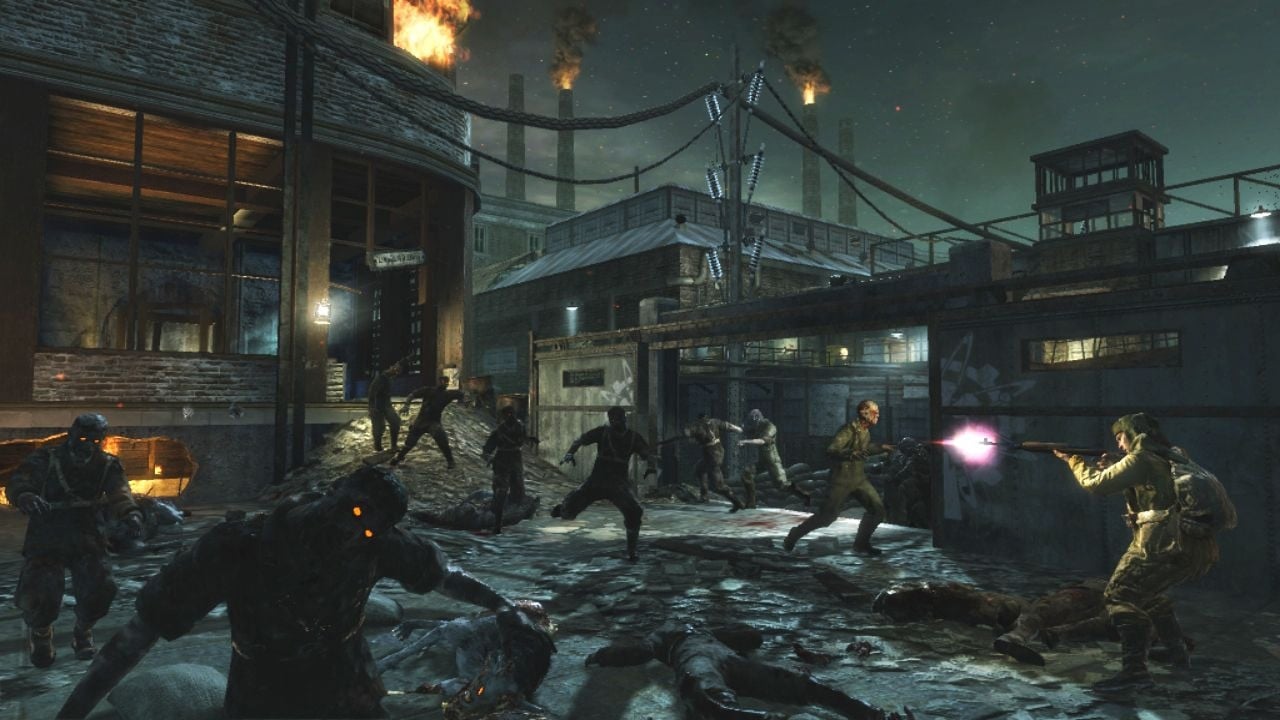
- Zombies have glowing eye effects in all DLCs, as originally seen only on Nacht Der Untoten
- Zombies can now spawn with random combinations of helmets, hats, bandages, headbands, or other gear based on rare percent chances and the map's location, with the first two maps using more equipment and the last two having less (which is also due to aiding performance on the larger maps)
- Helmets can be shot off a zombie's head and will fling based on the direction of the damage and will play a special sound
- Gibs and helmets shot off of zombies disappear quicker depending on the amount of players to hopefully reduce visual glitches when there are too many vertices on the screen
- Added missing gore fx when gibbing zombie torsos
- All German zombies utilize the same set of moving, crawling, and melee animations, as some animations were only added in later DLCs. Note that the first two maps still utilize the old style swiping board animations. Some adjustments have also been made on a per-map basis regarding crawlers, taunting, and meleeing, see map sections below
- Zombies now use consistent wallhop animation tiers in all maps (was cut on Der Riese) where zombies climb through barriers faster depending on their movement speed
- Added cut walk_v9 animation to all German zombie variants that was later used in Black Ops I. Further cut Japaense zombie animations have been added to Shi No Numa, see map section below
- Zombies must be on the same floor/actually directly behind players to still play their "behind" vocals
- Zombies can now gib from special scripted explosive damage including Bouncing Betties, Satchels, and Mortars
- Zombie neckshots no longer count as headshots on the stats page so that scoreboard headshot value will reconcile with the menu stats
- Hellhounds are now actually invincible while they are spawning in before they are visible
- Mid-round hellhounds count towards the total zombie count
- Mid-round hellhounds have an additional failsafe if they glitch outside the map, automatically despawn after not hitting the player for a long time while also being near the end of the round
- Fixed potential scripting leak when zombies rise out of ground
HUD
- Damage indicators only fully fade when player is actually at 100% health
- HUD elements no longer touch the very edge of the screen including the ammo counter, round counter, perk shaders, and mission intro text
- Powerup shader alignment has been tweaked so they are not so close to the edge of the screen, creating better spacing with the equipment inventory HUD elements
- Tweaked HUD text elements so none overlap after making the above changes (Max Ammo text, revive related text, hintstrings)
- Shifted bottom right points scoreboard slightly up and to the left, more visually appealing similar to how it appeared on the console version and Black Ops I
- Bottom right points color in solo is now dependent on your character (as seen in co-op). Togglable, see custom DVAR section
- Hintstrings now show yellow highlights for keybinds, similar to Multiplayer and all other Call of Duty titles
- Removed objective info from pause menu (and pressing tab in solo, now with T4M or Plutonium there is the proper zombie scoreboard in solo)
- Updated the World at War font with an upscale to look better on HD displays, fixing the pixelated round counter
- Updated crosshair texture with custom HD version, still maintaining the correct art style
- Updated the activation hand logo on hintstrings with a custom HD version, still maintaining the correct art style
- Updated grenade icon and grenade pickup icon to accurately represent the frag grenade in the player's inventory
- Updated flamethrower icon with custom HD version, still maintaining the correct art style
- Updated perk and powerup shaders with custom HD versions, still maintaining the correct art style
- Created new better looking icons for Sticky Grenades and Type 97 frags from scratch, still maintaining the correct art style
- Changed the Monkey bomb icon to look more recognizable while still maintaining the correct art style
- Improved scale and spacing of flamethrower icon so it fits better with other HUD elements, which is also closer to the console version HUD
- Improved spacing of score HUD and weapon info HUD to be closer to the console version HUD
- Blood texture behind points is no longer overly stretched (horizontally), which was only on the PC version
- Removed grenade indicators from special grenades because these grenades cannot be picked up and display the incorrect icon
- Improved spacing between hintstrings and the activation hand logo
- Capitalization is more consistent in hintstrings
- Fixed the round counter not fully flashing white when going to round 6
- Fixed yellow points text offseting when players disconnected
- Triggers behave consistently in terms of disabling when a player is throwing a grenade or doing an otherwise invalid action when attempting to interact
- Triggers perform actions in sync across all maps instead of having slight differences depending on map and type (when to subtract points, when to disappear, when to give item)
- Upon respawn, player grenade inventory (while empty) is still shown on HUD before player recieves new round grenade reward
- All HUD elements disappear when the player dies for a cleaner game over screen
- All HUD elements disappear while in pause menus for options
- Weapon tutorial hint texts are slightly smaller so they are easier to read, used for Bouncing Betties and Satchel Charges
Menu
- Start game button added for quick solo play
- Overhauled main menu to remove/reorganize all non-zombiemode related pages, buttons, and settings. While running this mod, it is purely a zombies experience
- Co-op menus auto load the selected map and the co-op settings page now includes the relevant settings from Game Options that will effect all players and are decided by the host
- Added a reminder when heading to co-op for all players to install T4M, a common mistake
- Added Intel menu with an image/description of the map, achievements, and map stats/leaderboard
- Added Character Bios menu, ported from console but with slight grammatical and layout fixes for the best PC experience. Easter egg bios have been added to the first two maps, hidden by default
- Many new options seamlessly integrated into the existing menus with settings for FOV, the HUD, gametype/AI, fog, LOD, dialogue, and more with appropriate pop-up descriptions as needed. See table below
- Added custom co-op loading screen hint messages related to the mod
- Removed intel sponsorship advertisements from all loading screens for a cleaner look and to match the console version
- Hid Multiplayer style progress summary report pop-up when player ends game or disconnects as this data is not relevant
Gamepad
- Controller Mode setting switches hints to use gamepad icons for hintstrings and the D-pad so that players can enjoy a more immersive controller experience. Uses Xbox 360 style icons by default, but optional patch is available to change to PlayStation 3 style icons. NOTE: If gamepad hints are not showing up, this is because you have your interact key bound to something other than F and the game gets confused, simply unbind your interact key to fix
- Loading screens no longer show the mouse cursor and "click to start" hints while Controller Mode is enabled
- New custom scripted aim assist settings (lock on when aiming near enemy), togglable only while Controller Mode is enabled
- Menu settings for sensitivity and flipping triggers, note that any buttons can be rebound by pressing them in the appropriate setting
Settings
- New settings have been created, see below table
- Existing settings have been added to the options pages for easier access, see below table
- Anti-aliasing now goes up to 8x instead of just 4x
- Max anisotropy texture filtering setting added to the menu and can now be set to 16. Now, the slider lets you properly set your min value from 0-16 instead of the values 5-16 not doing anything because the max being set to 4 would override it
- All settings and stats are saved to the selected profile even if the game is closed, crashes, switches profiles, etc.
- Leaderboard high round records do not save if player has set Gametype (24 zombie limit) or Enemy Intensity (no extra super sprinters) to "Classic," as this makes the mod substantially easier and are considered cheats. Note that rank and miscellaneous player statistics such as kills and playtime will still save when using these custom settings
- Note that some "fake" DVARs were created for bypassing cheat protected settings, labeled the same as the regular DVAR but with "_settings" to allow the player to edit them on the menu and have it carry over in-game
HOW TO INSTALL:
Download the mod file and extract the contents using a free program like 7-Zip or WinRAR.
Drag & drop the folder(s) for the 4 maps into your mods folder. The correct mods folder is in the path below, to find it press Windows + R, type %localappdata% , & hit enter. You can place the shortcuts anywhere, such as on your desktop.
(AppData\Local\Activision\CoDWaW\mods)
Drag & drop the T4M d3d9.dll file (my r47 fork is provided, but any version works) into your root World at War. Go to your Local Disk drive in file explorer and follow the pathway below.
(Program Files (x86)\Steam\steamapps\common\Call of Duty World at War)
To play the mod(s), simply run the corresponding desktop shortcut or launch the desired mod from the Main Menu.
- Last update: Monday, December 1, 2025
- Genre: Action
- File size: 253.5 MB