DS2MouseLagFix is a mod for Dark Souls II: Scholar of the First Sin, created by _DTG_.
Description (in author’s own words):
DS2MouseLagFix is a mod that fixes various problems with the Mouse Inputs in Dark Souls II.
REPORT ABUSE
SHARE
Permissions and credits
Changelogs
Dark Souls II - Mouse Lag Fix
by _DTG_
------------------------------------------------------------
DS2MouseLagFix version 1.1 (2014/05/31):
------------------------------------------------------------
- Added Mouse XButton-1, XButton-2 support.
- Now the mod Toggle ON/OFF key can be changed via the DS2MouseLagFix.ini file.
- VAC notification message on the mod startup now can be disabled in the DS2MouseLagFix.ini file.
VAC (Valve Anti-cheat) Warning!
There is no guarantee that DS2MouseLagFix is VAC (Valve Anti-Cheat) safe. I cannot assure you that you will not get VAC ban for using this mod, so use it at your own risk.
I can only say that DS2MouseLagFix does not touch (modify) any piece of original code in the game. It just intercepts Mouse Inputs using a technique known as Window Subclassing. But, I'm afraid, that VAC is not smart enough to distinguish a cheating program from non-cheating one, and VAC might consider DS2MouseLagFix as a cheating tool by mistake.
--------------------------------------------------
What is DS2MouseLagFix?
--------------------------------------------------
As its name says it is a tool made for fixing Dark Souls II mouse problems:
- When you click Mouse buttons your commands start with 0.5 sec delay.
- When you hold CTRL, SHIFT, ALT keys and click Mouse buttons you get unwanted commands.
- When you want to do quick Single clicks they become Double clicks and produce unwanted actions.
--------------------------------------------------
How does DS2MouseLagFix work?
--------------------------------------------------
It intercepts Mouse Inputs (Left, Right, Middle, XButton-1, XButton-2) mouse buttons clicks, double clicks, also mouse wheel up, wheel down events and maps them to the keyboard (simulates Keyboard key press) according to the DS2MouseLagFix.ini (configuration) file.
For example, I want to bind my Left Mouse click to Strong Right Hand attack. I can do this by following these steps:
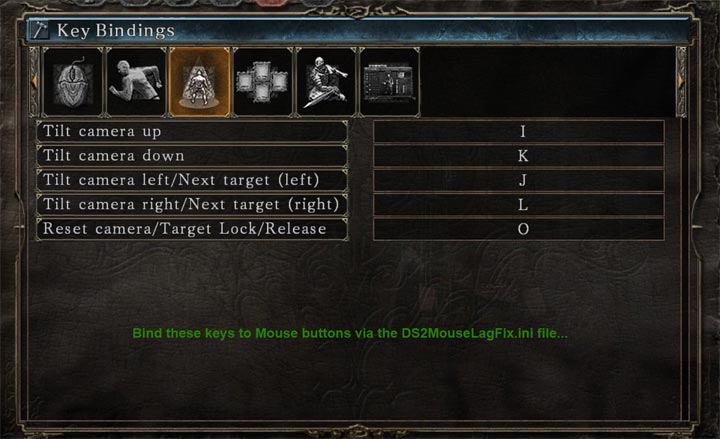
In the game, go to the Key Bindings configuration screen. Find the Strong Attack (Right Hand) key binding.
Open the DS2MouseLagFix.ini file with Notepad and bind the same key to 'MouseLButton=' field.
If DS2MouseLagFix is already loaded into the game, then you need to restart your game in order the 'DS2MouseLagFix.ini' changes take effect.
Also please note that there won't be separation like Single Click and Double click. All Double clicks will be considered as quick Single clicks.
Unfortunately, DS2MouseLagFix is not able to distinguish whether you are currently in the game itself or on a Configuration screen, so your Mouse clicks won't work on other Game screens (like Configuration Menu, etc.).
The good news is, you have an option to manually Toggle ON/OFF the DS2MouseLagFix by pressing F8 key in the game (can be changed in the DS2MouseLagFix.ini).
--------------------------------------------------
Installation and usage:
--------------------------------------------------
Just unpack the downloaded file anywhere you want. You should start Dark Souls II first, after you start 'DS2MouseLagFixLoader.exe'. You can configure DS2MouseLagFix mod via the 'DS2MouseLagFix.ini' file.
It might request you to install 'Visual C++ Redistributable Package for Visual Studio 2013' which can be downloaded here:
http://www.microsoft.com/en-us/download/details.aspx?id=40784
- Last update: Thursday, August 11, 2022
- Genre: RPG
- File size: 14.8 KB