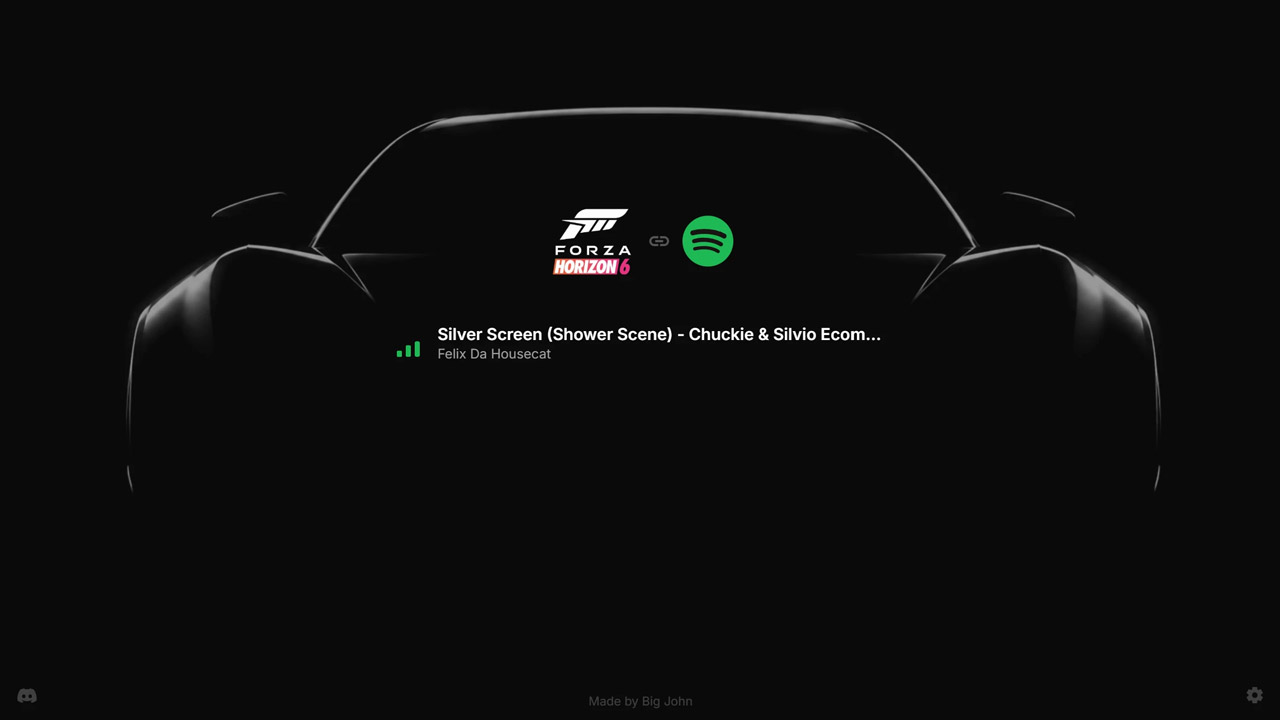
Spotify Radio is a mod for Forza Horizon 6, created by BigJohn.
Description:
Spotify Radio replaces the in-game Streamer Mode station with a Spotify Connect-powered radio station.
Your PC appears as “FH6 Radio” in Spotify. When connected, Spotify playback is routed through the game’s radio system and the in-game radio card can show the current track title and artist.
FEATURES:
- Spotify Connect support: Control playback from the official Spotify app by selecting FH6 Radio as the playback device.
- Integrated in-game radio audio: Spotify playback is routed through the game’s radio path, so it can behave like normal FH6 music once attached correctly.
- Live track metadata: The in-game radio card shows the current Spotify track title and artist.
- Listen together with Spotify Jam: Use Spotify Jam to synchronize playback between your and your friends radio.
Local status dashboard
Open this while the game is running:
http://127.0.0.1:8103
Use this page to check connection and playback status.
Requirements\
Forza Horizon 6 on Steam or Microsoft Store / Xbox app / PC Game Pass
Spotify Premium
Spotify app on your phone or desktop
Your Spotify device and PC should be on the same local network
Important: Spotify Premium is required. Free accounts may see the device, but Spotify does not allow full playback to unofficial Connect devices from free accounts. This is enforced by Spotify, not by the mod.
If you dont have Spotify premium, you might still use the local files playback method by selecting a folder in your storage that contains the mp3 or wav files.
How to install:
Close Forza Horizon 6.
Add the Forza Horizon 6 game directory as a Windows Defender exclusion (to prevent it from deleting mod files by accident).
Extract the release ZIP directly into your Forza Horizon 6 game directory, where forzahorizon6.exe is located.
Overwrite files when prompted. (Linux / Steam Deck / Proton users: Right click FH6 and click Properties. Add the following to the "launch options" field:
WINEDLLOVERRIDES="version=n,b" %command%)
Launch the game.
In FH6 audio settings:
Set Radio DJ to Off
Set Streamer Mode to On
Open Spotify on a device on the same local network.
Select FH6 Radio in Spotify’s device picker.
In-game, switch radio stations until Spotify Radio / Streamer Mode / R10 is selected.
Uninstall
Delete version.dll from the game directory.
Delete the spotify-radio folder.
Repair/verify the game files through Steam, Xbox app, or Microsoft Store to restore the replaced game assets.
Recommended In-Game Settings
Radio DJ: Off
Streamer Mode: On
FAQ
Can my account get banned for using this mod?
Modding is officially against the game’s TOS.
As of now, there have been 0 reports of bans or account restrictions from people using this mod.
Why do I need Spotify Premium?
The mod works through Spotify Connect, the same system used by speakers, TVs, and other playback devices.
Spotify only allows full playback on Connect devices for Premium accounts. Free accounts may see the device, but they cannot stream music to it properly.
This is enforced by Spotify, not by the mod.
Will Spotify Radio support other streaming services or become open source?
At the moment, I am not planning to open source the mod.
I know many people would like support for other sources such as YouTube Music, Apple Music, TIDAL, or local file playback. I understand that, and I would personally like broader support too.
However, adding other sources would not be a small extension of the current mod. It would require separate integrations, workarounds, and maintenance for each service. For now, the focus is keeping the Spotify version stable, polished, and maintainable.
There is an open source radio mod for Forza Horizon 6 called Universal Radio.
Troubleshooting
The game does not start or crashes instantly after installing the mod. How can I fix it?
Try this:
Reapply the mod by extracting the ZIP again and replacing the files.
Start the game again.
If that does not work, verify/repair the game files through Steam, Xbox app, or Microsoft Store.
Restart your PC.
Install the mod again.
Also check whether Windows Defender, Smart App Control, or another antivirus/security tool removed or blocked version.dll.
Only restore or allowlist the file if you downloaded the mod from the official page or an official download link.
Spotify Radio appears in the game, but I cannot see FH6 Radio in Spotify.
Common causes:
The mod was extracted to the wrong folder.
version.dll is not in the same folder as forzahorizon6.exe.
Windows Defender or another antivirus removed version.dll (Add the game folder as a Windows Defender exclusion).
Spotify and the PC are not on the same local network.
A VPN, firewall, router setting, or network isolation is blocking Spotify Connect discovery.
Check this first:
Make sure version.dll is next to forzahorizon6.exe.
Make sure the game is running.
Open this on the PC while the game is running:
http://127.0.0.1:8103
If the dashboard does not open, try another browser.
If the dashboard opens and shows no obvious errors, but Spotify still does not show the device, you may have previously connected with another Spotify account. Try deleting:
<game>/spotify-radio/librespot-cache
Then restart the game.
I can see FH6 Radio in Spotify, but Spotify gets stuck on “Connecting…”.
This usually means the mod is running far enough for Spotify to discover the device, but Spotify cannot complete the connection.
Try this:
Make sure you are using Spotify Premium.
Make sure the Spotify app and the PC running FH6 are on the same network.
Temporarily disable VPNs, proxy tools, private DNS filters, and aggressive firewall rules.
Allow the game/mod through Windows Firewall for private networks.
Restart Spotify completely.
Restart the game.
Restart your router if the device appears but never connects.
Try another Spotify client, for example phone instead of desktop.
Try another network, such as a mobile hotspot.
Try another Spotify Premium account if available.
If the device appears but stays stuck on “Connecting…”, the issue is usually outside the mod itself: Spotify account state, local network discovery, firewall, router isolation, VPN, or Spotify client behavior.
Spotify says it is playing, but I hear no sound.
Open the dashboard while the game is running:
http://127.0.0.1:8103
Check whether the dashboard says the game is ready, Spotify is connected, and the radio channel is selected.
Also make sure:
Streamer Mode is On
Radio DJ is Off
You selected FH6 Radio in Spotify
You switched the in-game radio to Spotify Radio / Streamer Mode / R10
Spotify audio sounds too loud, does not fade in menus, or feels like it is not properly integrated with the in-game radio.
Switch away from Spotify Radio to another radio station or No Sound, then switch back to Spotify Radio once.
This forces the game’s radio audio path to reattach.
Title/artist do not appear on the radio card.
Keep playback running for a few seconds.
If the display still does not update, switch away from Spotify Radio and back once.
The status page shows a TrackError when I try to play a song. How can I fix it?
This usually means Spotify refused or failed to provide playable audio for the selected track/account. The mod cannot fully fix this because playback data comes from Spotify directly.
Common causes:
Your Spotify Premium account is very new and Spotify Connect playback may need some time to start working normally.
The track, album, or playlist contains region-restricted songs.
Your Spotify account has a region, licensing, or playback issue.
The specific song you selected is unavailable through this playback path.
Spotify returned a temporary account/session error.
Things to try:
Play a different song, album, or playlist.
Try a very common global track first.
Fully restart Spotify and the game.
Log out and back into Spotify.
Try another Spotify Premium account if available.
Several users fixed this by switching to another Premium account. If another account works immediately, the issue is most likely account-specific and not caused by the mod install.
I cannot connect to online services. Is this caused by the mod?
Try updating or repairing Gaming Services through the Microsoft Store / Xbox app.
- Last update: Wednesday, June 3, 2026
- Genre: Racing
- File size: 68.8 MB