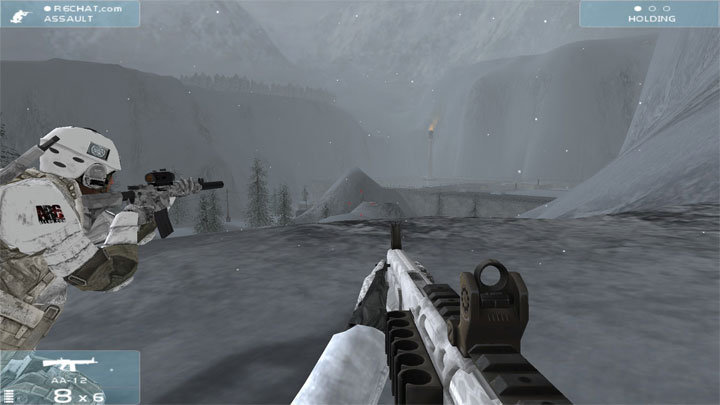
The file Windows 10 flickering screen Fix is a modification for Tom Clancy's Rainbow Six 3: Raven Shield, a(n) action game. Download for free.
File Type: Game Mod
File Size: 46.6 KB
Last Update: September 22, 2021
Downloads: 1.6K
Last 7 days: 3
Problems with download? [email protected]
More Info About Game
Tom Clancy's Rainbow Six 3: Raven Shield
All Downloads for
Tom Clancy's Rainbow Six 3: Raven Shield

Windows 10 flickering screen Fix is a mod for Tom Clancy's Rainbow Six 3: Raven Shield, created by Boris Vorontsov.
Description and additiona info (by TheUnbeholden):
It uses a ProxyLibrary so when you put the files in your Rvs System folder rather than goto DX12 on your WIndows 10 machine it goes off to pick up a DX9 dll file and lets you the play the game as normal. So yes DX12 on W10 is the cause of the problem !!. If you're getting a "general protection fault" crash then right click on the RavenShield.exe goto properties and compatibility, run in compatibility mode for Windows XP SP2 or SP3. Download the below zip file, just drop the d3d8.dll and enbconvertor config file into the RvS System folder, start the game and job done !. There does seem to be a bit of jerky graphics now and again but its more playable than it is in window mode !
The below takes a bit of jerkyness out of it as well.
Stutter Fix
1)Disable Raven Shield VSYNC
2)Run the game with one core
I know that those solutions have already been posted, but I realized that you have to do BOTH of them for the game to actually always work.
So here is detailed info on how to do those 2 things:
1)
Go to your RavenShield/System/ folder and open ravenshield.ini
Search for the vsync in the text file, and you will find an entry "UseVSync=True". Change it to "UseVSync=False". Save and close the file.
Go to your ATI/NVIDIA Control Panel and make sure that the vertical synchronization or vertical refresh is to the option OFF or Application Specific.
That's the first part of fixing it.
2)
You can do it with 2 ways:
Either disable one core by Alt-Tabbing out when the game is open, going to the Task Manager, going to the Processes, right-clicking to the ravenshield.exe from the list and selecting "set affinty", and deselecting CPU 0.
or the recommended way so you don't have to do this each time you start the game:
Go to your raven shield folder (not the system), and create a text file there. Open with notepad and paste this:
cd system
start /affinity 01 ravenshield.exe
and save the file as "fixedstart.bat" or whatever .bat
Now by double clicking on this file will start the game single-core. You can create a shortcut for this to your desktop for easy launching.
Game Mod Size: 2.7 KB DL: 346 Upd.: September 16, 2023
Game Mod Size: 48.2 KB DL: 2.3K Upd.: September 16, 2023
Game Mod Size: 397.9 KB DL: 104 Upd.: March 30, 2022
Game Mod Size: 604 MB DL: 10.6K Upd.: October 18, 2021
Game Mod Size: 544.5 MB DL: 832 Upd.: September 20, 2020
Game Mod Size: 11.4 KB DL: 626 Upd.: August 31, 2020
Game Mod Size: 656.1 MB DL: 370 Upd.: August 31, 2020
Game Mod Size: 10.3 MB DL: 1.9K Upd.: August 31, 2020
Game Mod Size: 5.4 KB DL: 717 Upd.: August 31, 2020
Game Mod Size: 1.9 KB DL: 808 Upd.: August 31, 2020
Game Mod Size: 28.3 MB DL: 232 Upd.: August 31, 2020
Game Mod Size: 656.7 MB DL: 1.5K Upd.: August 21, 2019
Game Mod Size: 153.8 KB DL: 287 Upd.: May 1, 2019
Game Mod Size: 3.3 KB DL: 294 Upd.: May 1, 2019
Game Mod Size: 157.9 KB DL: 494 Upd.: May 1, 2019
Game Mod Size: 375.7 MB DL: 1000 Upd.: May 1, 2019
Game Mod Size: 57.6 MB DL: 5.2K Upd.: May 1, 2019
Game Mod Size: 33.9 KB DL: 517 Upd.: March 18, 2019
Game Mod Size: 225.1 MB DL: 1.2K Upd.: March 3, 2019
Game Mod Size: 8.2 MB DL: 355 Upd.: November 5, 2018
Game Mod Size: 4.6 KB DL: 367 Upd.: October 8, 2018
Game Mod Size: 577.1 MB DL: 1K Upd.: June 2, 2018
Game Mod Size: 217 KB DL: 620 Upd.: March 19, 2018
Game Mod Size: 856.7 MB DL: 2.3K Upd.: December 17, 2017
Game Mod Size: 1.2 MB DL: 285 Upd.: November 20, 2017
Game Mod Size: 601.1 KB DL: 649 Upd.: November 20, 2017
Game Mod Size: 677 KB DL: 1.2K Upd.: November 3, 2017
Game Mod Size: 102.9 KB DL: 991 Upd.: November 3, 2017
Game Mod Size: 175.5 KB DL: 1.3K Upd.: October 16, 2017
Game Mod Size: 7.3 KB DL: 605 Upd.: June 21, 2017
Game Mod Size: 627.1 MB DL: 9.4K Upd.: October 11, 2014
Game Mod Size: 4.2 KB DL: 5.8K Upd.: January 17, 2014
Game Mod Size: 1009.5 KB DL: 1.4K Upd.: July 9, 2003
Game Mod Size: 1.9 MB DL: 2.1K Upd.: June 11, 2003
Game Mod Size: 1.1 MB DL: 1.8K Upd.: May 13, 2003
Game Mod Size: 1.1 MB DL: 1.8K Upd.: April 30, 2003
Game Mod Size: 5 MB DL: 2K Upd.: March 28, 2003
Game Mod Size: 5091.3 MB DL: 253.2K Upd.: October 28, 2022
Game Mod Size: 1254.7 MB DL: 1.51M Upd.: July 12, 2023
Game Mod Size: 1.6 MB DL: 851.7K Upd.: December 6, 2023
Game Mod Size: 115.8 MB DL: 112.8K Upd.: February 7, 2024
Game Mod Size: 1.2 MB DL: 549.6K Upd.: July 3, 2024
Game Mod Size: 4.3 MB DL: 401.6K Upd.: July 3, 2024
Game Mod Size: 889.9 MB DL: 29K Upd.: November 4, 2025
Game Mod Size: 1 KB DL: 23.7K Upd.: April 6, 2025
Game Mod Size: 41 MB DL: 36.2K Upd.: April 29, 2023
Game Mod Size: 70 KB DL: 172.2K Upd.: September 20, 2020