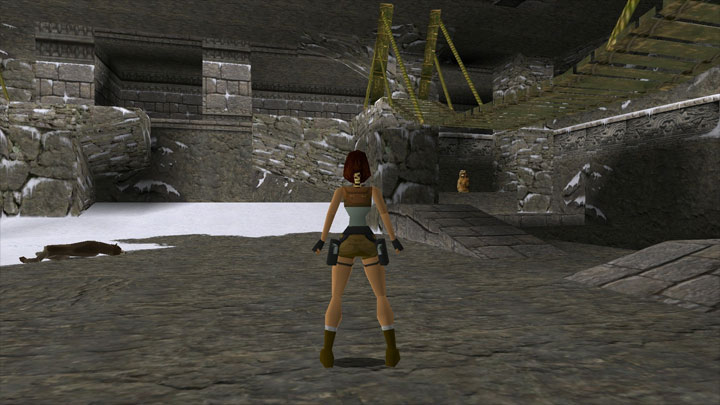
Tomb Raider Mouse Helper is a mod for Tomb Raider, created by Osprey.
Description:
This Windows utility for the first Tomb Raider game, runs in the background and provides mouse control in those games by converting mouse movements into key presses. This allows you to move the mouse to turn left and right and, while holding the right mouse button, look all around. It also enables firing with the left button, drawing weapons with the middle button and easily setting up WASD or ESDF control schemes.
Features:
Move the mouse to turn left and right (also can be used to rotate menus).
Press and hold the right mouse button to look around (without moving).
Press the left mouse button to fire and grab ledges (also can be used to select from menus).
Press the middle mouse button to draw (and re-holster) weapons.
Use the WASD (or any) keys to run, go backward and sidestep left and right.
Scroll the mouse wheel or press left/right on it to rotate menus.
Instructions:
Simply run TombRaiderMouseHelper.exe and then run the game.
(Optional) Create a shortcut that will run the helper and game together:
Click on the "Create shortcut" button on the helper's main window.
Drag and drop either the game's shortcut or its .exe file onto the next window. (This will create a new shortcut that runs the helper, then the game, then exits the helper when the game exits)
Configuration:
There are a few options that you can configure on first run, via the tray icon or via in-game hotkeys:
Whether to minimize the GUI to the tray on launch. Default: Off. Applies only to running the helper by itself, not via shortcut.
Toggle on to launch the helper silently to the tray.
Whether to exit when the game exits. Default: On. Applies only to running the helper by itself, not via shortcut.
Toggle off to leave the helper running.
The sensitivity of the mouse. Default: the middle mark.
It's recommended that you don't adjust this unless you find that you really need to.
Whether to invert the mouse's Y axis. Default: On (because the game defaults to that)
Toggle off to make panning up look up and down look down. Apples only to Look mode (holding the right button).
Whether to map keys to movement controls and other actions. Default: On.
Toggle off or edit if any of the mappings are unwanted.
Notes:
If the game is run as administrator, the helper must also be run as administrator in order to work. If you created a desktop shortcut from the helper's menu, then try running the shortcut as an administrator.
All features will work as expected only if the game is configured to use the default keys. That's because this helper maps buttons and keys to those specific keys. For example, the left mouse button is mapped to the Ctrl key, which is the default key for Fire. If you change Fire to be a different key, then the left mouse button will stop working until you assign the Ctrl key to something else. If you want to disable these mappings, you can do so in the helper's menu. For example, if you've already configured the game to use WASD (or you prefer ESDF), you'll want to disable the WASD mappings.
This helper works with the original DOS version of the first game (Tomb Raider I), but works better with the Windows version, which you can convert the DOS version to with the following instructions: https://pcgamingwiki.com/wiki/Tomb_Raider_(1996)#Run_the_game_without_DOSBox
Modification:
This utility is simply a compiled AutoHotkey script.
If you're not satisfied with the given mappings or functionality and would like to tweak them, the source script (TombRaiderMouseHelper.ahk) is in the "src" folder. You will need to download AutoHotkey from www.autohotkey.com to compile it. In the folder where you installed/extracted AutoHotkey will be a "Compiler" folder. In there is Ahk2Exe.exe, which you can use to compile your modified TombRaiderMouseHelper.ahk into a new TombRaiderMouseHelper.exe. An icon for you to use is in the folder with TombRaiderMouseHelper.ahk.
You don't need to compile or worry about TombRaiderMouseHelperGUI.ahk (which mostly has code related to the GUI, not the game). It'll be included automatically when TombRaiderMouseHelper.ahk is compiled.
For help with using AutoHotkey, see the help file (AutoHotkey.chm) that comes with it.
- Last update: Monday, October 28, 2019
- Genre: Action
- File size: 736 KB