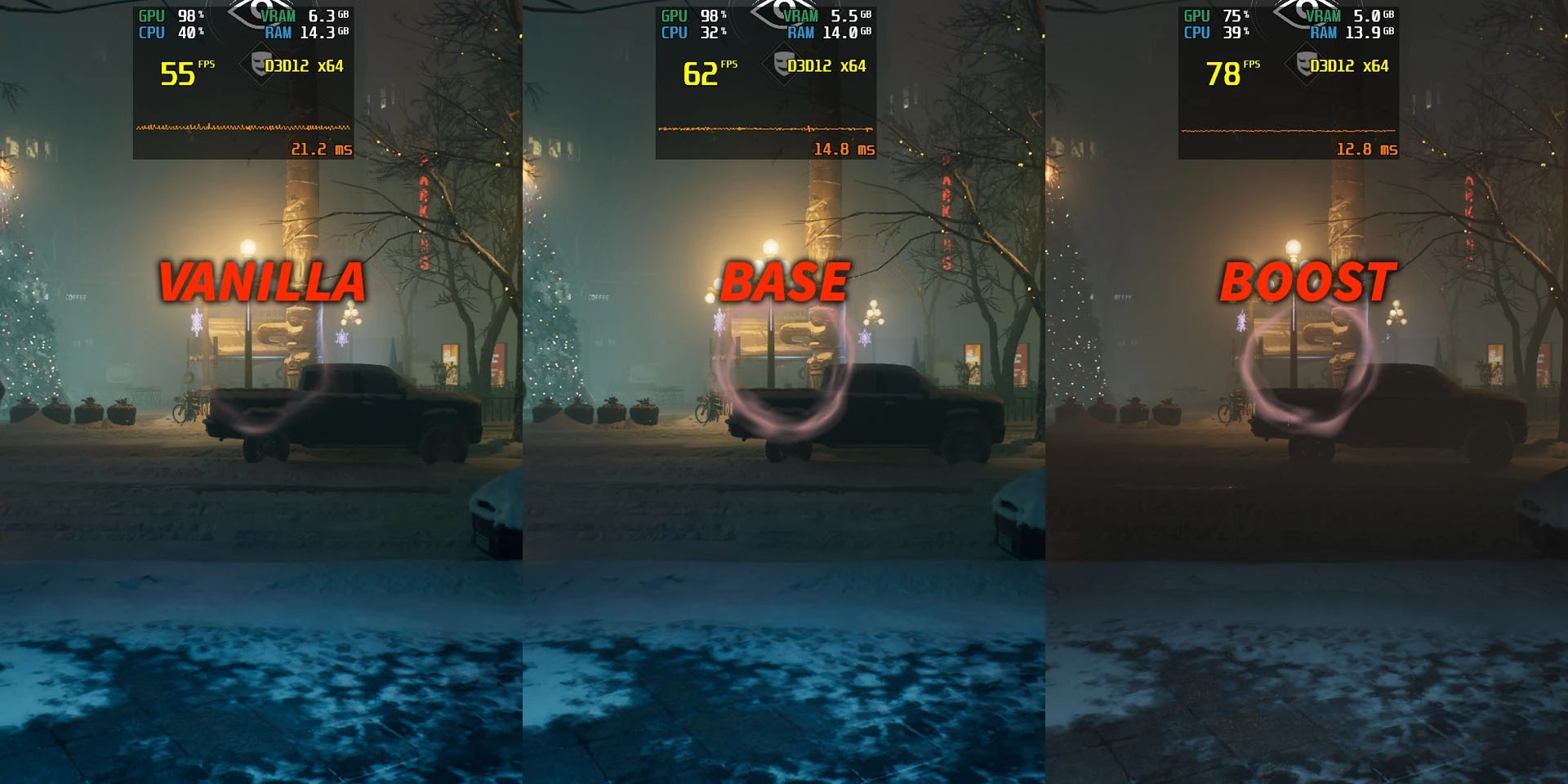
Optimized Tweaks VTMB2 - Reduced Stutter Improved Performance Lower Latency Better Frametimes is a mod for Vampire: The Masquerade - Bloodlines 2, created by VynnGfx. If you end up enjoying this mod please consider supporting it’s creator through Ko-fi.
Description:
A proper solution to mitigate stuttering and performance issues. It optimizes CPU and GPU efficiency, reduces latency, and improves streaming and memory management - all without sacrificing the game's graphics/visual quality.
Just be aware that this mod (nor any similar mods) cannot fix the game; it can only make it run better.
Long story short: this mod changes many Unreal Engine variables, which the game's developers mostly left at their default values, resulting in
the mentioned improvements. Remarkably, in some areas of the game, it might even slightly increase your FPS (depending on your hardware and settings).
INSTALLATION
1) Download the archive. You will get two folders – one with the standard (“Base”) version of the mod, and the other with the “Boost” version designed for very weak PCs, which significantly reduces the graphics quality.
2) Select the version you want and open that folder. There you will find a .pak file, which you need to copy to:
Bloodlines2\Content\Paks\~mods
If you don't have a “~mods” folder there, create one yourself.
Also, the mod is "future proof" - compatible with patches in the future.
And, of course, it's incompatible with other optimization/performance/tweaks mods. So don't combine them.<br><br>Highly recommended:<br>a) When using Vsync: set Vsync to Off in game -> enable Vsync in NVIDIA Control Panel (or AMD Control Panel) instead<br>b) When not using Vsync: set FPS to Unlimited in game -> limit fps in RivaTuner instead<br>[you can also use both, Vsync NvidiaCP + RivaTuner fps limit]<br><br>To Uninstall, delete the .pak file from ~mods folder.
- Last update: Sunday, November 2, 2025
- Genre: RPG
- File size: 8.6 KB