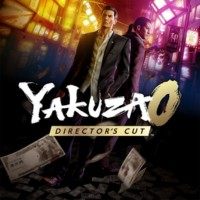
Yakuza 0 DC Co-op is a mod for Yakuza 0 Director’s Cut, created by Jhrino. If you en dup enjoying this mod please consider supporting it’s creator through Patreon.
Opis
The critically acclaimed local co-op mod is back on Director's Cut!
Share
Report Abuse
Permissions and credits
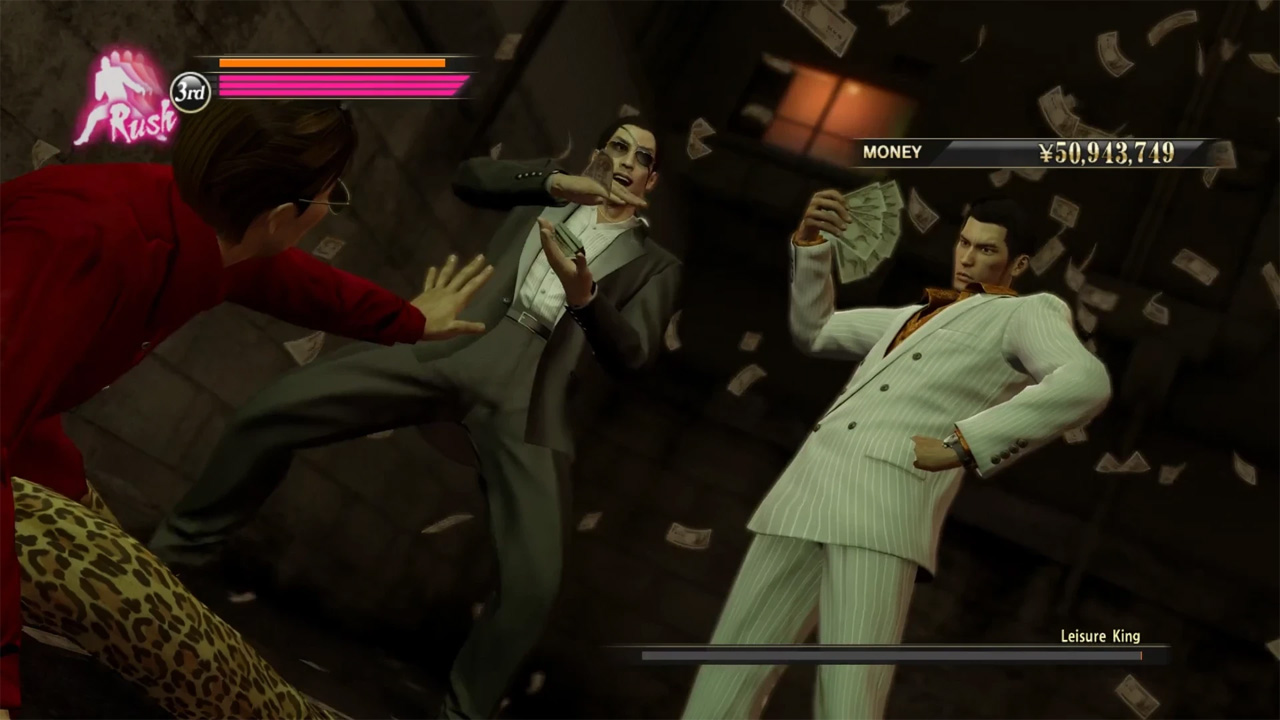
Kiryu and Majima team up in this local multiplayer mod for Yakuza 0!
IMPORTANT: THIS WAS FIRST MADE FOR THE ORIGINAL VERSION OF YAKUZA 0! IT IS PLAYED BEST WITH THE ORIGINAL JAPANESE VOICEOVERS AND I DIDNT TEST THE MOD THAT MUCH OTHER THAN ENSURING NOTHING CRASHES AND BURNS BECAUSE I HATE THIS VERSION OF THE GAME!
Credits:
Jhrino - Gameplay, Cutscenes, Programming
Janfon1 - Cutscenes
autismpossum- Key Art
adidaskote - Testing
dallika - Testing
FEATURES
-Play the entire story as a two player experience
-(EXPERIMENTAL) Up to 4 player co-op
-Kiryu and Majima added to various gameplay cutscenes
-Each player in control of their own combat style?
-Compatible with moveset mods
REQUIREMENTS
-Latest Shin Ryu Mod Manager (v.4.7.4+)
COMPATIBILITY
-Should be compatible with moveset mods
>>>IMPORTANT INFO<<<<
-This mod works BEST with XInput controllers (Xbox/Gamepads) with Steam Input enabled!
-Dualshock/Dualsense might work fine, but were not tested extensively.
-Please read QUESTION AND ANSWER section if you have any questions, might be answered there!
-Player 1 can teleport back to player 2 by pressing Shift+T on the keyboard.
-Player 2 can teleport back to player 1 by pressing Start/Select (or equilavent button) on the controller
-The mod has a settings file with a TON of choices that allows you to customize the experience to your liking! (mods/Y0DCCoop/settings.ini)
-Due to the massive scale of the mod, saving whenever you can is encouraged as i cannot guarantee a complete crash free experience!
-Plug your controlllers BEFORE starting the game, not after!
INSTALLATION
Download the file, open Shin Ryu Mod Manager, press Install Mod button, and choose the RAR file you just downloaded (no need to unzip)
It's recommended to use this method because installing manually may not install the libraries needed for the mod automatically.
When installing updates, its recommended to delete old mod files located at mods/Y0DCCoop/ folder first to ensure no conflicts
?
PLAYING ONLINE
This is meant to be a local co-op experience, but several software can make it playable with a friend online.
1) Parsec
-Don't forget to choose the appopriate Virtual Gamepad Type on Settings > Host > Virtual Gamepad Type
2) RemotePlayWhatever
-Lets you use Steam Remote Play on Yakuza 0 which can be of use on Y0 Co-op, mostly untested.
QUESTION AND ANSWER
Q: How do i upgrade player 2?
A: Pause the game, press Shift+O, then go to Upgrades menu.
Q: Can i play it with dual controllers?
A: Yes.
Q: Can i make Player 2 use the current player's moveset?
A: Yes, change UsePlayer1Styles to 1 on Player1Settings(MainPlayer).ini in mods/Y0DCCoop/settings.ini.
Q: Can i change camera settings?
A: Yes, you can change camera settings in mods/Y0DCCoop/settings.ini, the mod uses the default Yakuza camera by default on adventure, and the co-op camera in battles.
Q: Player 2's placement during basic talk cutscenes is distracting, can i disable that?
A: Yes, change DestroyOnTalk to 1 in mods/Y0DCCoop/settings.ini.
Q: Can i play this mod with one player?
A: No, this is not possible yet.
KNOWN ISSUES
-Rarely the wrong player will perform the heat action
-Teleport key on player 2 may pause the game on alternative input mode (usually activated when there is only one controller)
-Weapons not appearing, breaking or reducing duration or whatever when performed by co-op player on heat actions
-Player 2 Majima may have wrong weapon moveset if Player 1 Kiryu starts a story battle with Beast or Dragon style, easily fixed by just changing the style and then back to it.
-Player 1 active style may also influence Player 2 (style related buffs etc...)
-Player 2 is not allowed to change style in combat tutorials, to prevent possible soft locking
-You cannot press Shift+O to upgrade player 2 in menu in this version
TROUBLESHOOTING (COMMON ISSUES)
Note: Setting ConsoleEnabled to 1 in YakuzaParless.ini may give you logs that tell you what has gone wrong (its also useful for me to identify the problem)
Log files are also located at srmm-libs\c7c5dd3a-076f-4179-b340-d5a9973b91f9\OELib\log.txt
Problem 1: Player 2 does not spawn!
Cause: This is because either the libraries were not installed properly, or they were caught in a false positive by the antivirus and removed, please ensure the libraries are installed properly. If you don't see "Initializing library script "Init.asi" in console logs this means improper or corrupt installation.
Problem 2: Game gets no input at all!
Cause: It's hard to say what causes this. Yakuza 0's input system is bad compared to other PC ports. Some people have fixed this by enabling/disabling Steam Input for Yakuza 0 or just leaving it on "Default". Wireless controllers also dont interact well with the game overall. Try to use wired.
Problem 3: Game freezes when entering this specific dialogue!
Cause: This usually happens because the co-op players spawn and activate before a talk cutscene in story. Temporarily increasing PlayerActivationTime in mods/Y0DCCoop/settings.ini could help.
Problem 4: OELib doesnt show up!
Cause: Shin Ryu Mod Manager was improperly installed.
TROUBLESHOOTING
Note: Setting ConsoleEnabled to 1 in YakuzaParless.ini may give you logs that tell you what has gone wrong (its also useful for me to identify the problem)
Log files are also located at srmm-libs\c7c5dd3a-076f-4179-b340-d5a9973b91f9\OELib\log.txt
-If player 2 does not spawn, this means that mod scripts are not running, ensure you are on latest SRMM, and have both OELib installed and enabled from Libraries tab and make sure antivirus is not interfering
-If player 2 spawns but you cant control them (but can navigate the game menus with the input device) the mod might be having trouble identifying your controller.
-A good report enables me to try and help you, and if we can't get it work despite my best efforts, no hard feelings right? Getting a mod like this working on hundreds and maybe thousands of computers with different configurations is no easy task.
- Last update: Friday, January 9, 2026
- Genre: Action
- File size: 43.2 MB