My Summer Car: How do I save the game?
Last update:
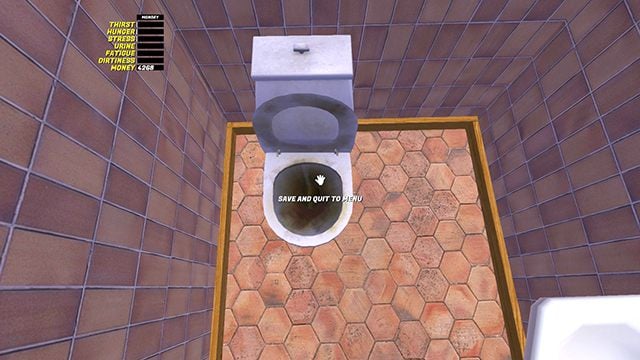
In My Summer Car, there is no pause function, nor the ability to save the game at any time. The only place you can save the game is the toilets. Move your mouse over the toilet until you see SAVE and QUIT to MENU.
After saving, you will be taken to the main menu. To continue playing, select CONTINUE. Each record skips two hours of the time in the game - you can use it to speed up time.
The toilet can be found in the house and in many places on the map, for example behind the shop in the city.
Be careful not to save the game at some unfavorable moment, such as somewhere far away from home, without resources and with attributes close to the red bars, because each record overwrites the previous one.


- My Summer Car Guide
- My Summer Car: Game Guide
- My Summer Car: FAQ
- My Summer Car: How to fish?
- My Summer Car: How to get customized parts?
- My Summer Car: Where to find wheels?
- My Summer Car: How to sleep?
- My Summer Car: How do I save the game?
- My Summer Car: How to get money as a gift?
- My Summer Car: Why is there no electricity?
- My Summer Car: How do I use the sauna?
- My Summer Car: How to pass vehicle's technical inspection?
- My Summer Car: FAQ
- My Summer Car: Game Guide
You are not permitted to copy any image, text or info from this page. This site is not associated with and/or endorsed by the developers and the publishers. All logos and images are copyrighted by their respective owners.
Copyright © 2000 - 2026 Webedia Polska SA for gamepressure.com, unofficial game guides, walkthroughs, secrets, game tips, maps & strategies for top games.