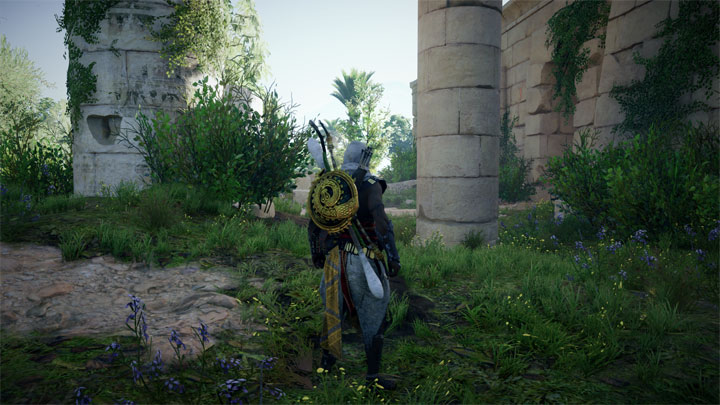
Assassin's Creed Origins SebicuS Reshade is a mod for Assassin's Creed Origins, created by SebiRaul.
Description (in author’s own words):
This is a Reshade preset that makes the graphics colors more realistic. It doesn't have DOF or Borders and adds Bloom, Lens Flares, HDR, DPX and Ambient Light. Hope you enjoy it.
How to install:
Download the Reshade.exe and run it. Follow the steps it asks you by selecting yes to everything.
Select your "ACOrigins.exe" which is in the main folder of the game.
Select the DirectX 10+ version after you select the "ACOrigins.exe".
Run the game. As your game loads up, you should see a grey box popup in the top of the screen saying it's loading all the reshade effects. Once it's done, hit "Shift+F2" and follow the promps. The most important thing is to hit the plus symbol next near the top of the Reshade GUI and type any name you want. Follow the other prompts until the boxes turn from red to black or grey or whatever indicates you're done with the very short tutorial. You can leave your game open or close it for this next step.
Go back to the game's main folder, where the "ACOrigins.exe" is and look for that file you just created with whatever name you gave. It should be a .ini file.
Open the .ini file and replace all the text with the text from my preset. Save the file. Run your game or alt tab back to it. And then do step 7 if you your game is still running reopen the Reshade GUI with "Shift+F2" and click the click "Reload". The new effects should start loading with my custom preset.
?
?*IMPORTANT!!!
?
?ONLY if the game crashes after you installed the reshade, go back to the game's main folder and change the name of dxgi.dll and dxgi.ini to d3d11.dll and d3d11.ini
- Last update: Sunday, September 2, 2018
- Genre: Action
- File size: 3.8 KB