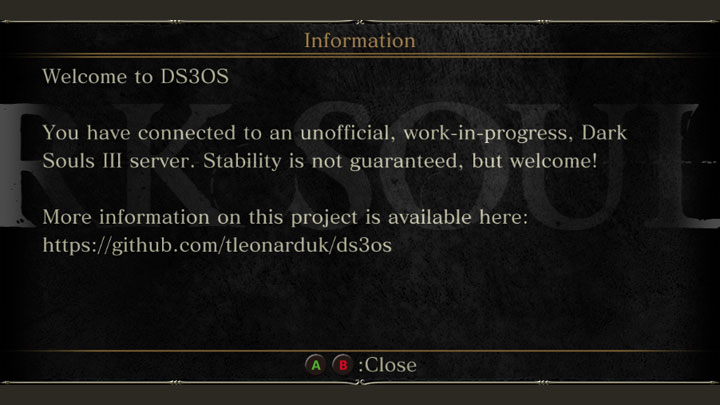
DS3OS (Dark Souls 3 - Open Server) is a mod for Dark Souls 3, created by TLeonardUK.
Description:
An open source implementation of the dark souls 3 game server.
Idealistically made for the purpose of allow better alternatives to playing mods than getting your account banned and using the retail ban server. As well as opening up opportunities to improve player safety and choice, by allowing them to segregate themselves off from the pool of cheaters on retail, without loosing network functionality.
This project is still a work in progress, no guarantees are given over its stability (that said it works quite well now!).
Instrutions:
Can I use it with a pirated game?
No, the server authenticates steam tickets. Please do not ask about piracy, steam emulators or the like, we have no interest in supporting them.
FROM SOFTWARE deserves your support too for the excellent work they do, please buy their games if you can.
Where can I download it?
Downloads are available on the github releases page - https://github.com/TLeonardUK/ds3os/releases
How do I use it?
Once built you should have a folder called Bin, there are 2 subfolders of relevance. Loader and Server.
First run the Server.exe in Server, this will start the actual custom server running on your computer.
The first time the server runs it will emit the file Saved\config.json which contains various matchmaking parameters that you can adjust (and apply by restarting the server) to customise the server.
User can join the server by opening the Loader.exe program in the Loader folder and finding the correct server in the list and clicking the launch button. If the server has been configured to not advertise on the master server (or if running on a LAN without an internet connection), then the server operator can distribute the Saved\server.ds3osconfig file that the server emits, which can be imported into the loader and used to directly connect to the server.
Servers can also be password protected if required by setting as password in Saved\config.json, a password will need to be entered when attempting to launch the game with a protected server.
NOTE: The steam client (no login needed) must be installed when you run the Server.exe. Otherwise, Server.exe will fail to initialize.
What currently works?
Most of the games core functionality works now, with some degree of variance to the retail game. We're currently looking to closer match retail server behaviour and make some general improvements to the running of unoffical servers.
Login, key exchange and network transport
Announcement messages
Profile management
Blood messages
Bloodstains
Ghosts
Summoning
Invasions
Visitors (Auto-Summoning via covenant)
Matchmaking (eg. Correctly matching summoning/invasions/visits with player level)
Roster of knights
Archdragon peak bell ringing
Undead match
Telemetry and misc server calls (the few that are of use to us)
Steam ticket authentication.
Master server support for loader (show available servers).
WebUI for server showing gameplay statistics / allowing admin control.
Future roadmap:
Regulation file distribution.
Anticheat (potentially we could do some more harsh checks than FROM does).
Will this ban my account on the retail server?
So far we've had several accounts using unoffical servers, for quite a while, and have not had any account penalized on the retail server.
So it seems safe enough. The only way you are going to get banned is if you do things that would normally get you banned then go back to the retail server - cheating and the like.
FAQ
I launch the game but its unable to connect?
There are a few different causes of this, the simplest one is to make sure you're running as admin, the launcher needs to patch the games memory to get it to connect to the new server, this requires admin privileges.
If the server is being hosted by yourself and the above doesn't solve your issue, try these steps:
Ensure these ports are forwarded on your router, both for tcp and udp: 50000, 50010, 50050, 50020
Ensure you have allowed the server access through the windows defender firewall, you can set rules here: Start Bar -> Windows Administrative Tools -> Windows Defender Firewall with Advanced Security -> Inbound/Output Rules
Its possible you don't have the configuration for the server setup correctly. After running the server once make sure to open the configuration file (Saved/config.json) and make sure its setup correctly (it will attempt to autoconfigure itself, but may get incorrect values if you have multiple network adapters). The most critical settings to get correct are ServerHostname and ServerPrivateHostname, these should be set to your WAN IP (the one you get from sites like https://whatismyip.com), and your LAN IP (the one you get from running ipconfig) respectively. If you are using LAN emulation software (eg. hamachi) you will need to set these to the appropriate hamachi IP.
What do all the properties in the config file mean?
The settings are all documented in the source code in this file, in future I'll write some more detailed documentation.
https://github.com/TLeonardUK/ds3os/blob/main/Source/Server/Config/RuntimeConfig.h
- Last update: Monday, June 2, 2025
- Genre: RPG
- File size: 112.4 MB