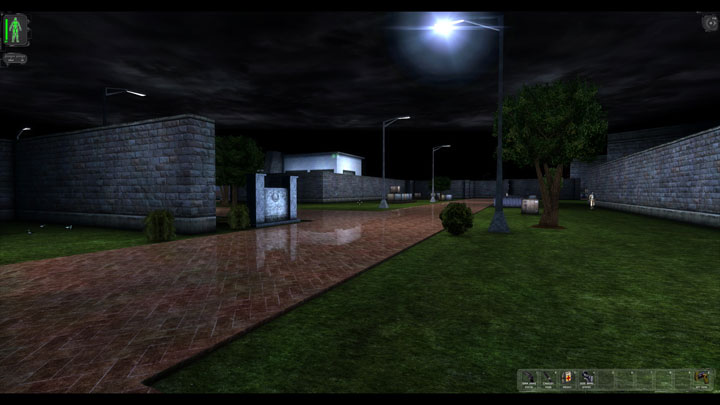
DirectX11 Renderer is a mod for Deus Ex, created by darknovismc (Marcin Nowicki). If you apprecieate the creator’s hard work and want to motivate him to make updates then please support him with small donations(Ctrl+V in the browser window after launching game or here Paypal.me ).
Description:
DirectX 11 renderer for Deus Ex and other games built on Unreal 1 engine.
These dll extensions allow you to play these games on full HD resolution with features like:
- ASSAO- ambient occlusion which gives realistic ambient lightning and shadownig effects.
- Screen Space Reflection - imitates reflective and shiny surfaces
- Tesselation - increases mesh complexity, gives smoothess and roundess to characters and game objects.
- HDR - simulates light adaptation, adds more vivid colors
- Parallax Occlusion Mapping - adds bumpiness on near to camera surfaces and more..
Instructions:
1.Copy the following files from the Common folder: D3D11Drv.int , Effects11.dll and d3d11drv folder to game /system folder.
Remember to delete previous version of d3d11drv folder.
2.Copy appropriate d3d11drv.dll file depending which game you have installed (in this case from „Deus Ex” folder) and a tessellation.cfg file to game /system folder.
3.If you are launching the game for the fisrt time then select D3D11 Renderer.
3'.Alternatively go to preferences with tilde(~) button to open up the console and type preferences then change renderer to DirectX11.
3".Or edit game's .ini file (Unreal Tournament.ini or DeusEx.ini or Unreal.ini or Rune.ini or Khg.ini) which resides in /system folder.
Change the following line in [Engine.Engine] subsection to: GameRenderDevice=D3D11Drv.D3D11RenderDevice
4.INSTALL NORMAL AND HEIGHT MAPS FOR A GIVEN GAME if there’s such mod avaible (in this case there is, it’s called Parallax Occlusion Addon and it’s highly recommended!)
Additional info:
Possible fix for initialization failed: Make sure you installed Microsoft Visual Studio 2010 Redistributable x86.(vcredist_x86.exe).
Possible fix for micro stuttering: increase number of prerendered frames or adjust the setting 'Max Frame Rate' to your desired FPS for a given game.
- Last update: Sunday, November 1, 2020
- Genre: RPG
- File size: 1.4 MB