FIFA 14: Player creation
Before you join a team, or create your own, you need to create your own Virtual Pro. Start by providing it with a name and selecting his day of birth, and nationality.
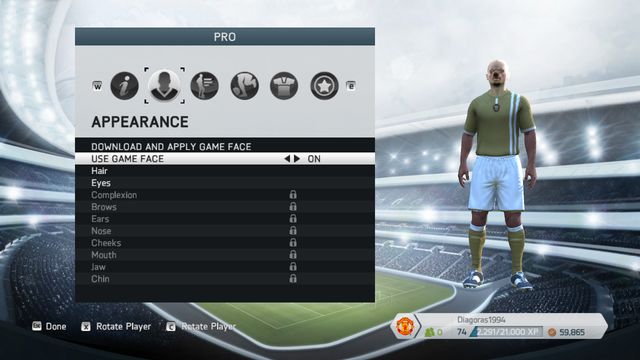
In the next tab, you can freely modify your pro's looks , as well as implement the face created in the Game Face app. To do that, you need to enable "Use Game Face" and click on "download and implement the Game Face".
Once you have enabled Game Face in FIFA 14, you can only edit the eyes and the hairstyle. In the following tabs, you can determine your player's position in the field, height and weight, as well as the additional features to activate during the game. Some of them can be purchased for coins in the EA Sports Football Club catalogue. After you have set all of the options, you can proceed on to creating the team, or searching for one.



- FIFA 14 Game Guide
- FIFA 14: Game Guide
- FIFA 14: FIFA Ultimate Team
- FIFA 14: Forming of the team
- FIFA 14: Types of cards
- FIFA 14: Chemistry styles
- FIFA 14: Store, auctions and ways to raise money
- FIFA 14: The game
- FIFA 14: Virtual clubs
- FIFA 14: The Game Face function
- FIFA 14: Player creation
- FIFA 14: Team creation and selection
- FIFA 14: Seasons
- FIFA 14: Trophies - PlayStation 3
- FIFA 14: Achievements - Xbox 360
- FIFA 14: FIFA Ultimate Team
- FIFA 14: Game Guide
You are not permitted to copy any image, text or info from this page. This site is not associated with and/or endorsed by the developers and the publishers. All logos and images are copyrighted by their respective owners.
Copyright © 2000 - 2026 Webedia Polska SA for gamepressure.com, unofficial game guides, walkthroughs, secrets, game tips, maps & strategies for top games.