Mario Kart Tour: Controls
Last update:
The control system in Mario Kart Tour is challenging and requires practice. This page contains a detailed overview of this gameplay element.
By default, Mario Kart Tour uses touch controls. This means that you will control the vehicle by moving your finger on the screen. If you enter the menu and then go to the Settings tab, you will be able to change the driving direction by moving the phone.
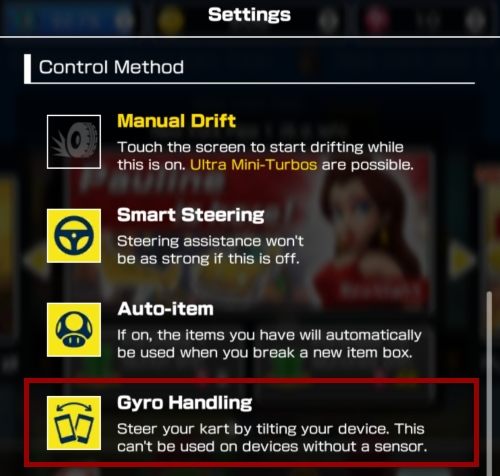
The control system requires you to make decisive movements. You need to tilt the finger/phone out a lot to be able to pass the turns. Also, the vehicle reacts with a slight delay - to make a turn correctly, start turning a few seconds earlier.
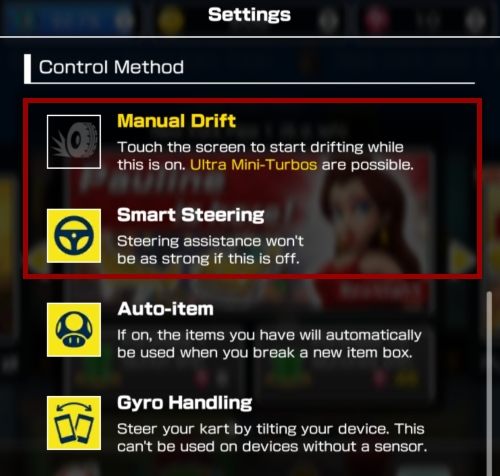
Besides changing the control method, the settings option also has two other functions - Manual Drift and Smart Steering. Enabling the first option will cause your vehicle to drift on its own. The second option enables driving assistance which makes the movements of the car smoother.
While playing Mario Kart Tour you will also come across all sorts of power-ups. You receive them by driving through a question mark located on a track. To use them, you have to touch the screen - this option is the same for all the control methods.


You are not permitted to copy any image, text or info from this page. This site is not associated with and/or endorsed by the developers and the publishers. All logos and images are copyrighted by their respective owners.
Copyright © 2000 - 2026 Webedia Polska SA for gamepressure.com, unofficial game guides, walkthroughs, secrets, game tips, maps & strategies for top games.