Controller in RoadCraft is not working? We have some ideas on how to fix it
It seems that many players can’t use their controllers in RoadCraft. We have an idea or two how to fix it.

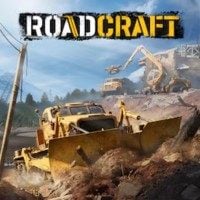
RoadCraft is here! While the game itself seems to be quite good, our review confirms that, there are some technical issues which bother players. As of now the game has mixed opinions on Steam. We can’t blame the payers as there are common reports about crashes. I personally have issues with sound (or lack of it). However, it seems that it is not the end of problems. Many people report also that their controllers do not work. Let’s look at how to fix this issue.
How to fix not working controller in RoadCraft
I am a mouse and keyboard player. Nevertheless, there are games which are better when you have a controller in your hands. In my opinion RoadCraft is one of them. However, while my controller works without issues, many players do not have as much luck as I do. How to fix it? We have some ideas.
First of all, you should disable Steam input:
- Go to your Steam library.
- Click Roadcraft with your right mouse button and pick Properties.
- Go to the Controller tab.
- Now look at the “Override for RoadCraft” section.
- Use drop down menu to disable Steam input.
- After doing so, you should also try restarting your PC, especially if the fix will not work.
- If the input is already disabled, try enabling it.
While the above is the most common solution, it may happen that it will not work. We have some more ideas.
- Disconnect all other controllers from your PC, and leave only your primary one.
- Disconnect your controller from the PC and connect it again once in the game.
- Use your wire if you have such an option.
Hopefully, one of the above methods will help you and you will be able to enjoy RoadCraft with friends or alone. Keep in mind that even if you launch the game, there is one more challenge waiting for you - the quest with the generator. Good luck!


0

Author: Damian Gacek
Graduate of English Philology and English in Public Communication. His portfolio includes a scientific article on video game translation. Working with Gamepressure.com since 2019, writing for various departments. Currently, deals with guides and occasionally supports the newsroom. Interested in electronic entertainment since childhood. Loves RPGs and strategies, often also immersing himself in the depths of indie games. In his free time, works on a book and learns film editing.


Latest News
- The free version of the cult classic shmup Tyrian has been updated after 4 years
- A new Nod campaign has been added to The Dawn of the Tiberium Age, a freeware Command & Conquer RTS
- Fans have removed the time limit from The Blood of Dawnwalker
- Empire II: Total War now with two extra historical campaigns
- Someone has remastered Medieval 2: Total War and Rome: Total War so well that the AI's moves are now calculated in a matter of seconds [Updated]