Astroneer: How to play in multiplayer mode?
Last update:
The gameplay in Astroneer is great for playing in multiplayer mode. The search server and invite friends buttons are currently unavailable, but this does not mean that multiplayer is impossible. On this page, you will learn how to play multiplayer mode and how to enable multiplayer in Astroneer.
How to play in multiplayer mode?
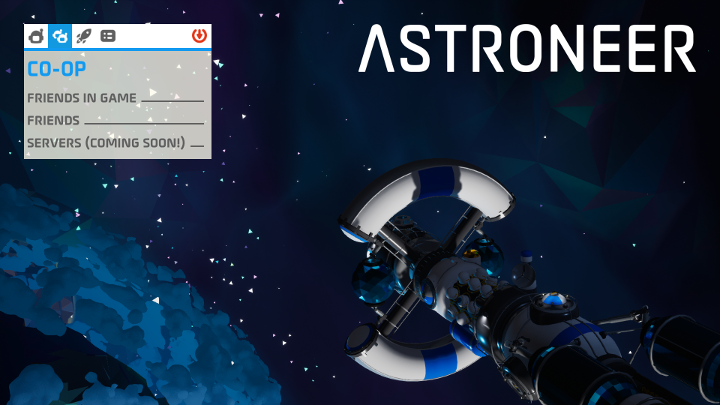
Until the developers enable searching for servers, there is only one way to play Astroneer in a multiplayer mode - you need to invite people from your friends list. This applies to both platforms. On PC, you need to invite a player on Steam, and on Xbox One through the Xbox Live service. It is also worth knowing that the game doesn't offer cross-platform function - users of different platforms can't play with each other. Also, note that the game does not create a separate save file for multiplayer - your co-op progress will be saved on the device of the person who invited other players to the game.



- Astroneer Guide
- Astroneer: Game guide
- Astroneer: FAQ
- Astroneer: How to connect tethers to an Oxygenator?
- Astroneer: How to change the in-game language?
- Astroneer: How to get bytes?
- Astroneer: What happens when I die?
- Astroneer: How to play in multiplayer mode?
- Astroneer: How to save a game?
- Astroneer: How to create Aluminum?
- Astroneer: How to create a vehicle?
- Astroneer: How to store items?
- Astroneer: How to get iron?
- Astroneer: FAQ
- Astroneer: Game guide
You are not permitted to copy any image, text or info from this page. This site is not associated with and/or endorsed by the developers and the publishers. All logos and images are copyrighted by their respective owners.
Copyright © 2000 - 2026 Webedia Polska SA for gamepressure.com, unofficial game guides, walkthroughs, secrets, game tips, maps & strategies for top games.