Microsoft Flight Simulator: Autopilot - how to turn it on?
From this section of the Flight Simulator guide, you will learn how to turn on the autopilot.
Autopilot in Microsoft Flight Simulator is a somewhat confusing feature. Because of the realism, the Autopilot acts as a real autopilot, and only some planes have it. It also requires complicated preparations (see another chapter of the guide for a description of them). However, it is possible to activate a streamlined autopilot, which involves handing over the controls to the second pilot - an AI that will pilot the plane for us.
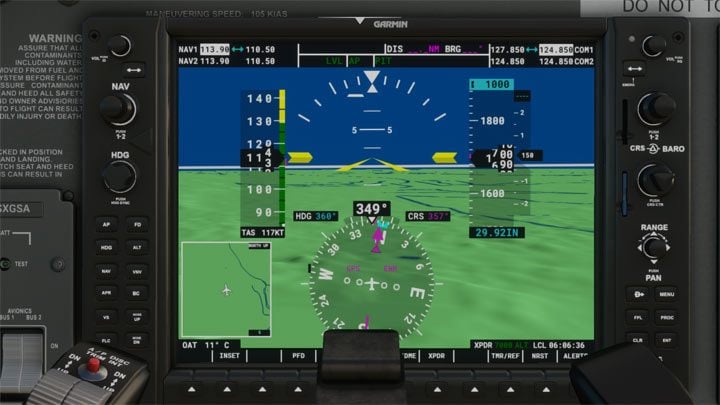
To quickly hand over the piloting to the AI, simply input the following combination LCTRL + ALT + X
It turns AI control over the aircraft on and off.
Alternatively, you can use the toolbar and select the option to hand over the controls to the AI.
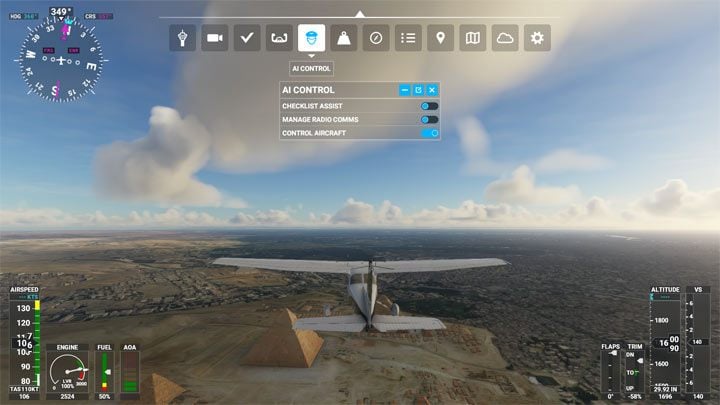



- Microsoft Flight Simulator 2020 Guide
- Microsoft Flight Simulator: Game Guide
- Microsoft Flight Simulator: FAQ
- Microsoft Flight Simulator: How to find your home?
- Microsoft Flight Simulator: Animals - how to find?
- Microsoft Flight Simulator: Autopilot - how to turn it on?
- Microsoft Flight Simulator: Color of the plane - how to change it?
- Microsoft Flight Simulator: Online / offline terrain - what are the differences?
- Microsoft Flight Simulator: HUD in external view - how to turn off?
- Microsoft Flight Simulator: Multiplayer mode - how does it work?
- Microsoft Flight Simulator: ILS frequencies - how to display them in the game?
- Microsoft Flight Simulator: FAQ
- Microsoft Flight Simulator: Game Guide
You are not permitted to copy any image, text or info from this page. This site is not associated with and/or endorsed by the developers and the publishers. All logos and images are copyrighted by their respective owners.
Copyright © 2000 - 2026 Webedia Polska SA for gamepressure.com, unofficial game guides, walkthroughs, secrets, game tips, maps & strategies for top games.