Microsoft Flight Simulator: Color of the plane - how to change it?
Table of Contents
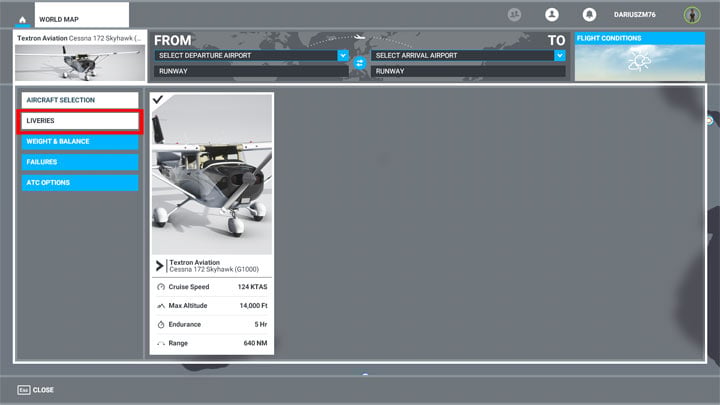
In this section of the Microsoft Flight Simulator guide, we explain how to change the livery of the aircraft.
Paint is selected in the pre-departure plane selection menu, the appropriate option is on the right. Unfortunately, at the moment the developers have not yet introduced any content to choose from this section. This is likely to change in one of the next patches.



- Microsoft Flight Simulator 2020 Guide
- Microsoft Flight Simulator: Game Guide
- Microsoft Flight Simulator: FAQ
- Microsoft Flight Simulator: How to find your home?
- Microsoft Flight Simulator: Animals - how to find?
- Microsoft Flight Simulator: Autopilot - how to turn it on?
- Microsoft Flight Simulator: Color of the plane - how to change it?
- Microsoft Flight Simulator: Online / offline terrain - what are the differences?
- Microsoft Flight Simulator: HUD in external view - how to turn off?
- Microsoft Flight Simulator: Multiplayer mode - how does it work?
- Microsoft Flight Simulator: ILS frequencies - how to display them in the game?
- Microsoft Flight Simulator: FAQ
- Microsoft Flight Simulator: Game Guide
You are not permitted to copy any image, text or info from this page. This site is not associated with and/or endorsed by the developers and the publishers. All logos and images are copyrighted by their respective owners.
Copyright © 2000 - 2026 Webedia Polska SA for gamepressure.com, unofficial game guides, walkthroughs, secrets, game tips, maps & strategies for top games.