Dragon Age Veilguard with Good Performance, But Watch Your CPU Temps
While many new titles struggle with technical issues, DA Veilguard stands out for its solid performance. While some players are concerned about high CPU usage, a quick fix can help.
1

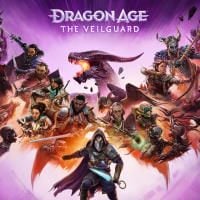
Dragon Age The Veilguard delivered a smooth launch on both consoles and PC. Despite a few minor technical hiccups, such as shader compilation crashes and occasional control issues, the game's overall performance is impressive, with no significant frame rate drops. However, some players have reported unusually high CPU temperatures. Fortunately, there’s a simple fix for this.
How to Fix CPU Overheat in Dragon Age The Veilguard
For more tips and tricks, check out our Dragon Age The Veilguard guide. We're constantly updating it with new content.
If you’re noticing high CPU temperatures while playing Dragon Age The Veilguard, try the following steps:
- Open Control Panel and locate Power Options. You can use search bar to find it.
- Click on “Create a power plan”, name it, click on “Next” and then “Create”.
- Click on “Change plan settings” and locate the “Chance advance power settings” option.
- Find “PCI Express” and then look for “Link State Power Management”. Choose “Moderate power savings”.
- Locate “Processor Power Management” and set the minimum processor state to 80%, while adjusting the maximum to 90%. You can gradually increase these values, but only if your PC can handle it.
- Save your new power plan by clicking on “Apply” and then “OK”.
This power plan should reduce your CPU usage while playing Dragon Age The Veilguard. Just remember to switch back to your usual settings for other stuff. While these settings may slightly impact your frame rate, it's a worthwhile trade-off to protect your hardware. You can also try closing background apps and overlays to help your CPU out.
- EA always favored Mass Effect over Dragon Age, says co-creator of RPG series. „They never knew what to do with DA”
- Mass Effect 5 may be BioWare's last resort after Dragon Age: The Veilguard failure. Devs reveal what led to game's downfall
- „EA's historically been against remasters.” That's why we never got a refreshed Dragon Age trilogy


1

Author: Olga Racinowska
Been with gamepressure.com since 2019, mostly writing game guides but you can also find me geeking out about LEGO (huge collection, btw). Love RPGs and classic RTSs, also adore quirky indie games. Even with a ton of games, sometimes I just gotta fire up Harvest Moon, Stardew Valley, KOTOR, or Baldur's Gate 2 (Shadows of Amn, the OG, not that Throne of Bhaal stuff). When I'm not gaming, I'm probably painting miniatures or admiring my collection of retro consoles.


Latest News
- A fan has enhanced and fixed the classic Ultimate Spider-Man for PC
- Because of the final boss, I never gave up on entire genre, but the wonderful Rayman 2: The Great Escape hasn't aged a bit
- The free version of the cult classic shmup Tyrian has been updated after 4 years
- A new Nod campaign has been added to The Dawn of the Tiberium Age, a freeware Command & Conquer RTS
- Fans have removed the time limit from The Blood of Dawnwalker