Starbound: The Interface
Last update:
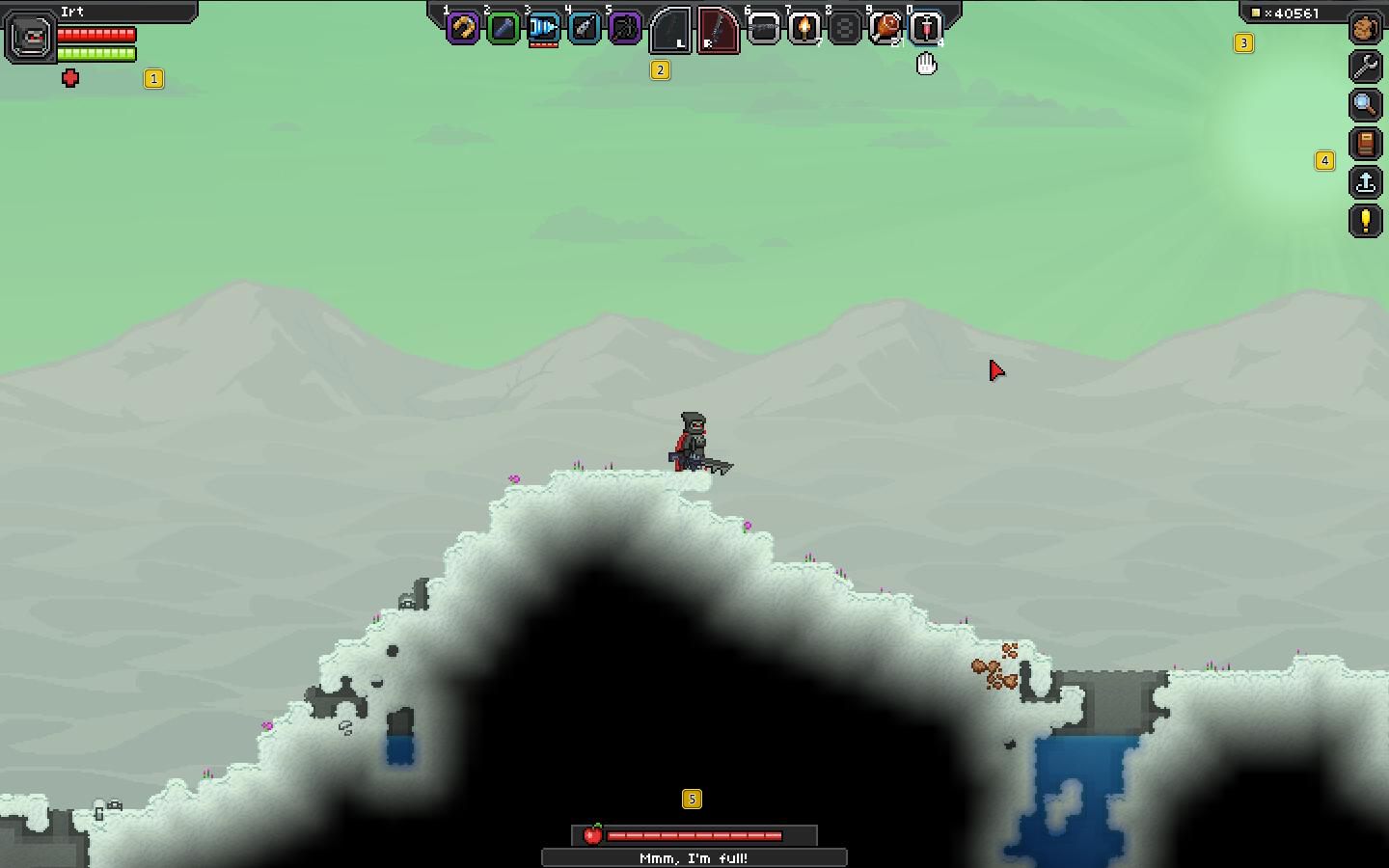
Starbound's interface is lucid and easy to use. Since the pointer of the mouse is active at all times, most of the interface elements are active. In the upper-left corner, you can find the character bar, which displays health, energy, and possible effects. In the upper portion of the screen, there is the shortcut bar where you can place various items for quick access. In the upper-right corner of the screen, there is the windows bar, which you can activate with your mouse, and the number of Pixels that you have.



You are not permitted to copy any image, text or info from this page. This site is not associated with and/or endorsed by the developers and the publishers. All logos and images are copyrighted by their respective owners.
Copyright © 2000 - 2026 Webedia Polska SA for gamepressure.com, unofficial game guides, walkthroughs, secrets, game tips, maps & strategies for top games.