Battlefleet Gothic Armada: Forming the fleet
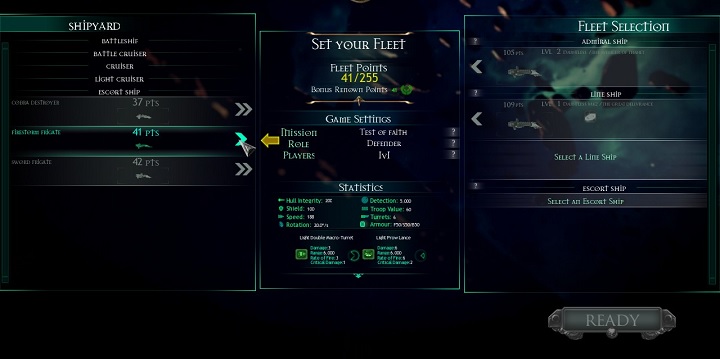
Before the start of each mission you will be taken to the fleet selection. From the list of available ships you can select the units needed to complete the mission. Select the units by clicking. First you choose a ship, which will report directly to the admiral of your fleet. If you decide to have more large units, they will become linear ships. Smaller units play a supporting role, they should be selected based on their equipment and statistics. All the necessary selection stats will be visible at the center of the screen when you hover the cursor over the ship.


- Battlefleet Gothic: Armada Game Guide
- Battlefleet Gothic Armada: Game Guide
- Battlefleet Gothic Armada: Gameplay basics
- Battlefleet Gothic Armada: The HUD
- Battlefleet Gothic Armada: Game modes and factions
- Battlefleet Gothic Armada: Experience
- Battlefleet Gothic Armada: Types of missions
- Battlefleet Gothic Armada: Forming the fleet
- Battlefleet Gothic Armada: Controls; unit deployment
- Battlefleet Gothic Armada: System requirements
- Battlefleet Gothic Armada: Gameplay basics
- Battlefleet Gothic Armada: Game Guide
You are not permitted to copy any image, text or info from this page. This site is not associated with and/or endorsed by the developers and the publishers. All logos and images are copyrighted by their respective owners.
Copyright © 2000 - 2026 Webedia Polska SA for gamepressure.com, unofficial game guides, walkthroughs, secrets, game tips, maps & strategies for top games.