Farming Simulator 19: Belt system - how does it work?
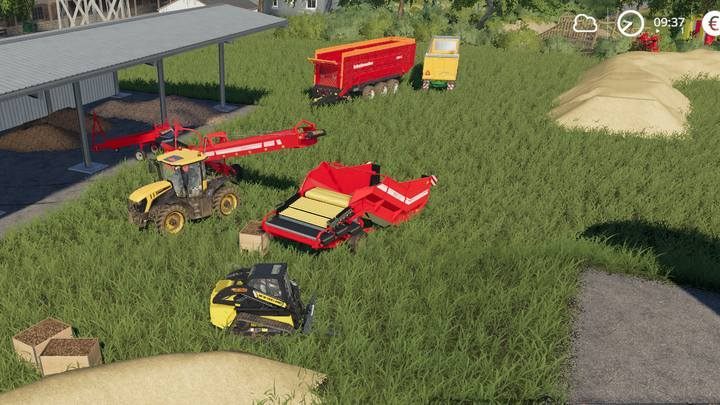
In Farming Simulator 19, a belt system is for collecting crops and resources automatically from the ground. Thanks to this system, you won't have to keep everything in expensive silos (especially when you are at the beginning of the game); some goods like potatoes, beets, woodchips or straw can't be stored in a silo.
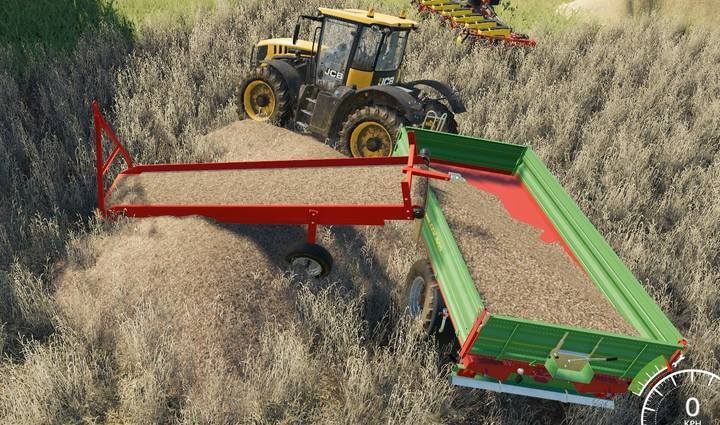
To use a belt system, purchase its first component - Lizard S-710. Place the machine next to a pile of goods or on top of it. Now, enter the machine (you can't switch to it when you are switching between vehicles). The belt can move forward and backward - this allows you to adjust its position. Activate the belt. A working belt will load up the first part of goods.
In theory, you can use only this component. However, it is too short to fill up even the lowest trailer...
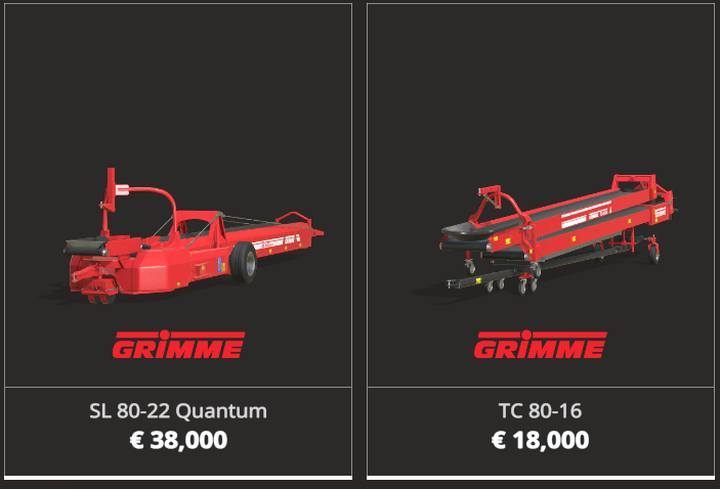
You can choose from two machines: Grimme SL 80-22 Quantum and TC 80-16. The first machine is necessary - it serves as an extension to the first component, and it has a loader that can stand at an angle. This allows you to fill up any semi-trailer. The second machine is optional - it works as a vertical extension for your belt system.
Place Grimme SL 80-22 Quantum next to the first component. Enter the machine, place it next to the first component and attach them together. Adjust the height and activate the system - the belt system will automatically load goods when you place a semi-trailer beneath the belt.

Grimme RH 24-60 is an additional component for your belt system. This machine is for loading up potatoes and beets into boxes placed on pallets. Put vegetables on the belt. Remember to make space for another pallet after you fill up the current one.



- Farming Simulator 19 Guide and Tips
- Farming Simulator 19: Game Guide
- Farming Simulator 19: FAQ
- Farming Simulator 19: Plants - what to cultivate first?
- Farming Simulator 19: Belt system - how does it work?
- Farming Simulator 19: Biogas Plant - why can't I use it?
- Farming Simulator 19: Vehicle's tank - how to fill?
- Farming Simulator 19: Saving the game - how to?
- Farming Simulator 19: New fields - how to buy?
- Farming Simulator 19: Fields - how to enlarge, merge?
- Farming Simulator 19: Tractor - which should I get first?
- Farming Simulator 19: Workers - how to hire?
- Farming Simulator 19: Tree stumps, bushes - how to remove?
- Farming Simulator 19: New tractor - what to pay attention to while buying?
- Farming Simulator 19: Combine harvester capacity - how to increase?
- Farming Simulator 19: Vehicles, machinery - how to repair?
- Farming Simulator 19: Vehicles - how to sell?
- Farming Simulator 19: Semi-trailers - can I combine them?
- Farming Simulator 19: Leasing - how does it work?
- Farming Simulator 19: FAQ
- Farming Simulator 19: Game Guide
You are not permitted to copy any image, text or info from this page. This site is not associated with and/or endorsed by the developers and the publishers. All logos and images are copyrighted by their respective owners.
Copyright © 2000 - 2026 Webedia Polska SA for gamepressure.com, unofficial game guides, walkthroughs, secrets, game tips, maps & strategies for top games.