How to Use GPS in Farming Simulator 25 (FS25)
There is a feature called Steering Assist (or GPS) in Farming Simulator 25. But what this option actually do and how to use it?
1

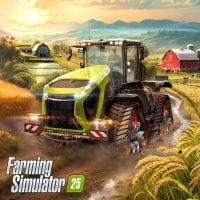
Farming Simulator 25 was finally released. Sadly, on PC players struggle with lack of settings and technical issues like crashes or stuttering. But there is also a bright side of life. The newest installment of a popular series introduced many new elements. One of them is improved GPS.
GPS (Steering Assist) in Farming Simulator 25 Explained
In Farming Simulator series GPS is not used to navigate around the map. So, you are probably wondering what this feature does. The answer is quite simple – it helps you to work effectively in the field. This is the perfect option for beginners and perfectionists because it allows to create, and see in real time, support lines that present how to drive optimally.
When you start working in the field, you should open a menu by holding AI worker button. If the game correctly detects the area, you can click on Steering Assist tab. There you will see a number of settings that define the line layout.
- Working width is a working area the machine is able to cover with equipped attachment. FS25 automatically recognizes the working width of the connected equipment, so you don't have to tinker with the settings.
- Number of Headlands defines how many full circles (external lines) the machine will do around the entire field.
- Work Direction allows you to adjust the angle of lines and how they meet.
- Side Offset pictures attachment’s shift to one side relative to the cabin. Like Working width, it’s detected automatically.
- In the end, if you want to see on the field how to drive correctly with your settings, you must turn on the Show Lines option.
In most cases you can just leave everything in Steering Assistant on default.


1

Author: Agnes Adamus
Associated with gamepressure.com since 2017. She started with guides and now mainly creates for the newsroom, encyclopedia, and marketing. Self-proclaimed free-to-play games expert. Loves strategy games, simulators, RPGs, and horrors. She also has a weakness for online games. Spent an indecent number of hours in Dead by Daylight and Rainbow Six: Siege. Besides that, she likes horror movies (the worse, the better) and listen to music. Her greatest passion, however, is for trains. On paper, a medical physicist. In fact, a humanist who has loved games since childhood.

Latest News
- Because of the final boss, I never gave up on entire genre, but the wonderful Rayman 2: The Great Escape hasn't aged a bit
- The free version of the cult classic shmup Tyrian has been updated after 4 years
- A new Nod campaign has been added to The Dawn of the Tiberium Age, a freeware Command & Conquer RTS
- Fans have removed the time limit from The Blood of Dawnwalker
- Empire II: Total War now with two extra historical campaigns