RuneScape Dragonwilds solo and offline? You don't need Epic to do that
Would you like to play RuneScape Dragonwilds alone? Are you scared of Epic account requirement? Let’s talk about it.

Survivals are a popular genre. So, it’s not a surprise that RuneScape Dragonwilds (compared by many people to Valheim), despite technical problems, gets a lot attention. Moreover, it is part of the beloved franchise, so even more reasons to give this game a chance. No wonder that the title attracted over 51 000 players at its peak (via SteamDB). Many people believe that multiplayer is an important element of gameplay in survival titles. However, not everyone enjoys company during adventures. Can you play solo in the offline mode? And do you need an Epic account? That's what we're going to talk about today.
RuneScape Dragonwilds solo and offline gameplay explained
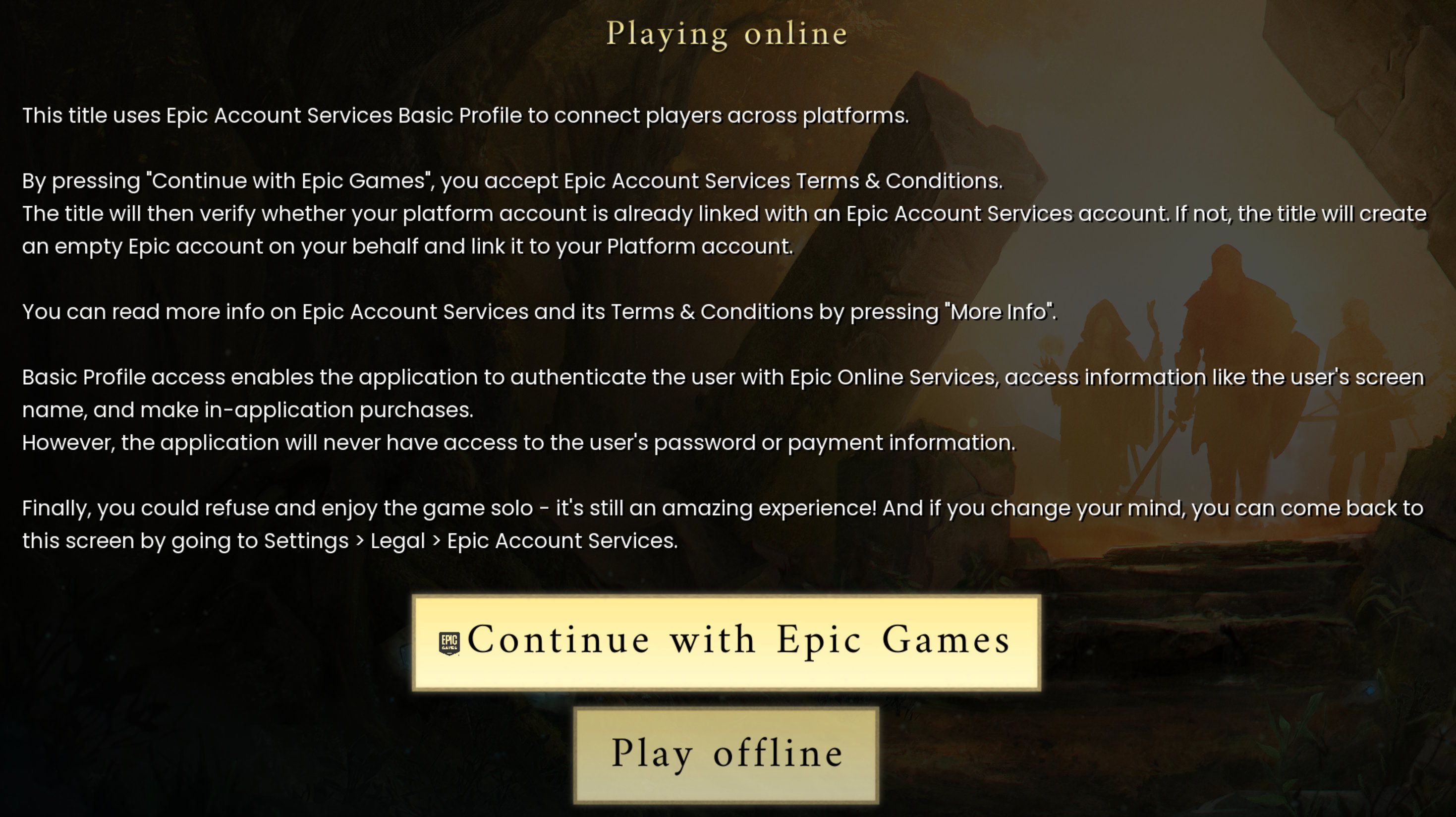
Like many other survival games, RuneScape Dragonwilds allows you to play solo or with friends. During the first launch, the game asks you to pick an online multiplayer or offline solo mode. If you decide to play alone, you do not have to do anything more – congratulations, you can play.
However, for many people survival games are better in co-op. For now, max 4 players can enjoy RuneScape Dragonwilds at the same time on a peer-to-peer hosted servers (dedicated servers are planned, though). If you want to play with others, you must agree to use Epic Online Services.
RuneScape: Dragonwilds, developer: Jagex
Don’t mistake the above with Epic Games Store, though. You don’t need this account to play with friends (it was confirmed by moderators on the official Discord server). What you need is Epic Online Services account. If you don’t have it, the game will create one for you automatically. Of course, it will happen only if you confirm that you want to play online and click “Continue with Epic Games” when you are asked. However, you don’t need it, if you want to play alone.
Regardless of your choice, the game won’t ask for the account again. If you decide to change your Epic connection status, go to Legal section of your account settings (don’t mistake it with the world settings) and press Update under Epic Account Services.



0

Author: Agnes Adamus
Associated with gamepressure.com since 2017. She started with guides and now mainly creates for the newsroom, encyclopedia, and marketing. Self-proclaimed free-to-play games expert. Loves strategy games, simulators, RPGs, and horrors. She also has a weakness for online games. Spent an indecent number of hours in Dead by Daylight and Rainbow Six: Siege. Besides that, she likes horror movies (the worse, the better) and listen to music. Her greatest passion, however, is for trains. On paper, a medical physicist. In fact, a humanist who has loved games since childhood.


Latest News
- A fan has enhanced and fixed the classic Ultimate Spider-Man for PC
- Because of the final boss, I never gave up on entire genre, but the wonderful Rayman 2: The Great Escape hasn't aged a bit
- The free version of the cult classic shmup Tyrian has been updated after 4 years
- A new Nod campaign has been added to The Dawn of the Tiberium Age, a freeware Command & Conquer RTS
- Fans have removed the time limit from The Blood of Dawnwalker