How to fix controller issues with incorrect prompts in Spider Man 2 on PC
Having problems with wrong on-screen buttons while playing Marvel’s Spider Man 2? Here’s how to deal with controller issues.

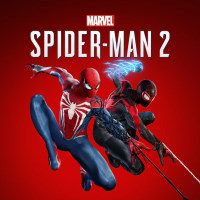
Marvel's Spider-Man 2 has officially launched on PC, giving players the chance to experience the PlayStation 5 exclusive. For some, it's been great, meanwhile others are facing the usual: performance issues or GPU drivers crashes. While these kinds of problems are fairly common when console games are ported to PC, a new problem has surfaced. It seems the on-screen buttons aren't matching those on the controller, causing some confusion. Here's a quick fix to resolve this.
How to fix controller input issues in Spider-Man 2 on PC
If you're using a PlayStation controller while playing Marvel’s Spider-Man 2 and the game shows incorrect prompts on screen, the problem is most likely a Steam Input issue. Steam's default gamepad is obviously set to Xbox, so it can easily get mixed up with PlayStation controller, where the buttons have the same symbols but are arranged differently.
Here’s how to fix it is:
- Open you Steam App and go to your ‘Library’.
- Right-click on Spider-Man 2 and select ‘Properties’.
- Go to ‘Controller’ tab and check if your controller type is enabled.
- If it’s already enabled, try disabling it, then relaunch Steam app. Open the game and see if on-screen buttons are display correctly.
- If the issue persists, enable Steam Input again, relaunch Steam, and open the game.
- If nothing works, try plugging your controller to your PC. It might not be most convenient solution, but this should help.


0

Author: Olga Racinowska
Been with gamepressure.com since 2019, mostly writing game guides but you can also find me geeking out about LEGO (huge collection, btw). Love RPGs and classic RTSs, also adore quirky indie games. Even with a ton of games, sometimes I just gotta fire up Harvest Moon, Stardew Valley, KOTOR, or Baldur's Gate 2 (Shadows of Amn, the OG, not that Throne of Bhaal stuff). When I'm not gaming, I'm probably painting miniatures or admiring my collection of retro consoles.

Latest News
- The free version of the cult classic shmup Tyrian has been updated after 4 years
- A new Nod campaign has been added to The Dawn of the Tiberium Age, a freeware Command & Conquer RTS
- Fans have removed the time limit from The Blood of Dawnwalker
- Empire II: Total War now with two extra historical campaigns
- Someone has remastered Medieval 2: Total War and Rome: Total War so well that the AI's moves are now calculated in a matter of seconds [Updated]