Modders have fixed Rockstar's bugs, making GTA 4 on PC look better than ever
Version 4.0.0 of the great Fusion Fix mod, which fixes virtually all problems of the PC version of GTA 4, has finally been released.
1

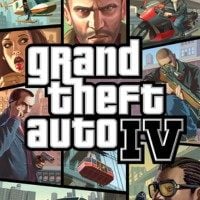
Grand Theft Auto IV is a cult classic, but there’s no denying that its PC version leaves much to be desired. For well over a decade, countless modders have tried to fix it. One of the most important projects of this kind is Fusion Fix by ThirteenAG. We’re bringing it up now because the modification has finally reached version 4.0.0.
This is the biggest update to the mod so far, and during its development, the creator needed help from a number of other modders. As a result, it includes a massive amount of fixes, graphical improvements, additional configuration options, and a thoroughly rewritten codebase.
Fusion Fix addresses virtually all of the problems with the PC release of Grand Theft Auto IV, turning what was once the worst version of the game into the best. There are so many changes and fixes that it’s impossible to list them all (yes, the PC port was that bad), but here are some of the most important ones:
- Z-fighting issues fixed. The PC version had a major problem with Z-fighting, which occurs when multiple 3D objects are placed very close together, causing them to “fight” over which one should be rendered on top, resulting in ugly flickering. The PS3 and Xbox 360 versions had unique workarounds, but Rockstar never implemented them on PC. Fusion Fix introduces an improved version of the Xbox 360 solution, effectively eliminating Z-fighting.
- Anti-aliasing fixed. The mod resolves anti-aliasing issues, making the PC version’s visuals sharper and cleaner than on any other platform.
- Depth of field and bloom fixed. In the base game, these effects only displayed correctly at 720p (console resolution). With the mod, they now work properly all the way up to 4K.
- Motion blur improved. In the original PC version, motion blur became weaker the higher the framerate was. This is now fixed.
- Ambient occlusion enabled. This effect was present on consoles, and the PC engine actually supported it too—but it was disabled due to a typo (never corrected by Rockstar). Fusion Fix restores it.
- Color correction improved. The PC version always looked slightly washed-out compared to the Xbox 360 release. The mod fixes this.
- Particle effects and rain improved. Particle effects were simpler on PC than on consoles, and rain was practically invisible in the vanilla PC version—especially at high framerates. Both have been enhanced, along with reflection effects.
- Cutscene bugs fixed. Various errors that appeared when running the game above 30 FPS have been eliminated.
On top of all this, countless technical issues have been resolved, including those introduced by the official 1.0.6.0 update, which, for example, broke shadow effects and removed some light sources from the map. Additionally, inspired by Red Dead Redemption, modders have added a beautiful sun rays effect. It’s fully configurable and works seamlessly with tone mapping and volumetric fog.
Players will also appreciate improved controls for both gamepads and mouse (yes, mouse aiming was another thing broken at framerates above 30 FPS). Support has also been added for Steam Deck and PlayStation/Xbox controllers, complete with proper button icons.
You can see how these changes look in action in the video below, prepared by YouTuber TJGM.


1

Author: Adrian Werner
A true veteran of the Gamepressure newsroom, writing continuously since 2009 and still not having enough. He caught the gaming bug thanks to playing on his friend's ZX Spectrum. Then he switched to his own Commodore 64, and after a short adventure with 16-bit consoles, he forever entrusted his heart to PC games. A fan of niche productions, especially adventure games, RPGs and games of the immersive sim genre, as well as a mod enthusiast. Apart from games, he devourers stories in every form - books, series, movies, and comics.

Latest News
- A fan has enhanced and fixed the classic Ultimate Spider-Man for PC
- Because of the final boss, I never gave up on entire genre, but the wonderful Rayman 2: The Great Escape hasn't aged a bit
- The free version of the cult classic shmup Tyrian has been updated after 4 years
- A new Nod campaign has been added to The Dawn of the Tiberium Age, a freeware Command & Conquer RTS
- Fans have removed the time limit from The Blood of Dawnwalker