Devil May Cry 5: How to change the music during battles?
If you pay attention to the music playing during intense battles in Devil May Cry 5, you will sure be happy to hear that you can modify the soundtrack.
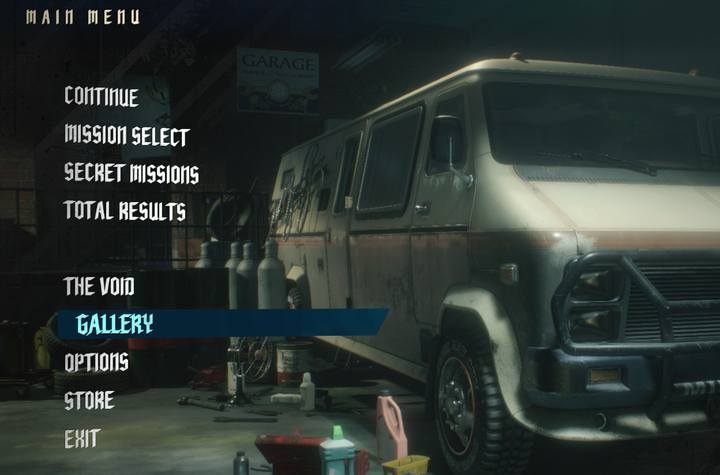
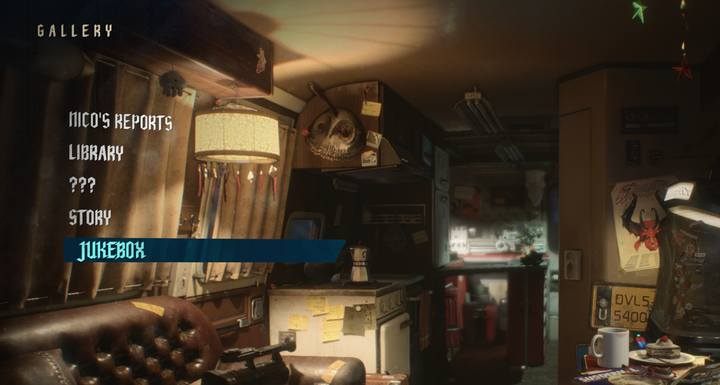
In order to change the soundtrack - either for each character or all of them - go to the menu, then to Gallery -> (Jukebox).

At the beginning of the game you don't have a big choice, but over time, you'll be able to unlock new soundtracks - completing missions unlocks new songs. The owners of the Deluxe edition can enjoy greater variety - in this version of the game, we immediately get a choice of 12 songs and voices to choose from. It is also possible to unlock unique soundtracks and voices by purchasing them in the official game store.


- Devil May Cry 5 Guide
- Devil May Cry 5: Game Guide
- Devil May Cry 5: FAQ
- Devil May Cry 5: How to get a lot of red orbs?
- Devil May Cry 5: How to increase maximum health?
- Devil May Cry 5: How to acquire a lot of style points?
- Devil May Cry 5: What to do when the Devil May Cry 5 does not start?
- Devil May Cry 5: How to increase the Demon Transformation?
- Devil May Cry 5: How to change the music during battles?
- Devil May Cry 5: Balrog - how to switch between Blow and Kick mode?
- Devil May Cry 5: FAQ
- Devil May Cry 5: Game Guide
You are not permitted to copy any image, text or info from this page. This site is not associated with and/or endorsed by the developers and the publishers. All logos and images are copyrighted by their respective owners.
Copyright © 2000 - 2026 Webedia Polska SA for gamepressure.com, unofficial game guides, walkthroughs, secrets, game tips, maps & strategies for top games.