Maybe it’s time to stop calling Macs bad for gaming, because Cyberpunk 2077 says otherwise
Apple computers have never been associated with gaming. However, this perspective is slowly beginning to change, as illustrated by the new port of Cyberpunk 2077 for macOS. How does CD Projekt RED's game perform on Apple Silicon processors?

Apple computers, although valued by millions of users worldwide, are not commonly associated as gaming devices. Their macOS system and processors based on ARM architecture strongly distinguish units with the bitten apple from PCs using Windows system. Recently, there has been increasing mention of the gaming potential of Macs. The harbinger of changes is supposed to be the increasingly frequent ports of popular, high-budget titles. In this text, I will try to briefly talk about my impressions of playing the freshly released version of Cyberpunk 2077 for computers with Apple silicon processors.
Test platform and first impression
For tests, our editorial office has received a 16-inch Macbook Pro with the following specifications:
- Processor: Apple M4 Max;
- RAM: 128 GB;
- Disk: 4 TB;
- Operating system: macOS Sequoia 15.6.
We did most of our tests on this hardware. The almost maximized configuration ensures that the tested games will have ideal conditions to operate. This will facilitate the assessment of the quality of the ports prepared to work on the macOS system. However, don't worry - in the further part of the text, we will also take a closer look at Cyberpunk performances on a more budget friendly Apple PCs.
After the initial configuration of the device and updating the system to the latest version, I proceeded with the installation of the Steam client and the game. The process itself, even for a person moderately familiar with the intricacies of Apple's OS, turned out to be exceptionally intuitive and essentially involved downloading the installation file from Valve's website. After a few minutes, the CD PROJEKT RED's game was already downloading onto the Macbook's disk.
Performance tests
After installing and launching the game, I immediately went to the settings menu. I was pleasantly surprised that the game automatically chose a graphic preset specially adapted for the Mac computer I was using.
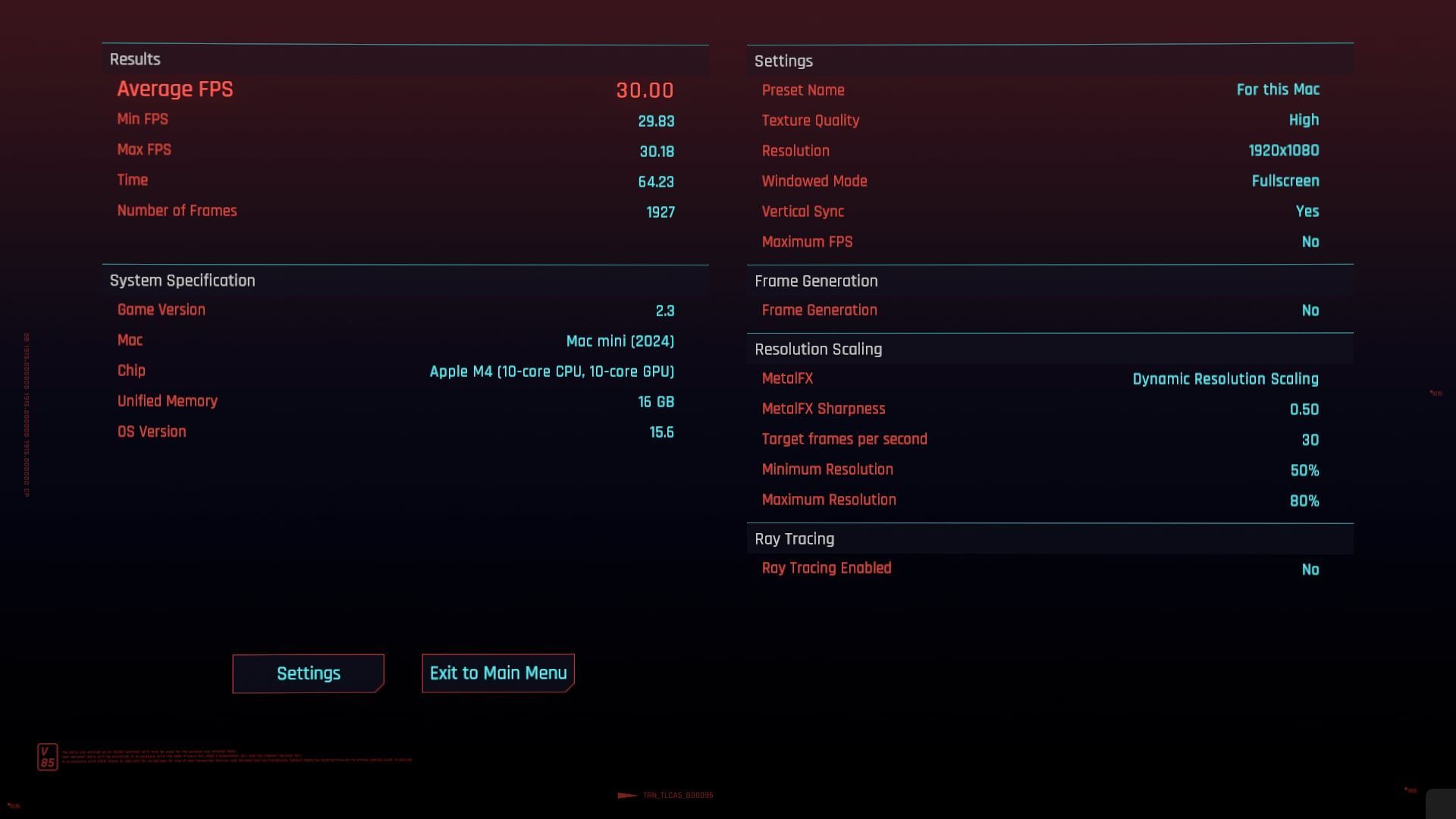
The default graphic preset quite boldly moved most of the sliders all the way to the right.Cyberpunk 2077, CD Projekt RED, 2025
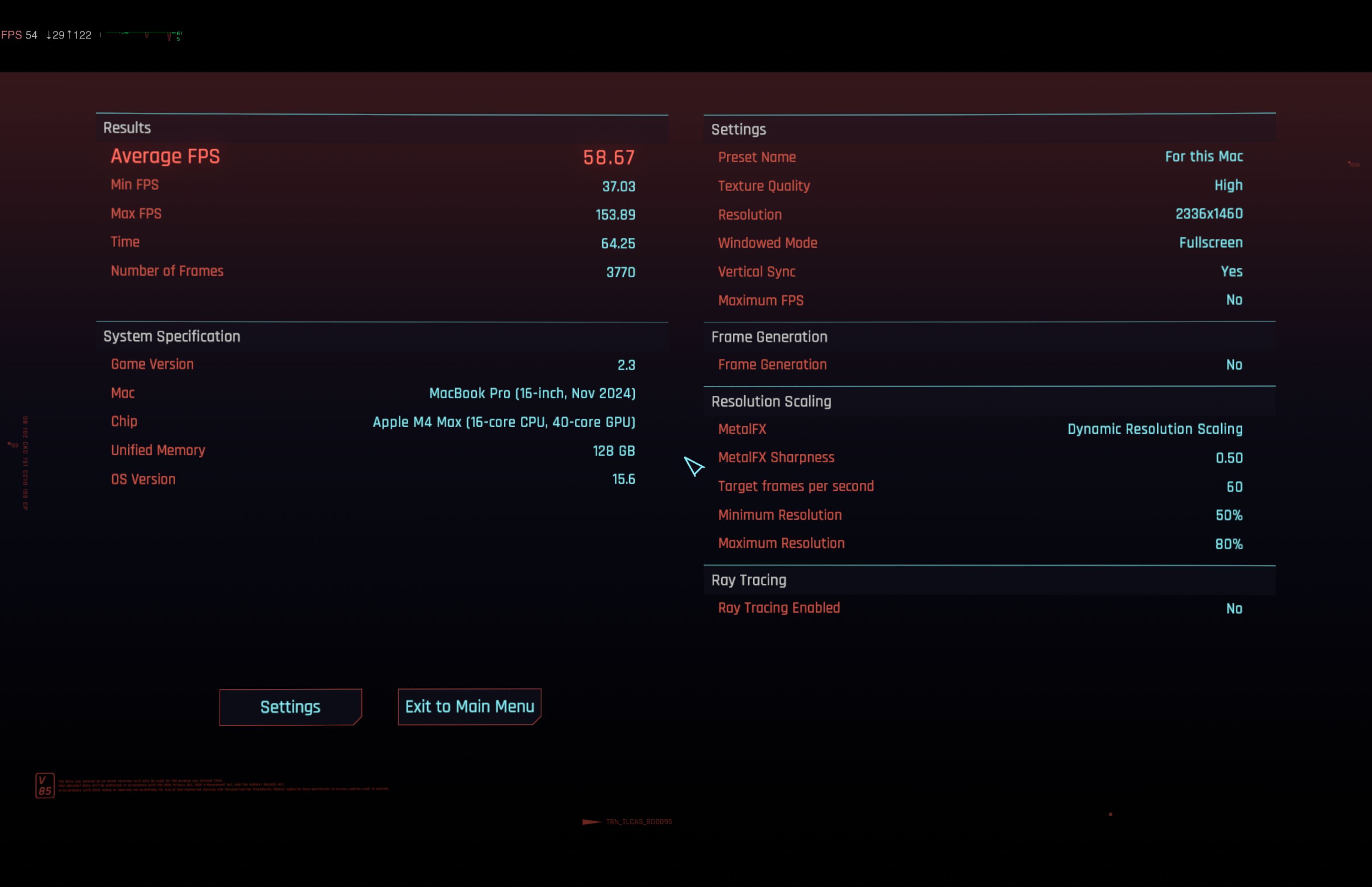
In the attached screenshots, you can notice that the default settings enabled most of the parameters to the "Ultra" or "High" value. However, the Ray Tracing option has been completely disabled - although newer chips from the M series support hardware ray tracing, enabling this option would certainly have a negative effect on performance.
Cyberpunk also activated Metal FX scaling on default settings. This is a special technology developed for Apple computers, whose task is to dynamically scale the image rendered in lower resolution. So it helps in maintaining a satisfactory number of frames, and its operation can be compared to competitive NVIDIA DLSS and AMD FSR.
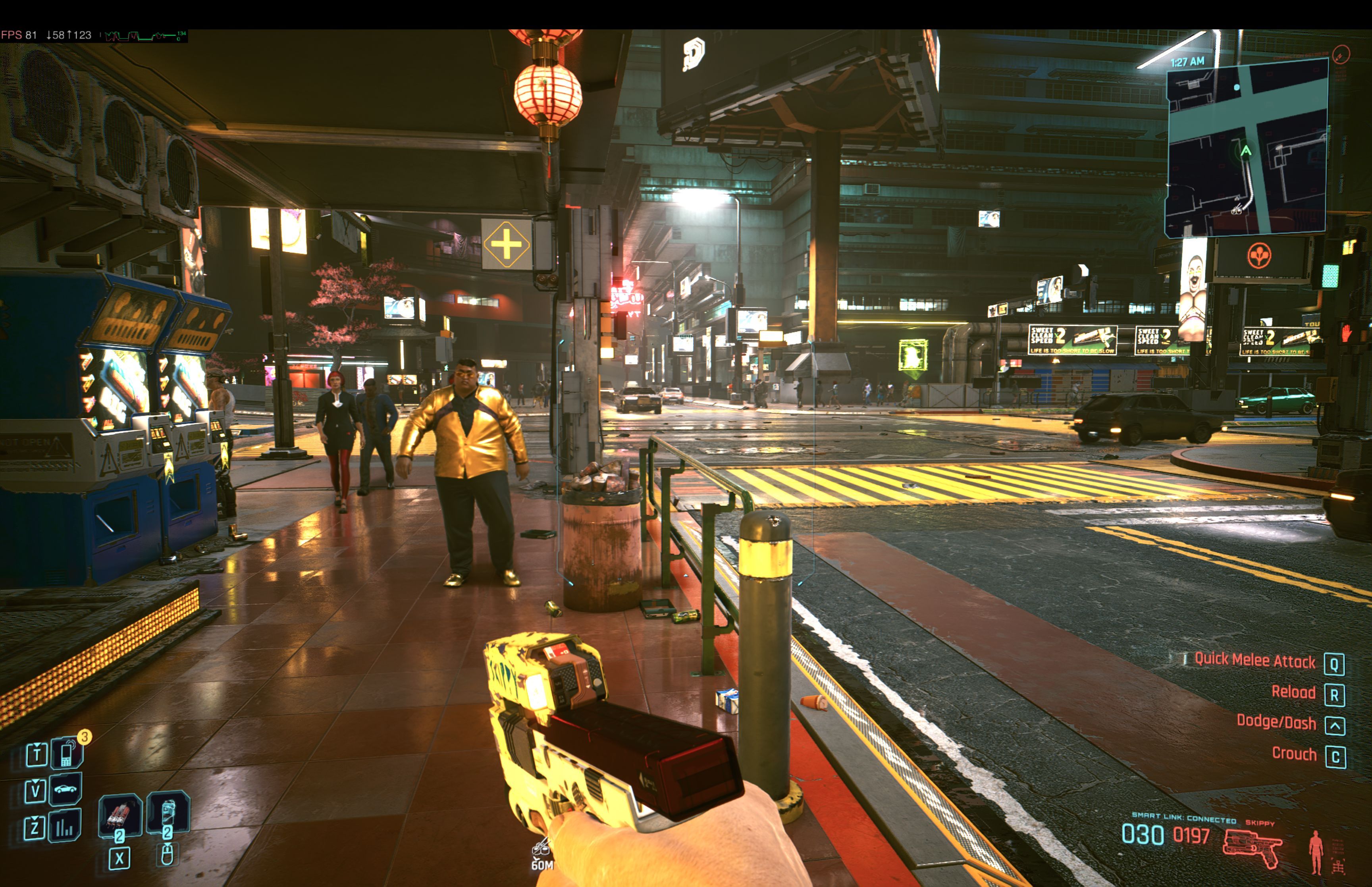
The results of the first test turned out to be very encouraging.Cyberpunk 2077, CD Projekt RED, 2025
The built-in benchmarking tool completed the test with a result close to 60 frames per second on the settings discussed above. Positive impressions continued also during normal gameplay. During the tour of the neon-lit Night City, I did not observe any significant drops below 60 frames per second, even in more dynamic moments.
Stable 60 FPS suggest that the game's default settings have correctly interpreted the computer's performance. This result becomes even more impressive if we take into account the screen resolution of the Macbook Pro, which is as high as 3456 by 2234 pixels. So we are talking here about a density comparable to PC's 4K screens (3840 x 2160).
Default Mac settings automatically enable controversial effects among many players such as chromatic aberration, depth of field, and motion blur. If you don't like them, don't forget to manually turn them off.
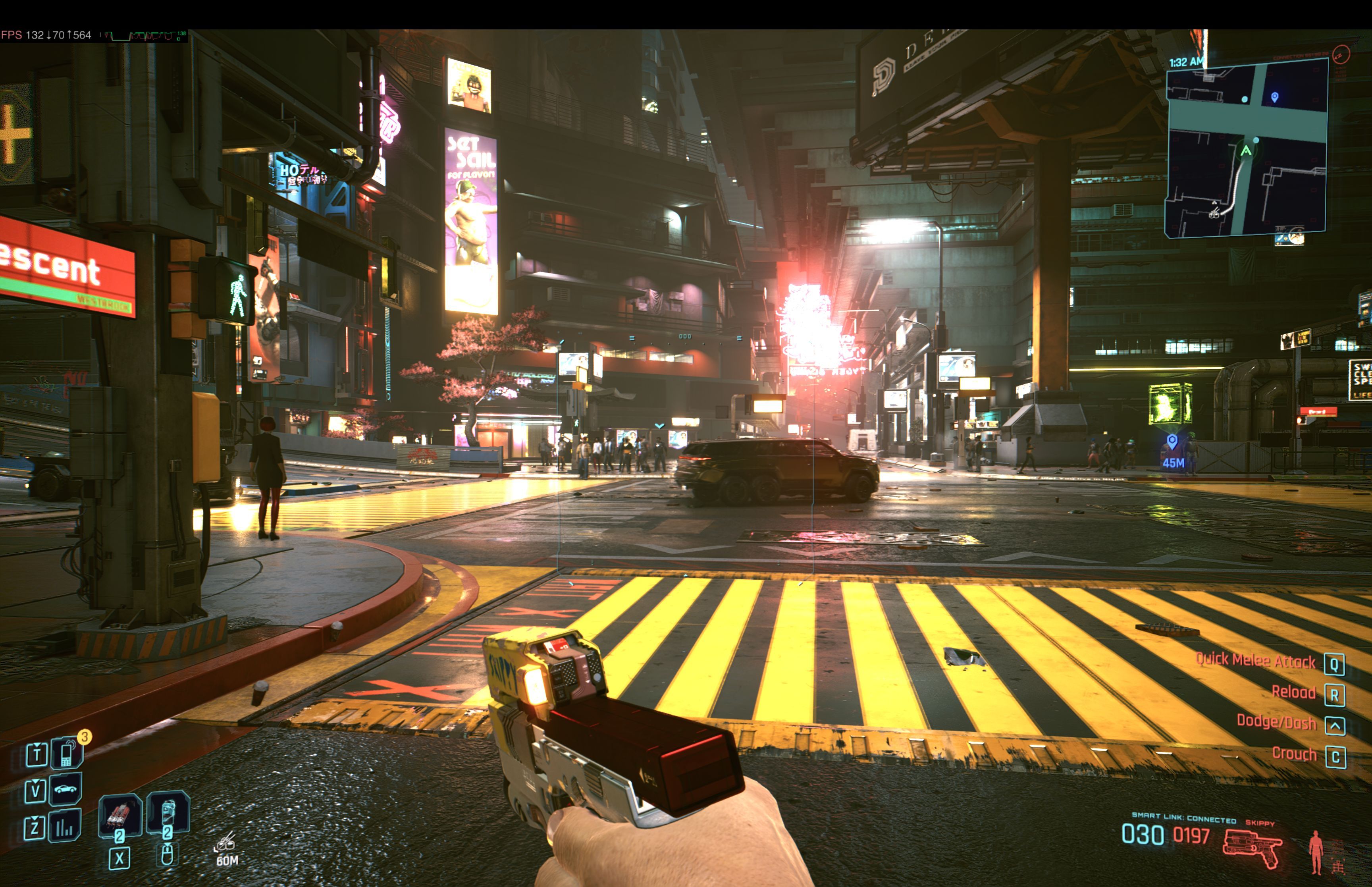
The frame generator by AMD allowed to easily increase the number of frames.Cyberpunk 2077, CD Projekt RED, 2025
Continuing the tests, I first decided to enable the frame generation function using AMD FSR 3.1. This minor change immediately doubled the number of observed frames, which now fluctuated between 115 and 130 FPS. This technology, of course, has its drawbacks - in some places (e.g. on the edges of contrasting elements) you could observe small graphical artifacts. There were also slight decreases in smoothness every now and then. However, these minor problems did not interfere too much during normal gameplay.
Lastly, I decided to make performance tests with ray tracing enabled. Activating basic Ray Tracing resulted in a slight drop in frame rate to around 45-50 FPS. Turning on frame generation allowed to "boost" the smoothness to a quite pleasant 80-90 FPS. So I get the impression that with a bit of configuration in the graphics settings and the upscaler, comfortable gameplay with RT enabled is well within reach.
However, Path Tracing - the most demanding and advanced form of ray tracing available in Cyberpunk 2077 - should be ignored for now. Enabling this option immediately reduces the game to suboptimal levels of around 25 frames. Even activating the AMD FSR generator does not help the situation. FPS may jump to a more acceptable level (40-50 FPS), but the image becomes unpleasantly "choppy", and graphical artifacts literally jump out of every illuminated corner.
So what can I recommend to players who want to visit Night City on their Mac? I think a great starting point for configuring graphic settings will be the default preset "For this Mac computer". From my tests, it appears that they do well to keep smooth gameplay at 60 frames per second. Then, you can confidently start experimenting with enabling and disabling individual options, as well as using features such as the Metal FX upscaler or the AMD FSR frame generator.
What about the hardware's other aspects?
HDR on the Macbook screen could be downright blinding in places.Cyberpunk 2077, CD Projekt RED, 2025
Before I move on to the summary, allow me to share a few thoughts related to gaming on a MacBook Pro. The thing that made a very positive impression on me was definitely the fantastic Liquid Retina XDR display. Made with mini-LED technology, the panel is characterized by extraordinary brightness, which, combined with the HDR support in the game, resulted in spectacular views of the city illuminated by artificial lights.
I can also say a lot of good things about the audio. The speakers of the MacBook Pro are probably the best set I've ever heard on a mobile device. The deep and clear sounds coming from the laptop made me basically not want to use the headphones.
While running Cyberpunk, Macbook Pro turned on the processor cooling fan quite quickly. The noise, although audible, was not exceptionally bothersome.
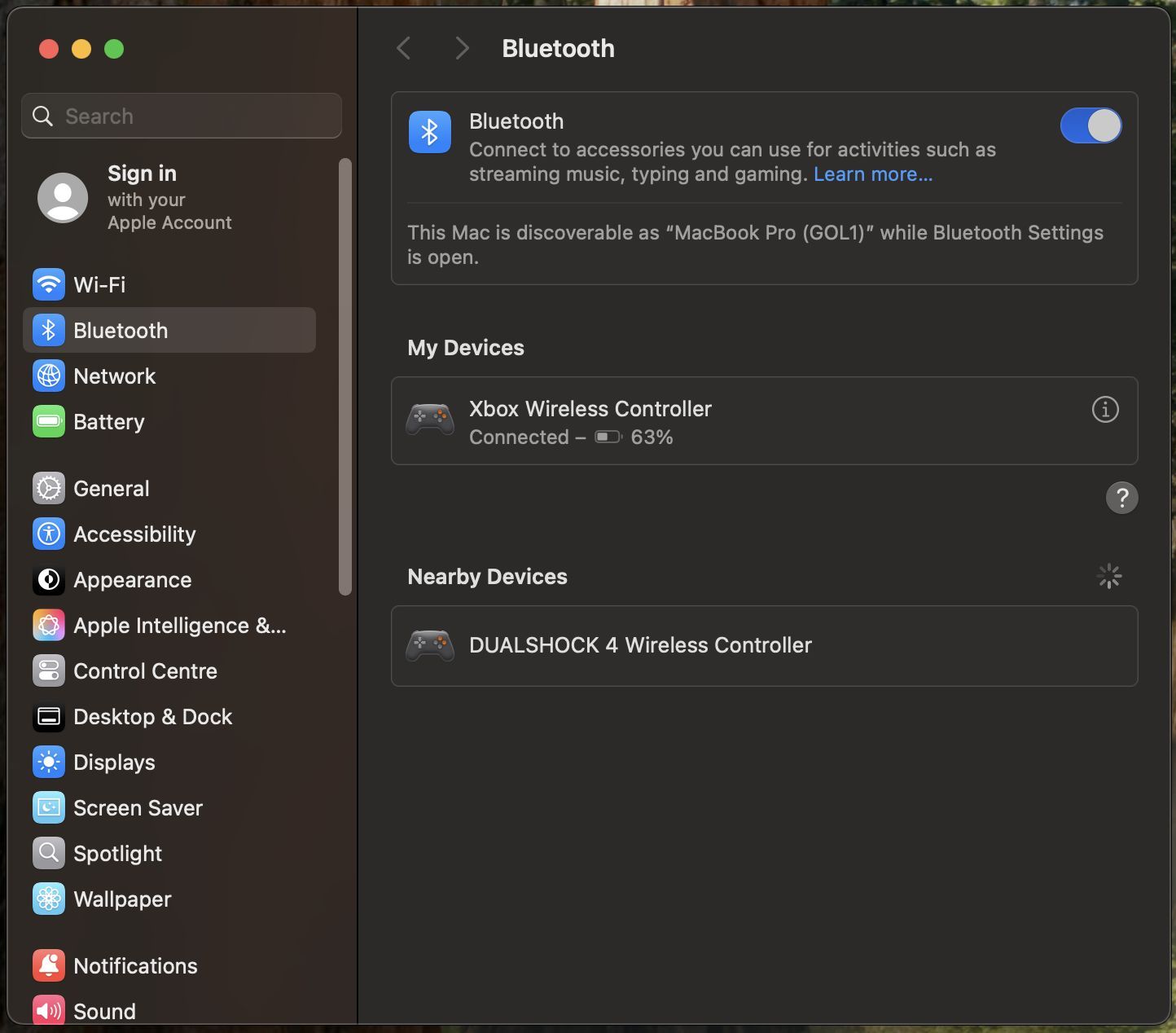
Connecting external peripherals turned out to be ridiculously simple.Cyberpunk 2077, CD Projekt RED, 2025
I have something less good to say about the keyboard. Although it probably works great for writing, during gaming the small key sit close to the base of the keybord and their slippery, glossy texture bothered me a bit. Players who decide to play on a Macbook should probably consider using an external keyboard, mouse, or controller.
And how does the matter stand with weaker Apple devices?
It's worth remembering that although the results of the previous tests were quite impressive, they were conducted under favorable conditions of a MacBook Pro with almost maxed out configuration. After all, this is a device that greatly differs from the average computer chosen by most customers. So how will the new Cyberpunk port fare on a more down-to-earth machine?
As a test platform, I used a modest Mac Mini with an M4 processor and 16GB RAM, borrowed from a friend (shout out to you, Daniel). At the time of its release, this small computer caused quite a stir, mainly due to its reasonable price of 599 dollars. For this reason, in my opinion, it will perfectly fit the role of an "average" Mac.
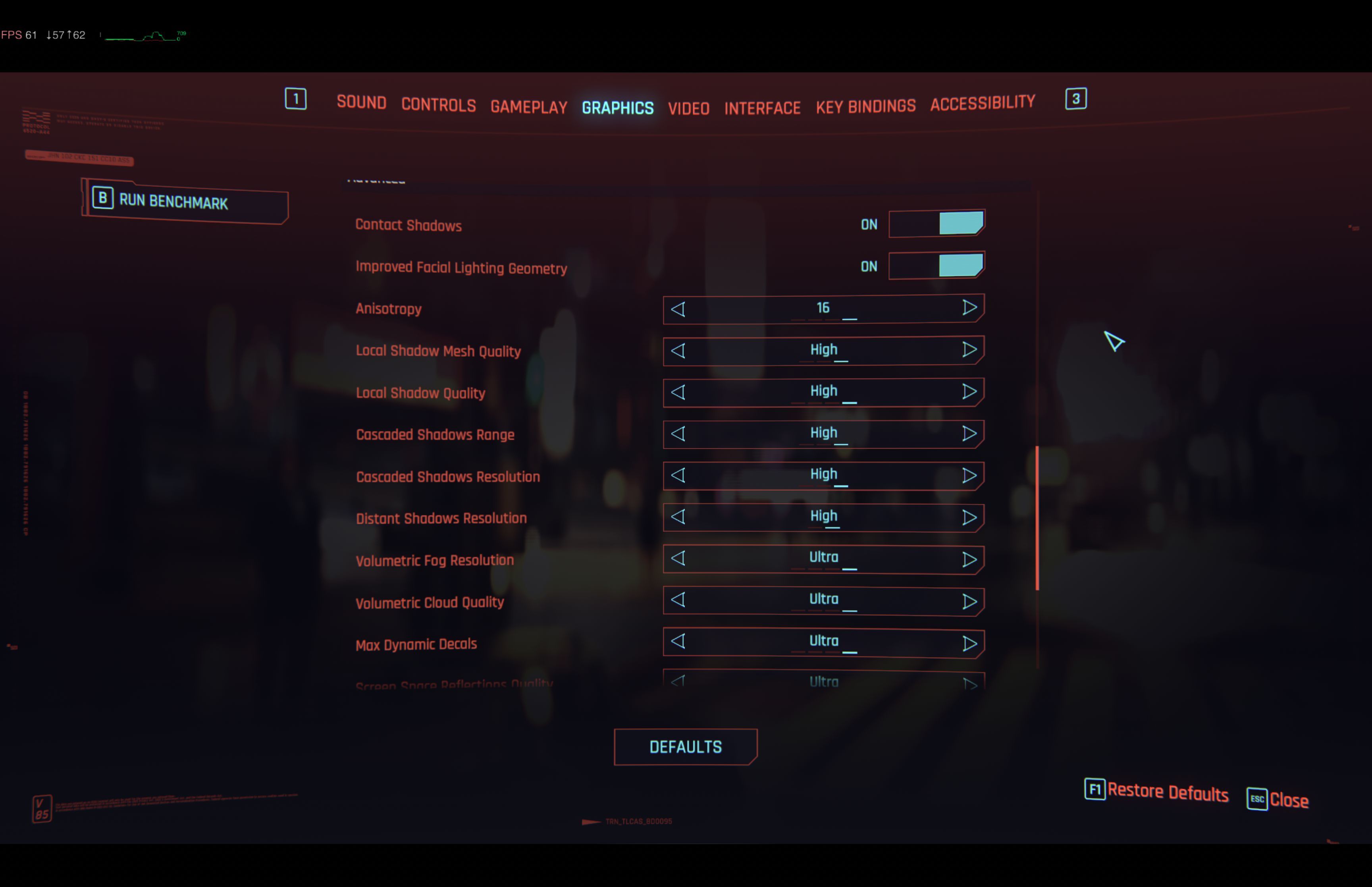
In the default mode, the game aims for high image quality and 30 FPS.Cyberpunk 2077, CD Projekt RED, 2025
The game's proposed preset for FullHD resolution (1920x1080) set most options to the "High" level. However, it is worth noting that the activated Metal FX upscaler was limited to a target performance of only 30 FPS and it was around this value that we were able to see while playing.
Fortunately, the quick activation of the AMD FSR frame generator allowed to boost this result to around 67 FPS. It's enough to say that a modest computer in its basic configuration holds a surprising amount of power. And although the default preset will probably satisfy less demanding users, with a bit of tinkering in the settings, it would probably be possible to find a balance between image quality and great performance.
Conclusion
To conclude, I can confidently say that the experience of playing Cyberpunk 2077 on a Mac turned out to be very positive. Great performance and simple configuration clearly suggest that we are dealing with a high-quality port here, which fully utilizes the power of the hardware it is running on. The game's performance on the base Mac Mini also turned out to be a pleasant surprise. This clearly suggests that the benefits of playing on a Mac will also be available to users of more modest units. I sincerely hope that over time we will see more high-quality ports of popular titles for macOS. Positive examples like Cyberpunk may change the perception of Apple computers as machines completely unsuitable for gaming. The potential is there - the only thing left is to use it wisely.
- Can you live a normal life in Cyberpunk 2077? YouTuber takes on a 15-hour experiment, goes through a lot of frustration, but is eventually satisfied
- The hidden details behind V and David’s very different downfalls in Cyberpunk 2077 and Edgerunners
- Cyberpunk 2077 dev explains why extending Act 1 would kill the game. „We always planned it that way”



0

Author: Adam Celarek
He has been interested in video games since an early age. He graduated film studies and new media, and defended his thesis on ludology. He started working at Gamepressure in early 2023. He is primarily a guide writer. Enthusiast of RPGs, unconventional indie games and competitive e-sports titles (mainly brawlers and MOBAs). In addition to games, he's also interested in table-top role-playing games and collectible card games. A fan of old-school technology and retro style!


Latest News
- The free version of the cult classic shmup Tyrian has been updated after 4 years
- A new Nod campaign has been added to The Dawn of the Tiberium Age, a freeware Command & Conquer RTS
- Fans have removed the time limit from The Blood of Dawnwalker
- Empire II: Total War now with two extra historical campaigns
- Someone has remastered Medieval 2: Total War and Rome: Total War so well that the AI's moves are now calculated in a matter of seconds [Updated]