Aliens Dark Descent: How the Motion Tracker works?
In Aliens Dark Descent there is a motion detector familiar with the one in Aliens movies. This guide page explains how to track the motion detector's readings for recognizing enemies and preparing for their attacks.
One of the most important gameplay aspects of Aliens Dark Descent is recognizing and responding to indications of a Motion Tracker. It can warn you about the movement of xenomorphs and other enemies. In our guide, you will find tips on how the Motion Tracker works, how to monitor its readings, and how to use portable motion detectors.
- How to read the indications of a Motion Tracker?
- Deployable Motion Tracker
- How to travel with a malfunctioning Motion Tracker in mission 11?
How to read the indications of a Motion Tracker?
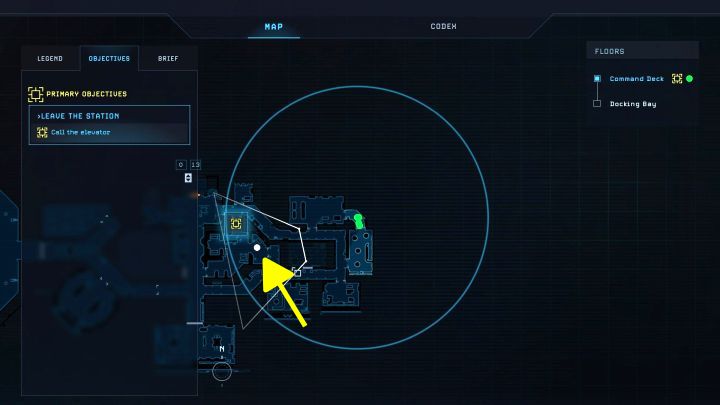
- The Motion Tracker is a key gadget in Aliens Dark Descent for detecting xenomorphs and other enemies. Thanks to it, you can constantly track your enemies in order to, for example, better prepare for an attack or take the opportunity to weld the doors before the fight.
- A standard Motion Tracker is available from the very beginning of the game and you don't have to invent or produce it additionally. You can use it already starting with the prologue.
- The tracker's performance is based on a scan of the area around the squad. It covers the entire 360-degree range, not just the corridors and rooms in front. The operation range of the tracker is 60 meters.
- Any detected moving targets are marked as white dots on the map.
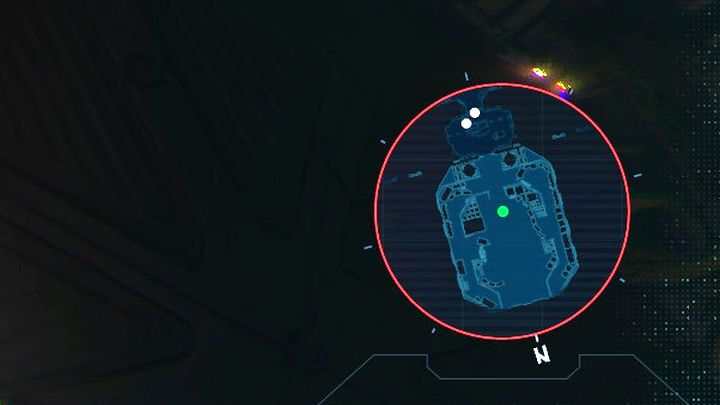
A big convenience is that you don't have to open the full-screen map every time. White dots also appear on the mini-map. By default, the map is the active user interface element and appears in the lower right corner of the screen.
Deployable Motion Tracker
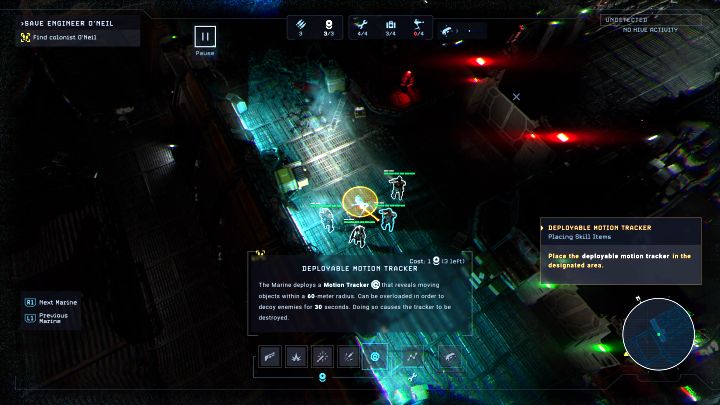
You unlock Deployable Motion Tracker in the first story mission in Dead Hills. It works similarly to active skills, therefore it requires 1 command point.
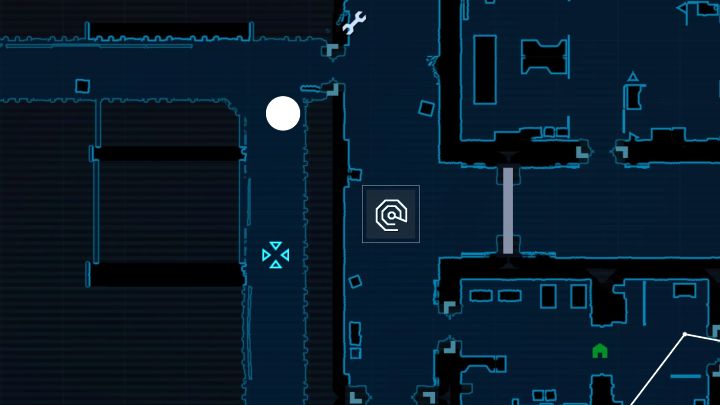
The deployable tracker lets you track opponents even when your camera isn't centered on the squad. This can be very helpful, for example, when preparing for a bigger ambush or determining a safe route.
You can also select a deployed tracker on the map screen and overload it. This action lasts 30 seconds. An overloaded tracker attracts xenomorphs, drawing them away from your team, but that tracker will be lost.
How to travel with a malfunctioning Motion Tracker in mission 11?
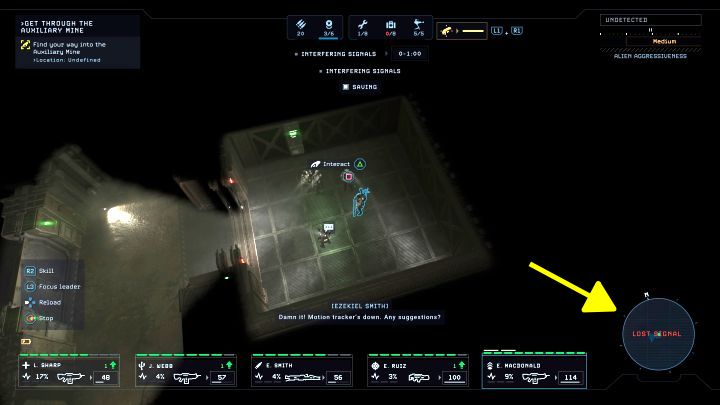
- During mission 11, you will encounter an additional problem - for the majority of this mission, the Motion Tracker will be inactive. This means that you will lose the ability to track opponents - they will not appear on any of the maps and sound signals will not work.
- Unfortunately, the tracker cannot be repaired. It will work normally after you advance sufficiently in the mission. You will have to go "blindly" through some areas.
- This time, use the map to track the layout of the rooms. Red exclamation marks symbolizing the respawn locations of xenomorphs can appear on it. You can also use the security cameras after hacking the terminal to check the key rooms. You will find out about, e.g. enemy locations or supplies.
- Listen to the environment. You can hear, for example, the sound of footsteps or opening doors. This may help you in determining a safe path.
- Move slowly and use covers. They both can help in reducing the risk of detection.
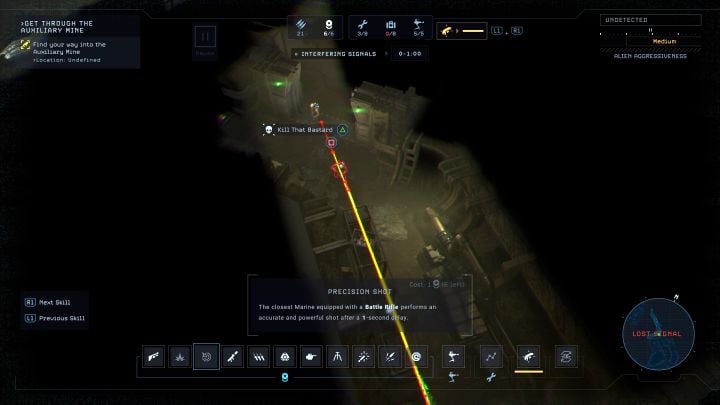
- React quickly when you see a yellow line - it means you are in the enemy's field of view (example in the picture). You can quickly retreat behind a cover or give the order to use a sniper rifle to kill the enemy before triggering the alarm.
- Save more often, i.e. look for every opportunity to stop in the rooms you pass by where you can create a shelter. By focusing on the main objectives, the game will autosave faster.



- Aliens Dark Descent Guide
- Aliens Dark Descent: Game Guide
- Aliens Dark Descent: FAQ
- Aliens Dark Descent: Is there an active pause?
- Aliens Dark Descent: Can you save the game?
- Aliens Dark Descent: How to get out of the cargo hold in the prologue?
- Aliens Dark Descent: How to escape from the server room and avoid Xenomorph?
- Aliens Dark Descent: How the Motion Tracker works?
- Aliens Dark Descent: How to focus the camera on the squad leader?
- Aliens Dark Descent: How to create a shelter and how to rest?
- Aliens Dark Descent: How to repel a Massive Onslaught?
- Aliens Dark Descent: How to reset aggressiveness level?
- Aliens Dark Descent: How to increase squad size?
- Aliens Dark Descent: Can you play as aliens?
- Aliens Dark Descent: How to rotate Sentry Gun?
- Aliens Dark Descent: How to change the apperance of marines?
- Aliens Dark Descent: How to replenish and where to find more ammunition?
- Aliens Dark Descent: How to unlock the Smart Gun?
- Aliens Dark Descent: How to get rid of trauma?
- Aliens Dark Descent: How to use a sniper rifle for stealth kills?
- Aliens Dark Descent: Should I save Robert, Lisa, and Drake in mission 6?
- Aliens Dark Descent: How to die less often?
- Aliens Dark Descent: How to get to the atmospheric processor generator in mission 6?
- Aliens Dark Descent: What does the command Kill That Bastard mean?
- Aliens Dark Descent: FAQ
- Aliens Dark Descent: Game Guide
You are not permitted to copy any image, text or info from this page. This site is not associated with and/or endorsed by the developers and the publishers. All logos and images are copyrighted by their respective owners.
Copyright © 2000 - 2026 Webedia Polska SA for gamepressure.com, unofficial game guides, walkthroughs, secrets, game tips, maps & strategies for top games.