Aliens Dark Descent: How to change the apperance of marines?
The squad marines from Aliens Dark Descent initially have an imposed appearance, but you don't have to stay with it. This page of the guide tells you how to customize the appearance of the heroes.
Tactical combat games such as XCOM most of the time offer advanced options of modifying the appearance of the team members. On this page of the guide, we answer whether Aliens Dark Descent offers similar functionalities - such as changing the gender and appearance of characters, or the possibility to give a unique name and surname to every member of the squad.
First squad
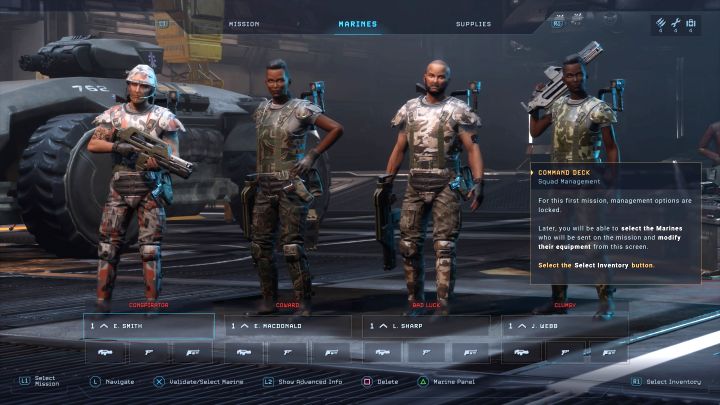
After completing the prologue of the campaign and arriving on board of USS Otago for the first time, a group of 4 marines will be assigned to you. You cannot change their appearance at that time, and you simply have to start Mission 1 in Dead Hills with characters that have imposed genders and appearance.
How to unlock character appearance customization?
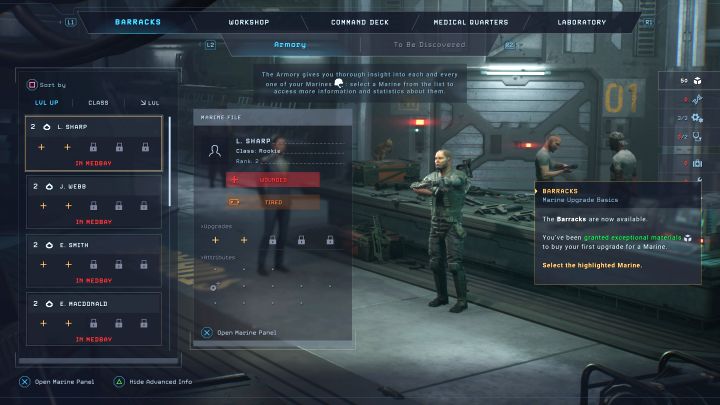
The option to change appearance appears after:
- voluntary exfiltration from Mission 1 and returning to USS Otago;
- completing Mission 1 without returning to the command center.
After returning to base (either with the mission completed or not) Barracks option will be unlocked, which is one of the main locations on Otago.
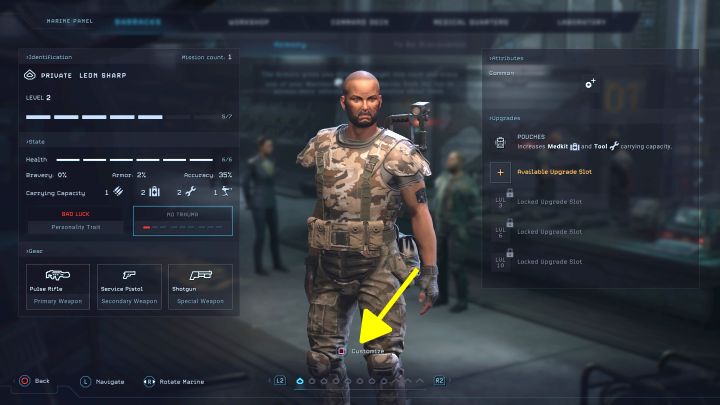
In the Barracks, you can choose available marines and: set their gear, attributes, and upgrades as well as check their current health levels and perks.
In the preview window of the given marine you'll also find the Customize option, which allows modifying the appearance and gender of the character.
Customize - most important options
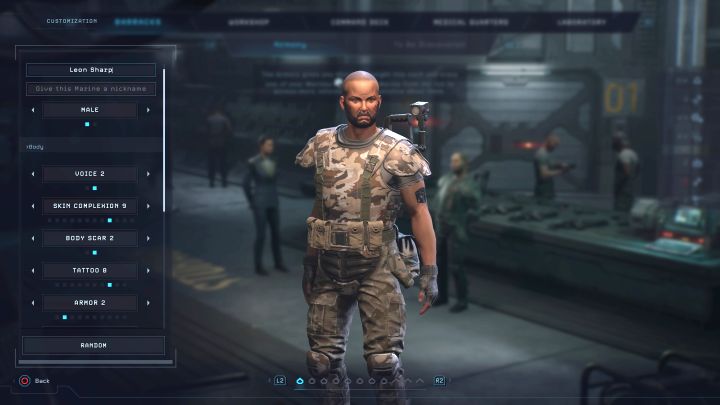
The basic options of the customize menu are:
- First name, last name and nickname - you can modify any of the options by inputting keys through the keyboard.
- Gender - the menu allows changing the default gender of the marine, for example, you can create a squad with only men or women in it.
- Body - here are the options customizing the appearance of the character's body. You can modify voice preset, skin color, scars, tattoos, and outfit (it isn't related to armor points which the heroes have different values of).
- Head - you can modify the appearance of this part of the marine's body. Among the options, we have the general appearance of the face, hair and its colors, facial hear, or scars. You can also make the helmet visible (Helmet On) so that the hero has it equipped (this also doesn't affect the overall statistics)
Finally, you have the Random option, which randomizes the appearance of the hero with one click.


- Aliens Dark Descent Guide
- Aliens Dark Descent: Game Guide
- Aliens Dark Descent: FAQ
- Aliens Dark Descent: Is there an active pause?
- Aliens Dark Descent: Can you save the game?
- Aliens Dark Descent: How to get out of the cargo hold in the prologue?
- Aliens Dark Descent: How to escape from the server room and avoid Xenomorph?
- Aliens Dark Descent: How the Motion Tracker works?
- Aliens Dark Descent: How to focus the camera on the squad leader?
- Aliens Dark Descent: How to create a shelter and how to rest?
- Aliens Dark Descent: How to repel a Massive Onslaught?
- Aliens Dark Descent: How to reset aggressiveness level?
- Aliens Dark Descent: How to increase squad size?
- Aliens Dark Descent: Can you play as aliens?
- Aliens Dark Descent: How to rotate Sentry Gun?
- Aliens Dark Descent: How to change the apperance of marines?
- Aliens Dark Descent: How to replenish and where to find more ammunition?
- Aliens Dark Descent: How to unlock the Smart Gun?
- Aliens Dark Descent: How to get rid of trauma?
- Aliens Dark Descent: How to use a sniper rifle for stealth kills?
- Aliens Dark Descent: Should I save Robert, Lisa, and Drake in mission 6?
- Aliens Dark Descent: How to die less often?
- Aliens Dark Descent: How to get to the atmospheric processor generator in mission 6?
- Aliens Dark Descent: What does the command Kill That Bastard mean?
- Aliens Dark Descent: FAQ
- Aliens Dark Descent: Game Guide
You are not permitted to copy any image, text or info from this page. This site is not associated with and/or endorsed by the developers and the publishers. All logos and images are copyrighted by their respective owners.
Copyright © 2000 - 2026 Webedia Polska SA for gamepressure.com, unofficial game guides, walkthroughs, secrets, game tips, maps & strategies for top games.