Ratchet and Clank Rift Apart - How to Change Language on Steam
In this guide we will tell you how to change language of Ratchet and Clank Rift Apart on Steam. It is tricky.

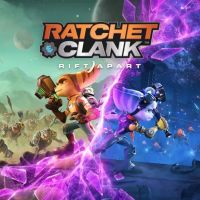
Ratchet and Clank Rift Apart was finally released on PC. Thousands of players waited for this day since the original release of this title on PS5 in 2021. Apart from technical issues, some fans have problems with changing language in the game, and more precisely, voiceovers. We will tell you how to do it on Steam, as it is tricky.
Ratchet and Clank Rift Apart – How to Change Language on Steam
It is possible to change text language in-game in the Settings menu. However, to change voiceover of Ratchet and Clank Rift Apart, you have to:
- Right-click the game in the Steam Library.
- Open Properties.
- Go to General.
- Select Language.
- Update the game.
- Open the game, enter Audio options and turn off “English Audio”. Without that the game will be still voiced in English.
- Remember that steps presented above will change only audio, if you wish to also have text in your preferred language, you have to change this in-game.
Ratchet and Clank Rift Apart – available voiceovers
Below you can find full list of voiceovers in Ratchet and Clank Rift Apart:
- English,
- French,
- Italian,
- German,
- Spanish – Spain,
- Danish,
- Dutch,
- Finnish,
- Japanese,
- Norwegian,
- Polish,
- Portuguese – Brazil.
- Portuguese – Portugal,
- Russian,
- Spanish – Latin America,
- Swedish,
- Arabic.
If you want to learn more about Ratchet & Clank: Rift Apart, read also:
- Ratchet & Clank: Rift Apart Guide
- Ratchet & Clank: Rift Apart System Requirements on PC Not as Scary as You Might Think
- Ratchet & Clank: Rift Apart PC Launch


0

Author: Damian Gacek
Graduate of English Philology and English in Public Communication. His portfolio includes a scientific article on video game translation. Working with Gamepressure.com since 2019, writing for various departments. Currently, deals with guides and occasionally supports the newsroom. Interested in electronic entertainment since childhood. Loves RPGs and strategies, often also immersing himself in the depths of indie games. In his free time, works on a book and learns film editing.


Latest News
- Because of the final boss, I never gave up on entire genre, but the wonderful Rayman 2: The Great Escape hasn't aged a bit
- The free version of the cult classic shmup Tyrian has been updated after 4 years
- A new Nod campaign has been added to The Dawn of the Tiberium Age, a freeware Command & Conquer RTS
- Fans have removed the time limit from The Blood of Dawnwalker
- Empire II: Total War now with two extra historical campaigns