Omega Strikers Emotes and Region Change
Many players are unfamiliar with some important options in Omega Strikers. In this guide we take a closer look at emotes and region change.
1

Source: Steam | Omega Strikers
Omega Strikers is a new game available in Steam's early access. For this reason, many players are not yet familiar with all the settings offered by the title. Thanks to this guide you will learn, where to get emotes and whether it is possible to change the region, in which you are currently playing.
Omega Strikers - emotes
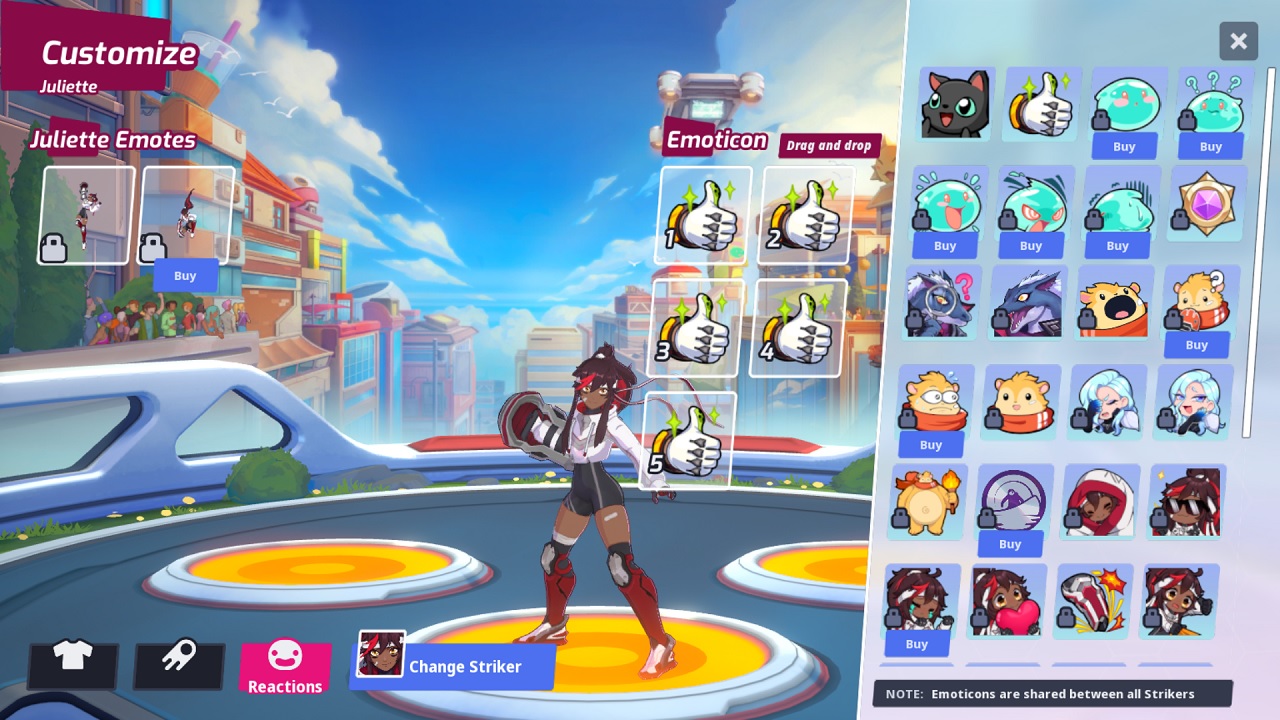
Emotes are used to comment in an interesting way on the situation that has just happened, that is, to show joy or displeasure. Emotes in Omega Strikers can be acquired by buying them in the store, although you get one basic emote at the start. To assign them to your character, all you need to do is:
- go to customize, on the left side of the screen,
- click the reactions icon at the bottom,
- drag the selected emotes from the right to the emote tab.
Omega Strikers - regions
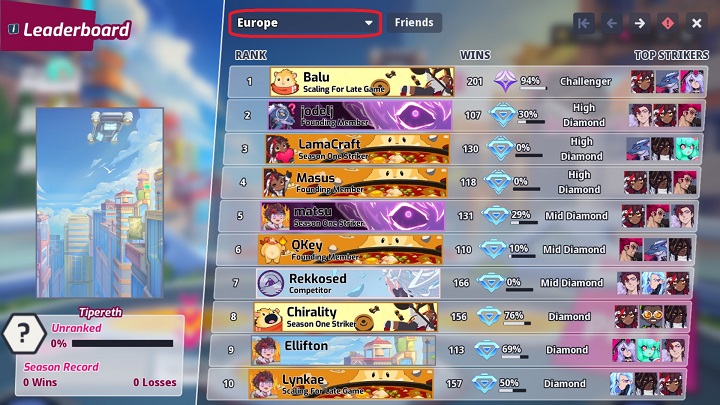
Many players coming from different locations, such as South America, would like to change the region to Asia or North America. Unfortunately all indications are that, for the moment, the game automatically chooses the most favorable region for the player..
It is possible, admittedly, to click on the leaderboard tab on the left in the main menu and change the region there at the top, but this is only a ranking of the best players from Europe, Asia, etc. After exiting the game and reloading Omega Strikers you will notice in the menu that the region has changed to the default again.
The game is in early access and it is very possible that after the release of version 1.0 there will be an option to manually change the region.



1

Author: Adam Adamczyk
Has been writing professionally since 2013. In 2021, he joined GRYOnline.pl, where in addition to gaming topics, he deals with strictly technological information. Worked with the largest music stores in Poland, creating articles related to instruments and generally understood sound design. Interested in computer games since childhood. On top of that, his interests include playing the guitar, composing music, and strength sports.

Latest News
- KaM Remake, the fan-made version of the classic strategy game, is practically finished
- A fan has enhanced and fixed the classic Ultimate Spider-Man for PC
- Because of the final boss, I never gave up on entire genre, but the wonderful Rayman 2: The Great Escape hasn't aged a bit
- The free version of the cult classic shmup Tyrian has been updated after 4 years
- A new Nod campaign has been added to The Dawn of the Tiberium Age, a freeware Command & Conquer RTS