The Sinking City: How to unlock quick travel?
On this page of the guide to The Sinking City you will learn how to unlock and how to use quick travel. It is very helpful when it comes to moving through the city, especially when you suddenly need to travel to a different part of Oakmont.

Quick travel points are hidden at the start. You must gradually unlock and find them. While traveling through the game world, look for compass icon appearing on the gray bar in the upper part of the screen - an example is shown in the picture. The icon will become larger as you get close to the quick travel point.
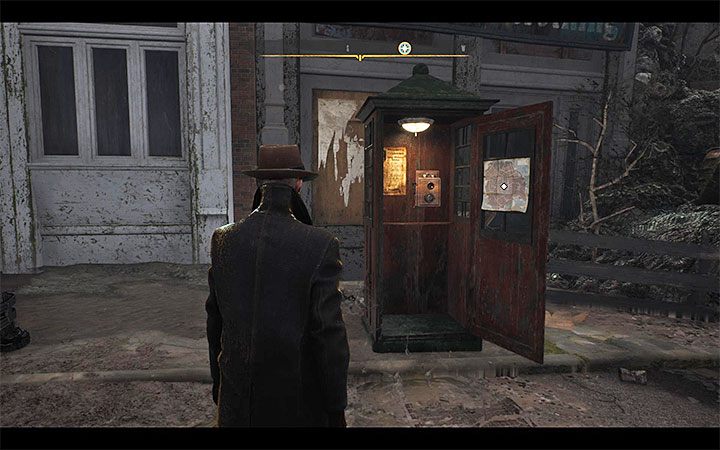
Quick travel points are phone booths. Once you get close to each of them, you will receive a confirmation that it was unlocked. You can interact with the map attached to it.
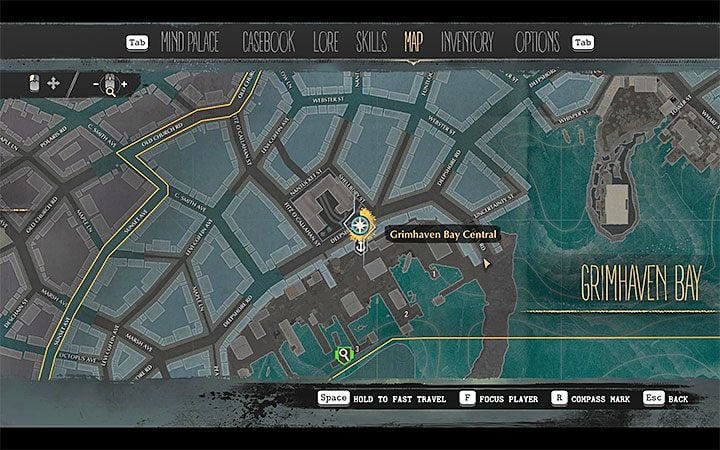
Once the game opens the world map, select a different point as a quick travel destination (you must have at least two phone booths unlocked). Hold the interaction key to confirm this activity. Quick travel works immediately and it doesn't cost anything.



- The Sinking City Guide
- The Sinking City: Game guide
- The Sinking City: FAQ
- The Sinking City: How to unlock quick travel?
- The Sinking City: Can I save the game?
- The Sinking City: How to change your character's clothes?
- The Sinking City: What happens after the hero dies?
- The Sinking City: How to take photos?
- The Sinking City: How to use archives?
- The Sinking City: Can Reed swim?
- The Sinking City: How to heal?
- The Sinking City: How to unlock new weapons and gadgets
- The Sinking City: How to easily restock supplies?
- The Sinking City: FAQ
- The Sinking City: Game guide
You are not permitted to copy any image, text or info from this page. This site is not associated with and/or endorsed by the developers and the publishers. All logos and images are copyrighted by their respective owners.
Copyright © 2000 - 2026 Webedia Polska SA for gamepressure.com, unofficial game guides, walkthroughs, secrets, game tips, maps & strategies for top games.