How to check User ID and link Shadowverse Account to Worlds Beyond
In case you are unsure how to get your User ID to link Shadowverse account to Worlds Beyond, worry not. We've got you covered. Here you will find an easy to follow information on how to achieve this goal.

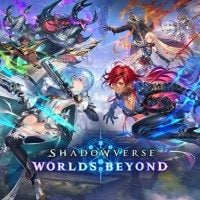
It is amazing that video games provide such variety that everyone can find their own niche. And even within the same niche, there is a number of choices with slight differences that will allow us to fit in perfectly. If you aren’t a fan of World of Warcraft, but you love the simplicity of Hearthstone, Shadowverse might have been your answer for a nice card game kept in anime or manga aesthetics. Now, after almost a decade, Shadowverse comes back with a new instalment subtitled Worlds Beyond. It is possible to link your old account to the new one and get some extra rewards thanks to that. If you are unsure how the process works, worry not, as it’s not that hard and we will walk you through it step by step, so buckle up! Don’t worry, you will not have to remember your old password. However, something else is required – getting your User ID from the first game. We’ve got your back, though. Here you will learn how to check it, too.
How to check User ID in Shadowverse Worlds Beyond
The worst part about migrating data from one device to another is, of course, remembering the old credentials. Sadly, something similar can occur in Shadowverse Worlds Beyond, when you want to link your account with the previous instalment. It’s not a matter of simple username or email address, like it usually is, but this time we must retrieve an oddity called User ID, which is a meaningless (for a human brain) string of numbers. How to get such ambiguous information?
All you need to do is to start Shadowverse. There, as soon as on the title screen you will be able to see an “ID” in the lower right corner. This mysterious number is the User ID you are looking for. Alternatively, you can check out your Profile in the More menu.
Linking Accounts in Shadowverse Worlds Beyond
Fortunately, after locating and noting the User ID, it should be all smooth sailing from there. The steps are described on the official Shadowverse site, yet for your convenience, we have also included them below:
- In original Shadowverse’s home tab, you should see a banner on a carousel in the top left portion of the screen that says “Data Link to Shadowverse: Worlds Beyond”. Click on it.
- After accessing the previously mentioned banner, a one-time password will be generated. Note it! It will work only for 8 hours.
- Now, go to Worlds Beyond. There is another banner on a carousel, this time closer to the bottom left side of the home menu. The image should read “Link with Shadowverse”. In case you can’t see the banner anymore, such option should still be available from Additional Menus.
- The final step is linking the accounts by providing the previously obtained User ID and the one-time password generated in the first game.
The process might not be the easiest or the most convenient way of getting some extra rewards. Hopefully this quick guide will help you with achieving this goal. Keep in mind, though, that once linked account cannot be unlinked. Good luck!
- Shroud says ARC Raiders devs have lost control. The studio issues a statement
- Highguard is already a strong contender for the title of worst game of 2026. It's a mistake by Wildlight studio that's 10 years too late
- The terrible launch of a new free shooter game is not the end of the world. Highguard devs have a grand battle plan for player appreciation


0

Author: Aleksander Kartasinski
Just a random from the depths of the internet who happens to be interested in video games like millions of other people on this planet. By sheer luck he was given a chance to write about them. Worked in IT department and supported users for way too long, but also given a chance to do some IT magic on a large scale in his free time. Interested in technology, games with intriguing mechanics, etymology, and linguistics.


Latest News
- Because of the final boss, I never gave up on entire genre, but the wonderful Rayman 2: The Great Escape hasn't aged a bit
- The free version of the cult classic shmup Tyrian has been updated after 4 years
- A new Nod campaign has been added to The Dawn of the Tiberium Age, a freeware Command & Conquer RTS
- Fans have removed the time limit from The Blood of Dawnwalker
- Empire II: Total War now with two extra historical campaigns