Star Wars Jedi: Survivor finally without annoying camera stutter, but no thanks to Respawn Entertainment
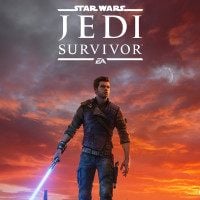
Thanks to a fan-made modification, the problem with the crouching camera in Star Wars Jedi: Survivor has finally been solved. The modder responsible for this took advantage of something the Digital Foundry group recently discovered.

Star Wars Jedi: Survivor generally turned out to be a great game, but on release day it left much to be desired technically, especially on PC, and even today—almost three years after —it still is far from perfect in that regard. There is probably no longer any chance that Respawn Entertainment will ever fix it. Fortunately, someone stepped in to do it for them.
That someone was a modder known as Atlash, who released a project called Camera and Animation Stutter Fix. It’s not the first performance-improving mod for this game, but this modification is the first to truly address the strange stuttering of animations and the in-game camera.
However, in this case it’s not only Atlash who deserves players’ thanks. The modder did not come up with this fix alone. Instead, the mod simply implements what was recently discovered by Alex Battaglia from the Digital Foundry. The journalist was extremely frustrated by the fact that even after many patches, the PC version of Star Wars Jedi: Survivor still had visible stutters in camera and character animations, even when the frame rate graph showed the engine was holding a perfect 60 fps. It was obvious to him that these were not typical performance issues. He noticed that the camera movement seemed inconsistent, as if each frame moved the camera by a slightly different distance. Worse still, the weaker the player’s CPU was, the more noticeable the issue became.
The breakthrough came when Battaglia was testing DLSS 4.5. While doing so with games built on Unreal Engine, he used Franz Bouma’s Unreal Engine Unlocker. This led him to discover the command respawn.InterpolatedRendering in Jedi Survivor. By default, it is disabled in the PC version of the game, and the journalist speculates that it was most likely implemented with 60 fps console modes in mind, as it generates two rendering frames for every CPU thread frame.
After enabling this function on PC, Battaglia not only saw a clear performance boost, but most importantly noticed a significant reduction in the jittery camera movement and thus a clear improvement in gameplay comfort. Modder Atlash simply recreated this solution in the form of an easy-to-install mod.
It should be added that even this mod does not solve all performance problems, as there are many causes—for example, poor shader compilation. However, overall the difference is substantial, and if you want to play Star Wars Jedi: Survivor on PC today, it is definitely worth doing so with Camera and Animation Stutter Fix installed.


0

Author: Adrian Werner
A true veteran of the Gamepressure newsroom, writing continuously since 2009 and still not having enough. He caught the gaming bug thanks to playing on his friend's ZX Spectrum. Then he switched to his own Commodore 64, and after a short adventure with 16-bit consoles, he forever entrusted his heart to PC games. A fan of niche productions, especially adventure games, RPGs and games of the immersive sim genre, as well as a mod enthusiast. Apart from games, he devourers stories in every form - books, series, movies, and comics.
Latest News
- A new version of Diablo, created by former Bethesda developers, finally enhances the 1997 classic with stunning HD graphics
- KaM Remake, the fan-made version of the classic strategy game, is practically finished
- A fan has enhanced and fixed the classic Ultimate Spider-Man for PC
- Because of the final boss, I never gave up on entire genre, but the wonderful Rayman 2: The Great Escape hasn't aged a bit
- The free version of the cult classic shmup Tyrian has been updated after 4 years