Songs of Conquest: How to enlarge the HUD and font?
The default font and interface sizes of the Songs of Conquest game can make it difficult to read text and view statistics. Our guide provides information on how to enlarge the HUD and how to set a larger font.
Last update:
Small font and minuscule interface icons may create problems when trying to read or recognize important options of Songs of Conquest. On this page of our guide, we show how to enlarge the HUD and set a higher font size. This is fortunately doable in a few simple steps.
Default interface and font size
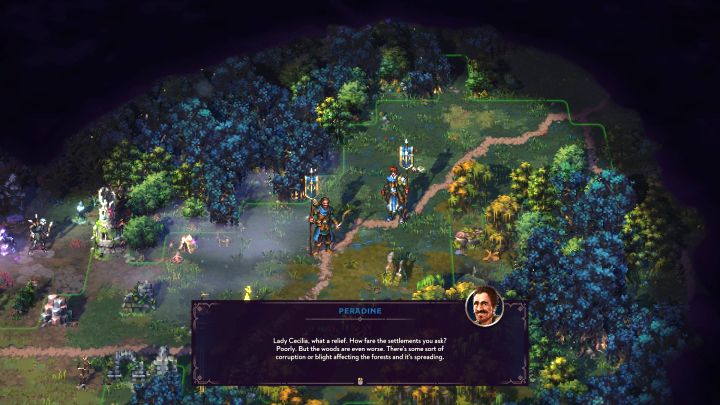
- With the default settings, the HUD clarity and font size are very small - this is especially troublesome when trying to, e.g. read dialogues or browse menus with large amounts of statistics and small prints.
- The above setup may be problematic, especially if you're playing on a laptop with a small screen or a portable device such as Steam Deck. Then, the text and icons may be too small for fast recognition or correct reading of them.
How to set large HUD and font size?
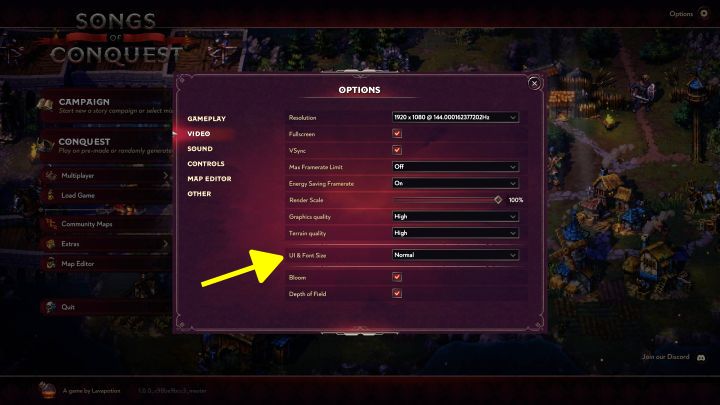
- Version 1.0 of Songs of Conquest, fortunately, allows you to adjust the resolution of the interface and change font size.
- Go to the Video tab in the game options. There you will find the item UI & Font Size. Its default value is Normal.
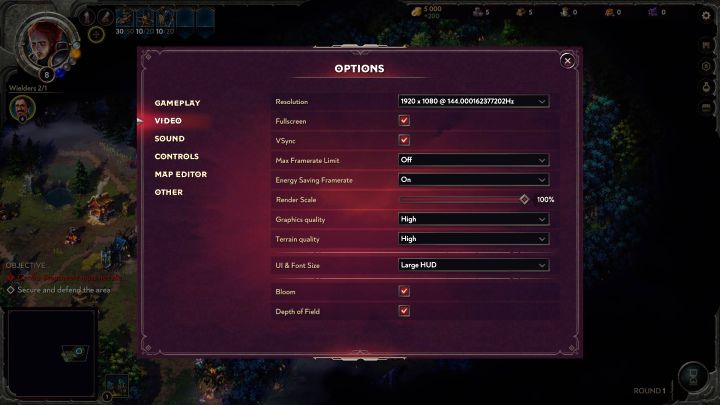
- There is no slider here that could allow very precise adjustments to the UI and font size. Instead, 2 alternative settings are available.
- Large HUD basically increases the resolution of the UI. With the setting enabled, the individual elements will be larger.
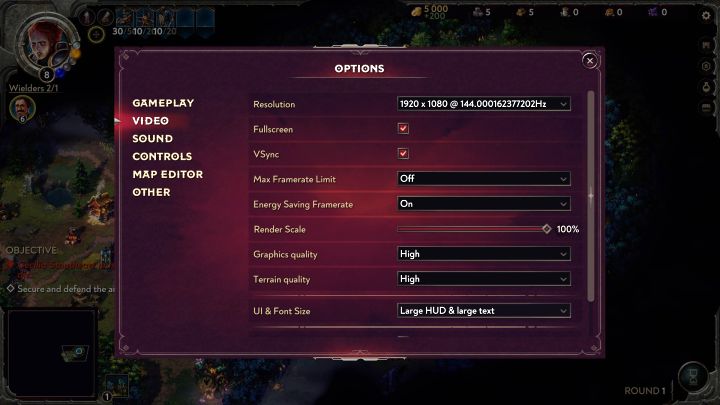
- Large HUD & large text provide even better results, as aside from the interface the font is much more readable. This setting is the maximum possible size for the font and HUD.


- Songs of Conquest Guide
- Songs of Conquest: Game guide
- Songs of Conquest: FAQ
- Songs of Conquest: Is there multiplayer?
- Songs of Conquest: How to turn off last battle kill in slowmotion?
- Songs of Conquest: Are there randomly generated maps?
- Songs of Conquest: How to enlarge the HUD and font?
- Songs of Conquest: Can the pixel art style be turned off?
- Songs of Conquest: How to resurrect a Wielder after battle?
- Songs of Conquest: Is there a full-screen map and a mini-map zoom option?
- Songs of Conquest: How to leave the battle?
- Songs of Conquest: How to increase the limit on number of wielders?
- Songs of Conquest: How to save the game?
- Songs of Conquest: Is it worth using Quick Battle?
- Songs of Conquest: How to increase the size of Wielder's army?
- Songs of Conquest: Is there fast travel?
- Songs of Conquest: Raze a settlement or Convert it?
- Songs of Conquest: How to gain gold faster?
- Songs of Conquest: How to accumulate XP faster?
- Songs of Conquest: How to solve the No Available Path problem?
- Songs of Conquest: How to increase initiative?
- Songs of Conquest: How to remove fog of war and increase view radius?
- Songs of Conquest: FAQ
- Songs of Conquest: Game guide
You are not permitted to copy any image, text or info from this page. This site is not associated with and/or endorsed by the developers and the publishers. All logos and images are copyrighted by their respective owners.
Copyright © 2000 - 2026 Webedia Polska SA for gamepressure.com, unofficial game guides, walkthroughs, secrets, game tips, maps & strategies for top games.