Songs of Conquest: Is there a full-screen map and a mini-map zoom option?
The minimap in Songs of Conquest is very small. This guide page tells you if you can enlarge the minimap and if a full-screen map of the area is available.
Last update:
Using the mini-map in Songs of Conquest is inconvenient, as it is very small by default and thus illegible. Our guide explains whether you can enlarge the mini-map or display it in full screen. We also hint at how to find locations on the map that are related to the objectives of a particular scenario.
Mini-map in the game
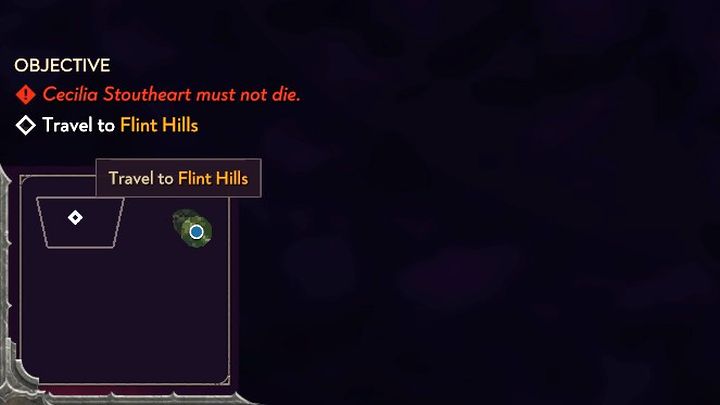
- You can find the mini-map in the lower left corner of the screen. Unfortunately, the game's creators did not provide for an zoom-in option of the mini-map. Its small size makes it not very helpful in navigating the area.
- You also won't find an option to view the map in full screen. This applies to both randomly generated maps and top-down maps prepared, for example, for the story campaign. Only a mini-map is available.
- Among other things, markers of wielders and mission objectives are marked on the mini-map. If you hover your cursor over a given marker, you can get information about it (description of a mission objective shown as example in the picture). Clicking on the marker will move the camera to the location.
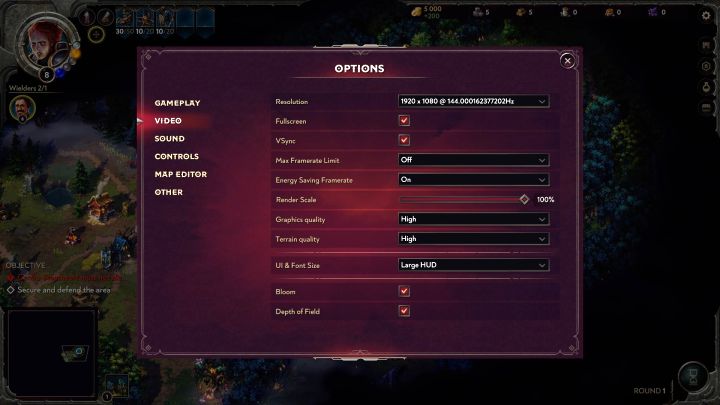
- The only way to make the map a little bigger is to enlarge the entire user interface, as it is treated as part of the HUD. You will find the appropriate setting in the Video tab of the game options and its operation is discussed in more detail on the page titled How to enlarge the HUD and font?
Area map
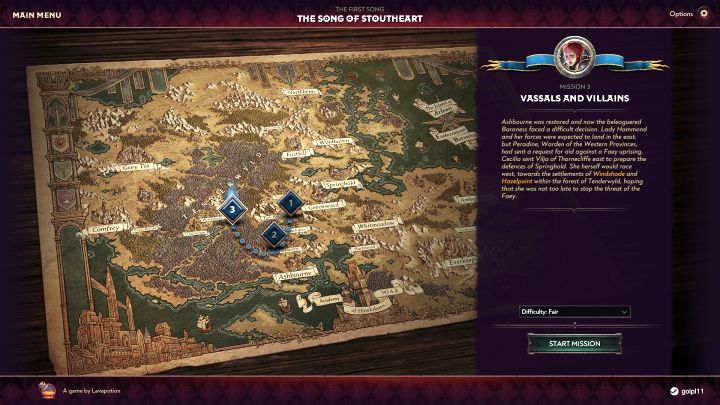
- In the campaign mode, you can additionally admire an area map of where the next scenarios are played - an example for the Song of Stoutheart campaign is shown in the image.
- This world map, unfortunately, has no practical use. You can only select missions from it - either already completed or newly unlocked.


- Songs of Conquest Guide
- Songs of Conquest: Game guide
- Songs of Conquest: FAQ
- Songs of Conquest: Is there multiplayer?
- Songs of Conquest: How to turn off last battle kill in slowmotion?
- Songs of Conquest: Are there randomly generated maps?
- Songs of Conquest: How to enlarge the HUD and font?
- Songs of Conquest: Can the pixel art style be turned off?
- Songs of Conquest: How to resurrect a Wielder after battle?
- Songs of Conquest: Is there a full-screen map and a mini-map zoom option?
- Songs of Conquest: How to leave the battle?
- Songs of Conquest: How to increase the limit on number of wielders?
- Songs of Conquest: How to save the game?
- Songs of Conquest: Is it worth using Quick Battle?
- Songs of Conquest: How to increase the size of Wielder's army?
- Songs of Conquest: Is there fast travel?
- Songs of Conquest: Raze a settlement or Convert it?
- Songs of Conquest: How to gain gold faster?
- Songs of Conquest: How to accumulate XP faster?
- Songs of Conquest: How to solve the No Available Path problem?
- Songs of Conquest: How to increase initiative?
- Songs of Conquest: How to remove fog of war and increase view radius?
- Songs of Conquest: FAQ
- Songs of Conquest: Game guide
You are not permitted to copy any image, text or info from this page. This site is not associated with and/or endorsed by the developers and the publishers. All logos and images are copyrighted by their respective owners.
Copyright © 2000 - 2026 Webedia Polska SA for gamepressure.com, unofficial game guides, walkthroughs, secrets, game tips, maps & strategies for top games.