Star Wars Jedi Survivor: How to save the game?
Saving your progress in Star Wars Jedi Survivor can save you from having to redo the same actions after dying or shutting down the game. The guide tells you when the creation of new saves occurs and how to find out when you last saved the game.
Last update:
While going through Star Wars Jedi Survivor , you should regularly save the game. On this page of the guide, we inform when automatic saving occurs, whether manual saving is available, how to check how much time has elapsed since the last save, and whether the saving mechanic has any limitations.
Visiting meditation points
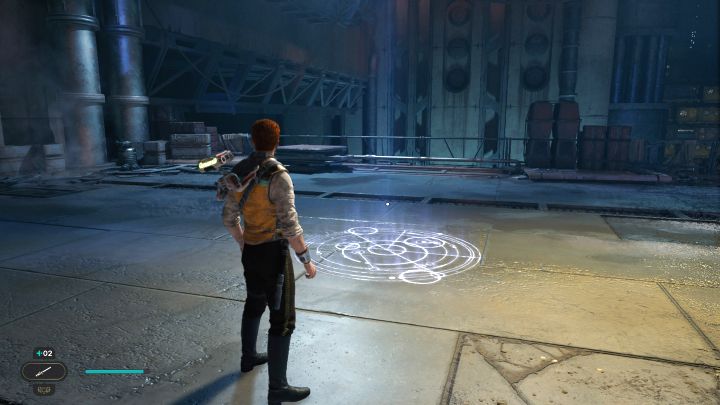
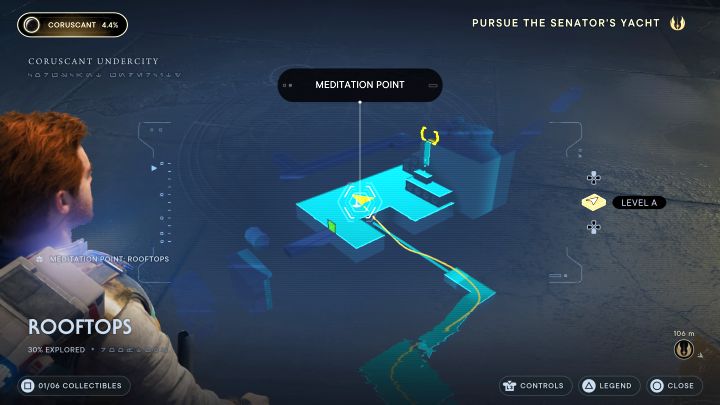
Saving progress in Jedi Survivor is done very similarly to the first part of the series. To do that, you must visit a meditation point, and the exemplary (first encountered in the game) one is shown in the attached screenshots.
The game automatically saves when you interact with a meditation point , and no option is provided for creating manual saves or operating on several different save slots. The save will be created even if you do not choose to rest (which replenishes health and respawns enemies)
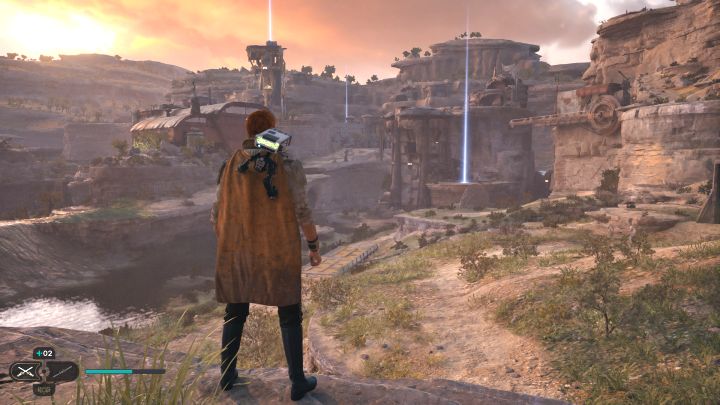
Each meditation point has to be discovered and unlocked manually. They are symbolized by a blue pillar of light and you can thus spot them from a greater distance. The game allows you to return to the meditation points as many times as you like - it's a good idea to return before an incoming tougher battle.
Checking how much time has elapsed since the last save
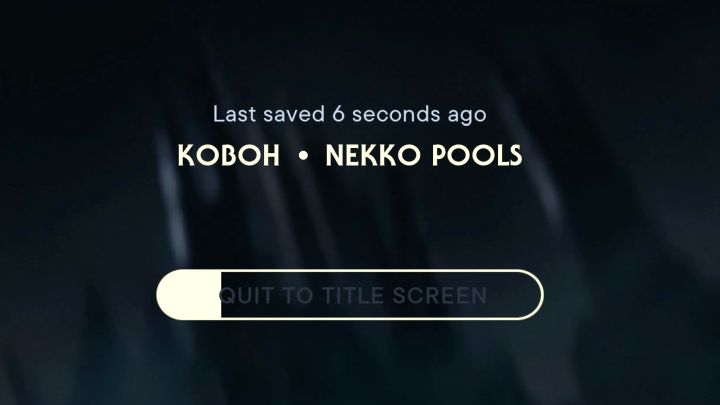
In the pause menu you can check how much time has passed since your last save. In the Options tab of the menu, highlight the return to main menu button. Thanks to this, you'll find out how much time has elapsed since the last save (6 seconds ago in the example from the screenshot above).
Only after holding the exit button the game returns to the main menu, so you dont have to worry about accidentally ending your session.



- Star Wars Jedi Survivor guide
- Star Wars Jedi Survivor: Game Guide
- Star Wars Jedi Survivor: FAQ
- Star Wars Jedi Survivor: Exploration
- Star Wars Jedi Survivor: Can you pet animals?
- Star Wars Jedi Survivor: Is there Fast Travel?
- Star Wars Jedi Survivor: How to save the game?
- Star Wars Jedi Survivor: Are there shortcuts?
- Star Wars Jedi Survivor: Can you swim and dive?
- Star Wars Jedi Survivor: Is there a two-dimensional (2D) map?
- Star Wars Jedi Survivor: How to return to the planet Coruscant?
- Star Wars Jedi Survivor: How to bypass a green gate?
- Star Wars Jedi Survivor: How to climb slippery slopes?
- Star Wars Jedi Survivor: Does it have an open world?
- Star Wars Jedi Survivor: How to overload the blue wires?
- Star Wars Jedi Survivor: How to grab balloons?
- Star Wars Jedi Survivor: How to catch a scavenger droid?
- Star Wars Jedi Survivor: How many planets are in the game?
- Star Wars Jedi Survivor: How to complete a planet in 100%?
- Star Wars Jedi Survivor: Exploration
- Star Wars Jedi Survivor: FAQ
- Star Wars Jedi Survivor: Game Guide
You are not permitted to copy any image, text or info from this page. This site is not associated with and/or endorsed by the developers and the publishers. All logos and images are copyrighted by their respective owners.
Copyright © 2000 - 2026 Webedia Polska SA for gamepressure.com, unofficial game guides, walkthroughs, secrets, game tips, maps & strategies for top games.