Assassins Creed Valhalla: Can you limit HUD?
On this page of the guide to AC Valhalla you will find information about the interface. You will learn how to customize it to your preferences, what can be turned off, and what must accompany you in the gameplay.
Not all players like to have an expanded interface with constant information displayed on the screen. Fortunately, Assassin's Creed Valhalla has many options to significantly reduce HUD - on this tutorial page, you will learn how to do this. All the described options can be found in the game settings, in the Interface tab.
General options
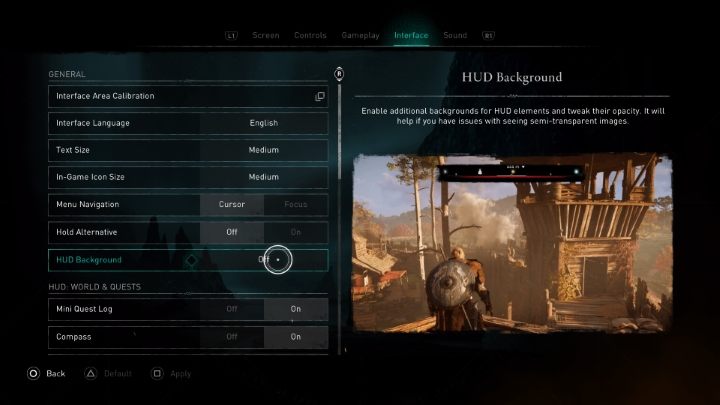
In the first section of the interface options, you can change the size of the text and icons, as well as enable alternative HUD mode - it adds a black background behind the compass, which makes it easier to read the icons on the compass.
World and quests
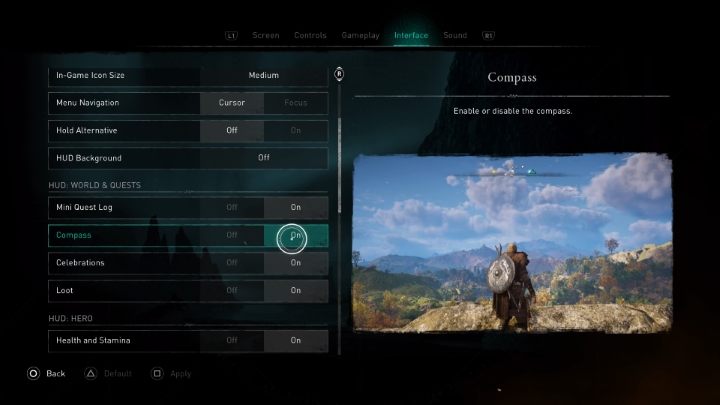
In the next section, you can limit the HUD associated with world exploration and missions. Here you will find options to disable the compass (remember that this can make the game very difficult) or to disable the mini task log located in the left upper corner of the screen.
Hero
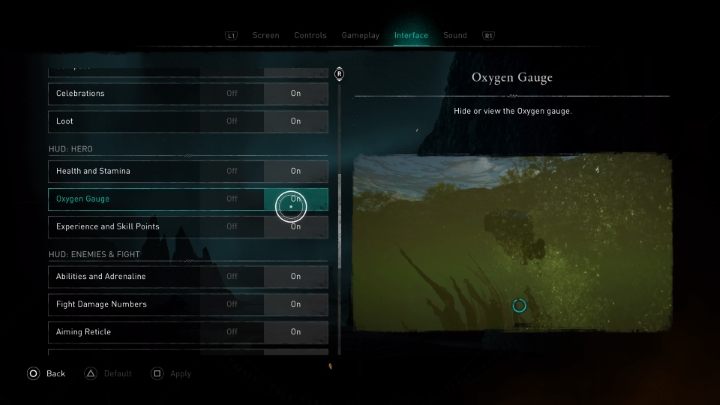
The next section of the interface is devoted to Eivor. Here you can turn off the health and stamina bar, the oxygen bar during diving, and information about your experience and skill points.
Enemies and fight
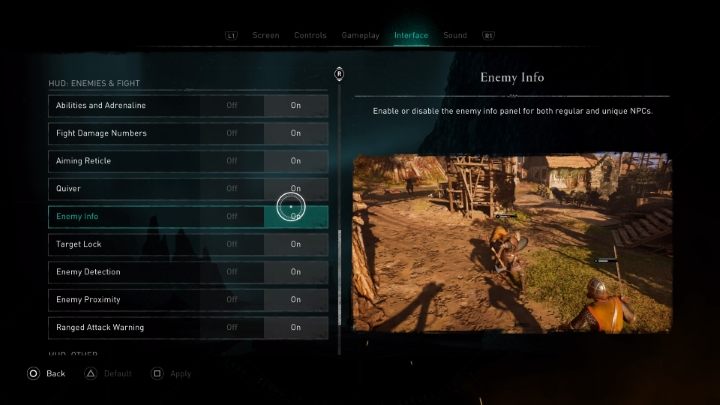
In the Enemies and fight section, you can change the information displayed during the battles. A useful option seems to be to disable damage numbers, but you can also change enemy info or enemy detection settings here.
Other options
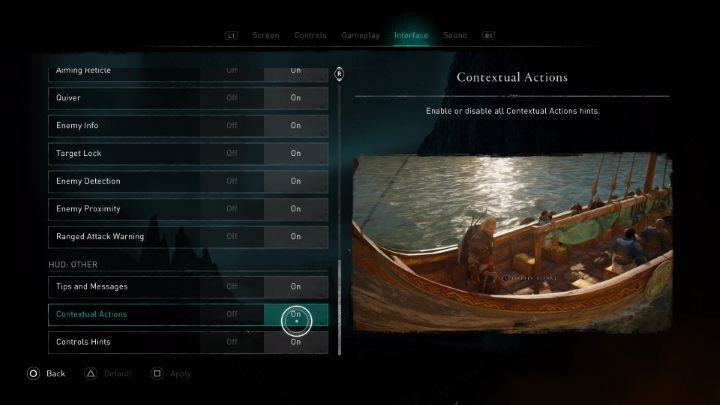
In the last section of the interface settings in Assassin's Creed Valhalla , you can disable all hints, messages, and information about what to do in a given action (e.g. when taking over the command of the ship).



- Assassin's Creed Valhalla Guide and Walkthrough
- AC Valhalla: Game Guide
- AC Valhalla: Appendix
- Assassins Creed Valhalla: Ubisoft Connect / Ubisoft Rewards
- Assassins Creed Valhalla: PC system requirements
- Assassins Creed Valhalla: Control
- Assassins Creed Valhalla: Game length
- Assassins Creed Valhalla: Pack / berserker's kit
- Assassins Creed Valhalla: How to fix subtitles, sound and dialogues?
- Assassins Creed Valhalla: Free PS5 upgrade
- Assassins Creed Valhalla: Does the game support Ray Tracing?
- Assassins Creed Valhalla: Does the game supports HDR?
- Assassins Creed Valhalla: Game Editions - content
- Assassins Creed Valhalla: When the action takes place?
- Assassins Creed Valhalla: How to use photo mode?
- Assassins Creed Valhalla: Can you limit HUD?
- Assassins Creed Valhalla: How to fix Data Corrupt problem?
- Assassins Creed Valhalla: How to fix anonimity bug?
- AC Valhalla: Appendix
- AC Valhalla: Game Guide
You are not permitted to copy any image, text or info from this page. This site is not associated with and/or endorsed by the developers and the publishers. All logos and images are copyrighted by their respective owners.
Copyright © 2000 - 2026 Webedia Polska SA for gamepressure.com, unofficial game guides, walkthroughs, secrets, game tips, maps & strategies for top games.