Assassins Creed Valhalla: How to use photo mode?
This guide page for AC Valhalla tells you how to enable Photo Mode, when it's available and its main features.
This guide page describes the Photo Mode in Assassin's Creed Valhalla. Here you will learn how to activate the photo mode and how to use it.
How do I start the photo mode?
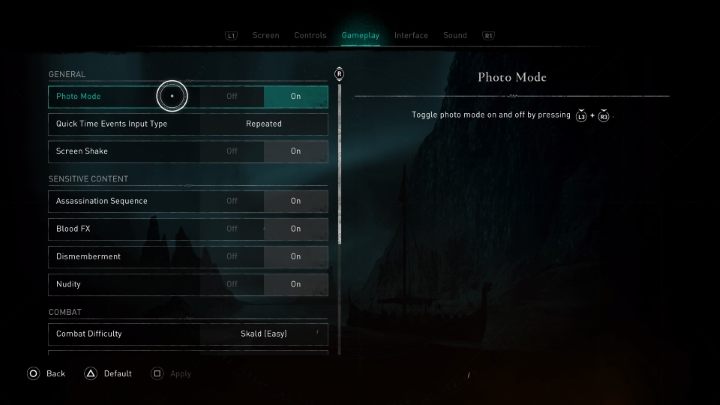
In the beginning, it is worth checking if the photo mode is active in the game options in the Gameplay tab. If it is active, you can exit the settings and use the following buttons during the game:
PC |  |
PS4 / PS5 |
|
Xbox One / Xbox Series S / Xbox Series X |
|


After using the proper buttons (depending on the platform you are playing on), the photo mode will be activated.
How to use the photo mode?
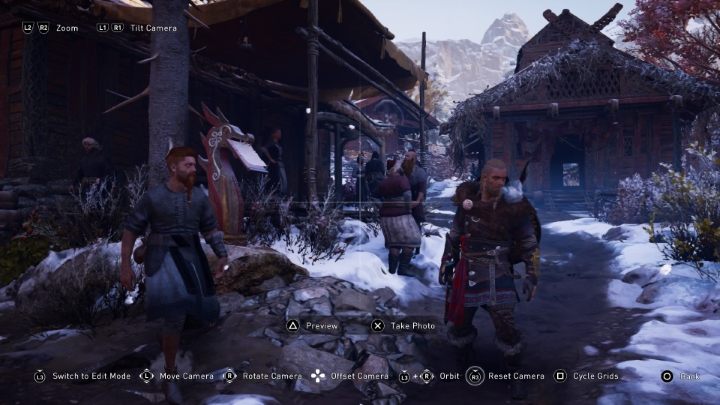
During the photo mode, the game time is stopped. So you can freely position the camera (using the buttons at the bottom of the screen) to get the desired shot.
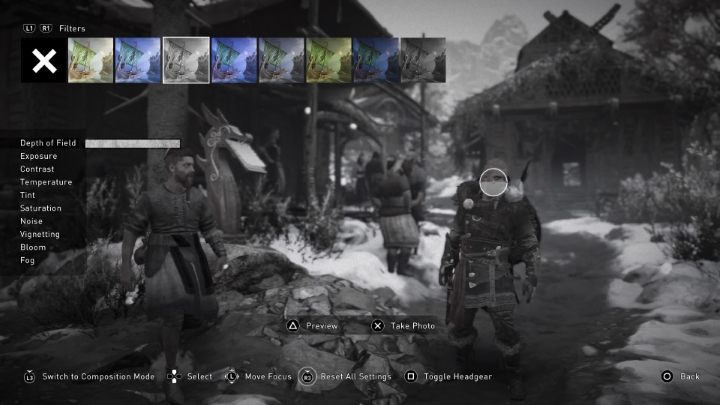
It's worth mentioning that you can apply different kinds of filters to your photos and edit their settings. You can use effects like depth of field, contrast or saturation.
If you play online, you can publish your photos. What's more, you can also view photos of other players on the Assassin's Creed Valhalla world map.



- Assassin's Creed Valhalla Guide and Walkthrough
- AC Valhalla: Game Guide
- AC Valhalla: Appendix
- Assassins Creed Valhalla: Ubisoft Connect / Ubisoft Rewards
- Assassins Creed Valhalla: PC system requirements
- Assassins Creed Valhalla: Control
- Assassins Creed Valhalla: Game length
- Assassins Creed Valhalla: Pack / berserker's kit
- Assassins Creed Valhalla: How to fix subtitles, sound and dialogues?
- Assassins Creed Valhalla: Free PS5 upgrade
- Assassins Creed Valhalla: Does the game support Ray Tracing?
- Assassins Creed Valhalla: Does the game supports HDR?
- Assassins Creed Valhalla: Game Editions - content
- Assassins Creed Valhalla: When the action takes place?
- Assassins Creed Valhalla: How to use photo mode?
- Assassins Creed Valhalla: Can you limit HUD?
- Assassins Creed Valhalla: How to fix Data Corrupt problem?
- Assassins Creed Valhalla: How to fix anonimity bug?
- AC Valhalla: Appendix
- AC Valhalla: Game Guide
You are not permitted to copy any image, text or info from this page. This site is not associated with and/or endorsed by the developers and the publishers. All logos and images are copyrighted by their respective owners.
Copyright © 2000 - 2026 Webedia Polska SA for gamepressure.com, unofficial game guides, walkthroughs, secrets, game tips, maps & strategies for top games.