How to fix black screen in No Man's Sky on Xbox. Play new NMS update without issues
Were you surprised by the black screen on your Xbox after the new update that unexpectedly arrived to NMS? Worry not, as here you will find an easy fix that will allow you to discover fresh features added in the new update.

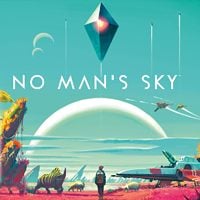
While Hello Games works on their new product called Light No Fire, which seems to be still ways off from hitting the market, they do not forget about their zero-to-hero title – No Man’s Sky. The developers constantly push free updates to this already almost decade old production. The most recent one, Voyagers, introduces a lot of interesting changes and adds a possibility to build your own ships, or Corvettes, as they are properly called. However, it is not uncommon that alongside fresh content, some mischievous code appears that breaks things. This time, Xbox players have received the short end of the stick as the patch makes some of those less fortunate fans see only a black screen. Fortunately, the (temporary) solution seems to be fairly simple, so stick around to get enlightened.
Fix for black screen on Xbox in No Man’s Sky
The amount of content that gets pumped into NMS regularly at no additional cost could make financial directors of major game companies go bald. Not concerned by such gloomy consequences, Sean Murray and his team provide fans of space exploration tons of toys to their sandboxes. Those experienced with venturing through the dark corners of the universe know full well how sunless the void can be. However, after the recent update, Xbox players have it cranked to 11 as all they can see after booting up the game is black screen. The fix is easy, though, so let’s get to it.
If you have stared into the darkness and it stared back at you while launching NMS on Xbox, you have to think outside the… box and turn off HDR10 in your console settings and on TV. This should solve the problem and allow you to enjoy putting together your own Corvette. Just remember that this can deteriorate your general reception of not only No Man’s Sky, but also all other games, too. Keep that in mind and keep checking whether there is a new patch or fix for NMS that solves the issue properly, as you will have to juggle between turned on and off HDR for the time being.
With the darkness in decline, you will be able to set sails on the new Expedition 19 (when it comes out). Starting it is quite simple, and it is definitely worth doing so, as the rewards are remarkable. Good luck!


0

Author: Aleksander Kartasinski
Just a random from the depths of the internet who happens to be interested in video games like millions of other people on this planet. By sheer luck he was given a chance to write about them. Worked in IT department and supported users for way too long, but also given a chance to do some IT magic on a large scale in his free time. Interested in technology, games with intriguing mechanics, etymology, and linguistics.

Latest News
- A fan has enhanced and fixed the classic Ultimate Spider-Man for PC
- Because of the final boss, I never gave up on entire genre, but the wonderful Rayman 2: The Great Escape hasn't aged a bit
- The free version of the cult classic shmup Tyrian has been updated after 4 years
- A new Nod campaign has been added to The Dawn of the Tiberium Age, a freeware Command & Conquer RTS
- Fans have removed the time limit from The Blood of Dawnwalker