How to change the cinematic horse camera in Ghost of Yotei. It's a simple trick that the game doesn't tell you
Some players are confused about why Ghost of Yotei doesn't explain how to change the cinematic camera while riding a horse. But thankfully, it's easy.

If you’re playing the exciting new game, Ghost of Yotei, which is out today on PlayStation 5, there might be one feature that is getting on your nerves. Whenever the player, as the protagonist Atsu, jumps on her horse, you may have noticed that the camera changes to a more cinematic mode, with black bars appearing at the top and bottom of the screen. You can search through the settings and listen to every tutorial, but for some reason, the game doesn’t explain to the player how to change this mode.
How to turn off cinematic mode in Ghost of Yotei when riding a horse
The long-awaited sequel to Ghost of Tsushima, which you don’t need to have played before Yotei, could arguably be one of the most beautiful games of this year. This is why many players want a wider view of the stunning landscape during travel, as Reddit user vaikunth1991 pointed out in their post: “…while it was good at first, I didn’t like it as I wanted to see my surroundings…” Thankfully, this user also pointed out that the player is able to shift between three modes simply by clicking in the right joystick, also known as R3.
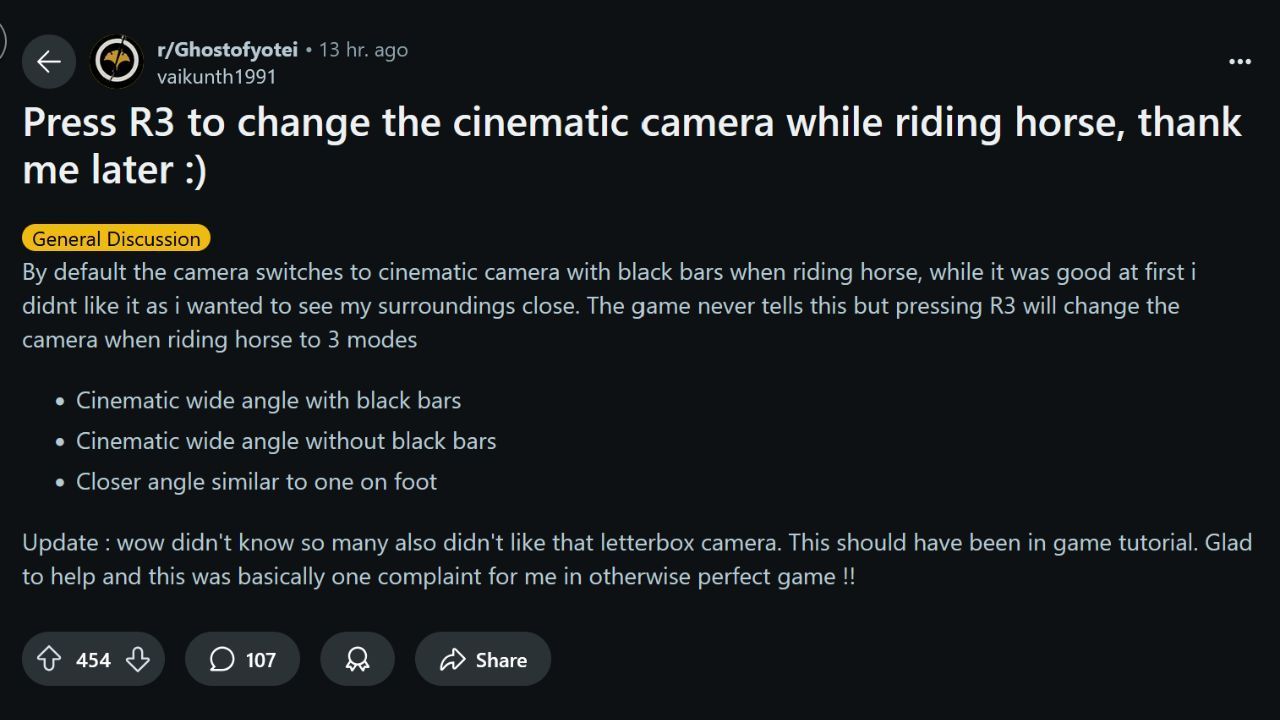
The Reddit post from vaikunth1991 that helped many players.Source: Ghost of Yotei subreddit, post by vaikunth1991
Using R3, players can shift the camera mode between a cinematic wide angle view with black bars, a similar view without the black bars, or a camera angle similar to the one on foot. Generally, this is not a huge problem, and most other users agreed that they did enjoy the cinematic camera for at least some time, but are glad to discover that it is optional. Elsewhere on the same subreddit, players continue to share posts about how beautiful the game is, screenshots of landscapes, and explaining that they can’t stop using the in-game photo mode. It only makes sense that players would want to spend more time admiring the beautiful world as they explore.
Comments on the post were simultaneously thankful to know the solution and confused about why the game never told them about this feature. One user wrote: “Oh my goddd why doesn’t the game ever tell you this?” while another added: “Thank **** this was driving me mad…” Many users also agreed that this was the one annoying detail of an otherwise incredible game, so hopefully, this can help more users alleviate the one frustrating feature of Ghost of Yotei.
- Jason Connell explained to us why Ghost of Yotei removes question marks from the map to let players explore freely
- Ghost of Yotei's hidden activity turns you into a master archer. Nothing in the game says how important it is
- Ghost of Yotei devs face a very difficult choice. They have at least three paths ahead of them, and none is perfect

0

Author: Matt Buckley
Matt has been writing for Gamepressure since 2020, and currently lives in San Diego, CA. Like any good gamer, he has a Steam wishlist of over three hundred games and a growing backlog that he swears he’ll get through someday. Aside from daily news stories, Matt also interviews developers and writes game reviews. Some of Matt’s recent favorites include Arco, Neva, Cocoon, Animal Well, Baldur’s Gate 3, and Tears of the Kingdom. Generally, Matt likes games that let you explore a world, tell a compelling story, and challenge you to think in different ways.

Latest News
- Because of the final boss, I never gave up on entire genre, but the wonderful Rayman 2: The Great Escape hasn't aged a bit
- The free version of the cult classic shmup Tyrian has been updated after 4 years
- A new Nod campaign has been added to The Dawn of the Tiberium Age, a freeware Command & Conquer RTS
- Fans have removed the time limit from The Blood of Dawnwalker
- Empire II: Total War now with two extra historical campaigns