Battlefield 6 not working? Fix the game crashing after the splash screen
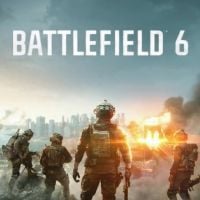
The launch of Battlefield 6 has not been smooth for everyone. Thankfully, if the game is not working or won't open for you, there might be a solution to try.
2

Today is the launch of Battlefield 6, and perhaps in the least surprising turn of events, it has been quite chaotic. Players are stuck in queues with hundreds of thousands of people, and many are encountering an “undefined error.” But that’s if you can even get the game to open successfully. Several users have taken to the Steam community discussions page to share their frustrations, writing posts titled “Game won’t open” and searching for a solution. Thankfully, some of them seem to have found a fix.
Battlefield 6 won’t open? Some players have found a solution
Long queues to play the game are one thing. It’s practically a necessary evil with the launch of a game like this. But being unable to even launch Battlefield 6 is incredibly disheartening and frustrating, especially given that there are already over 500,000 players on Steam, according to SteamDB. Every situation may not be exactly alike, so it’s always worth trying the basic troubleshooting techniques. Restart Steam, restart your computer, update your drivers, and validate the integrity of the files by right-clicking the game in your Steam Library, selecting Properties, then Installed Files, and selecting Verify integrity of game files.
Remember that you do all fixes on your own risk.
But if none of that solves the issue for you, there may be other solutions. Some players on Steam have figured out a few other fixes that appear to have worked for them. If you’re using the Nvidia app, some players have found success by turning off smooth motion. To do this, you’ll need to go to Settings, then Graphics, find Battlefield 6, and toggle off Smooth Motion. This appears to have solved the issue for many Steam users.
If you’re not using the Nvidia app, Steam user Low-Tier Arc has worked out a solution. On Windows, open Windows Security, select App & Browser Control, then select Exploit Protection Settings. Under the System Settings tab, find Force Randomization for Images (Mandatory ASLR) and switch it to off. Then restart your computer and try booting Battlefield 6 again. If you don’t want to set this for your entire PC, you can also make an exception for Battlefield 6 by going to the Program settings tab and adding a program to customize. Choose the exact file path to get to “bf6event.exe and set Force Randomization for images (Mandatory ASLR) off.”
Hopefully, something in this article helped solve your Battlefield 6 launch problems. It’s frustrating not to be able to play a game on launch day with everyone else.


2

Author: Matt Buckley
Matt has been writing for Gamepressure since 2020, and currently lives in San Diego, CA. Like any good gamer, he has a Steam wishlist of over three hundred games and a growing backlog that he swears he’ll get through someday. Aside from daily news stories, Matt also interviews developers and writes game reviews. Some of Matt’s recent favorites include Arco, Neva, Cocoon, Animal Well, Baldur’s Gate 3, and Tears of the Kingdom. Generally, Matt likes games that let you explore a world, tell a compelling story, and challenge you to think in different ways.
Latest News
- The free version of the cult classic shmup Tyrian has been updated after 4 years
- A new Nod campaign has been added to The Dawn of the Tiberium Age, a freeware Command & Conquer RTS
- Fans have removed the time limit from The Blood of Dawnwalker
- Empire II: Total War now with two extra historical campaigns
- Someone has remastered Medieval 2: Total War and Rome: Total War so well that the AI's moves are now calculated in a matter of seconds [Updated]