God of War Ragnarok: How to enable photo mode?
In God of War Ragnarok, as in the previous games, there is a Photo Mode. Check out how to enable Photo Mode and capture the best moments in the game!
Photo Mode was added a few weeks after the release of GoW Ragnarok, offering a wide set of tools and features for capturing the game's most memorable moments. On this page, we explain how to enable photo mode and how to find the best options.
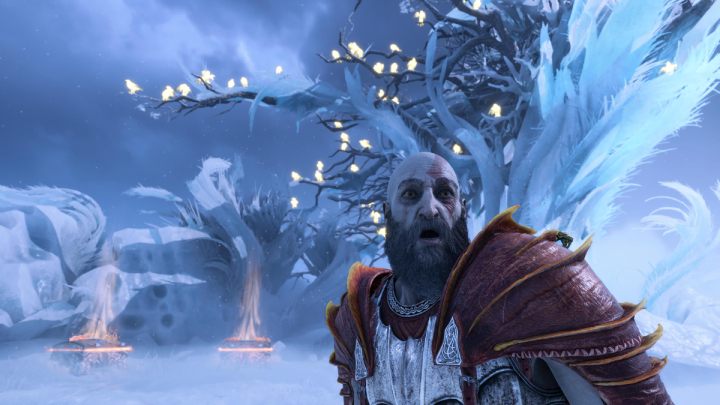
You get access to photo mode by pausing the game and then pressing Square. Thanks to the various options, you will be able to change the brightness, exposure and saturation of the shot. Free camera positioning, a set of filters, and more detailed options for changing the focal length or aperture of a composition are just a few of the available settings.
For fans of taking pictures of landscapes, the developers have prepared an option to hide main and side characters. You can also change the facial expressions of your favorite characters.



- God of War Ragnarok Guide
- God of War Ragnarok: Game Guide
- God of War Ragnarok: FAQ
- God of War Ragnarok: Game content and features
- God of War Ragnarok: How to save the game, is there a save transfer?
- God of War Ragnarok: Is there endgame?
- God of War Ragnarok: What items are in pre-order?
- God of War Ragnarok: Is 3D audio supported?
- God of War Ragnarok: Will there be PC version?
- God of War Ragnarok: How much does upgrading to the PS5 version cost?
- God of War Ragnarok: Is this the last game in the series?
- God of War Ragnarok: How to enable photo mode?
- God of War Ragnarok: Game content and features
- God of War Ragnarok: FAQ
- God of War Ragnarok: Game Guide
You are not permitted to copy any image, text or info from this page. This site is not associated with and/or endorsed by the developers and the publishers. All logos and images are copyrighted by their respective owners.
Copyright © 2000 - 2026 Webedia Polska SA for gamepressure.com, unofficial game guides, walkthroughs, secrets, game tips, maps & strategies for top games.