Starfield: How to follow an NPC?
In Starfield you may have a problem with running making it difficult to follow an NPC. In the guide, we explain how to walk and how to solve the problem of an NPC getting blocked in the environment.
Last update:
Following NPCs can be quite irritating in Starfield. On this page of the guide, we have included tips on how to properly follow an NPC during a quest, as well as what to do when an NPC gets stuck in the environment.
Problems with the pace when following NPCs
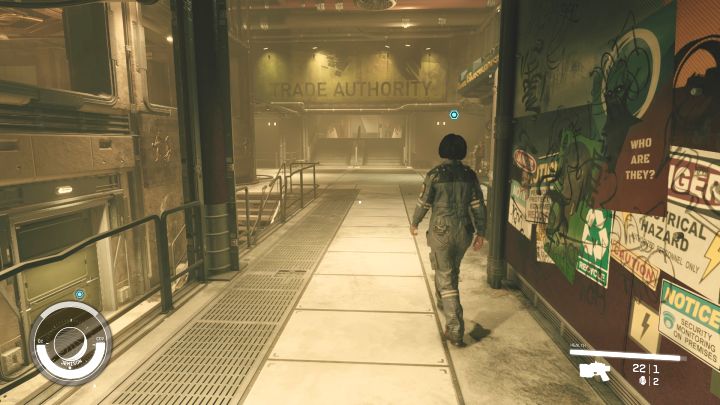
- In some quests you have to follow an NPC, e.g. to the place where the next objective takes place. It can sometimes be annoying because the default way your character moves is running, so you will probably move faster than your companion.
- On the keyboard, you can activate a walk by pressing the CAPS LOCK key. Unfortunately, this way you will walk slower than the NPC and they may move away.
- If a given mission has a marked destination, it's best to go there immediately and wait for the NPC to arrive. Otherwise, you will have to stop every few seconds and wait for the accompanying character to move a little further.
- In extreme cases, the character you are following may also get stuck. This is a problem without a universal solution - try to move back, reach the mission objective alone (the NPC might "teleport" there) and make sure that none of your companions (especially the robot Vasco) are blocking the only passageway.
- You cannot talk to a character when they are on their way to a mission objective. Upon reaching the destination, make sure that they aren't fighting or performing any other actions. Only then the game can unlock the option to talk to them again.
Starfield also offers an automatic walk option - activated by the NUMLOCK key. This can be useful if you don't want to keep pressing the movement key.



- Starfield Guide
- Starfield: Game Guide
- Starfield: FAQ
- Starfield: Exploration
- Starfield: Is there fast travel?
- Starfield: Jail and penalty system - how does it work?
- Starfield: How to check the time and change the time of day?
- Starfield: How to win the Persuasion mini-game?
- Starfield: How to read magazines - collectibles?
- How to open a map in Starfield?
- Starfield: How to explore 100% of a planet?
- Starfield: Can you visit Earth?
- Starfield: How to move objects?
- Starfield: How to find research materials?
- Starfield: Are there map boundaries?
- Starfield: Where to find power cells for power receptacles?
- Starfield: How does the open world work?
- Starfield: How to follow an NPC?
- Starfield: How to sell Survey Data?
- Starfield: Exploration
- Starfield: FAQ
- Starfield: Game Guide
You are not permitted to copy any image, text or info from this page. This site is not associated with and/or endorsed by the developers and the publishers. All logos and images are copyrighted by their respective owners.
Copyright © 2000 - 2026 Webedia Polska SA for gamepressure.com, unofficial game guides, walkthroughs, secrets, game tips, maps & strategies for top games.